AI Body Kit Designer - Transform Your Vehicle Body Kit
Design custom body kits for your vehicle with AI technology. Add spoilers, side skirts, and aerodynamic enhancements.
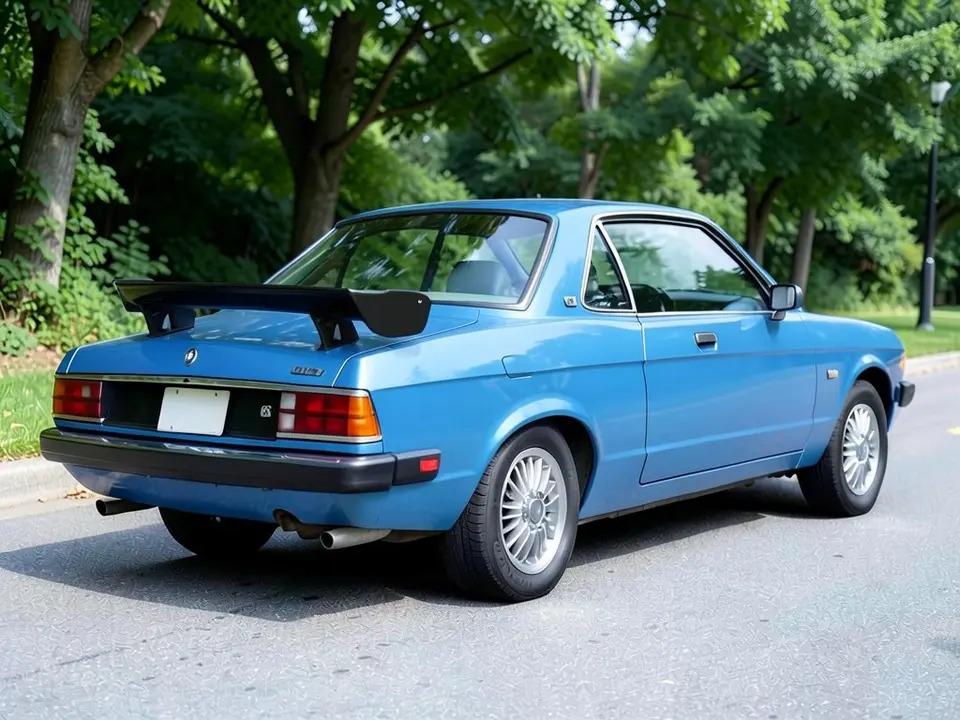
Body kit example: a rear wing
These are AI-generated samples from our car spoiler visualizer. Upload a photo of your own car there to try the same kind of edit.
How to use the AI Body Kit Designer
- Upload a clear photo of your vehicle, taken from the side or a three-quarter angle in daylight.
- Pick a modification type (Front Spoiler, Side Skirts, Rear Wing, Diffuser and Fender Flares) and a style: aggressive, subtle, racing, street or show.
- Add any details in your own words, up to 500 characters, then render to see the parts on your photo.
Modifications you can preview
- Front Spoiler
- Side Skirts
- Rear Wing
- Diffuser
- Fender Flares
Tips for a good AI Body Kit Designer preview
A body kit changes the bumpers, skirts and rear of the car, so take the photo at a low three-quarter angle that shows the front bumper and one side skirt. Try subtle first, then aggressive, and compare the two with your current wheels. Kits are usually made for one model and year, so check what is sold for your car before you buy.
Related tools: rim visualizer, lowered truck visualizer, car spoiler visualizer.
Questions
What does the AI Body Kit Designer do?
It adds the modification you pick to a photo of your car, so you can see the look before you buy parts.
Does the preview show real part numbers or fitment?
No. It shows the look only. Check sizes, fitment and local rules with your parts seller or installer before you buy.
Is the AI Body Kit Designer free to try?
Sign in with email or Google to render. Most new accounts get 5 free credits (valid 30 days). Free renders carry a WheelAI watermark.