See New Rims on a Photo of Your Own Car
Upload a side photo of your car, describe the rims you like, and see gloss black, bronze, chrome or machined wheels on your own car before you spend money on a set.
Try new rims on my carSign in with email or Google to render. Most new accounts get 5 free credits (valid 30 days); a standard render uses 1 credit. Free renders carry a WheelAI watermark.
Before and after examples
Each pair shows an original car photo and the same photo after asking for different rims.
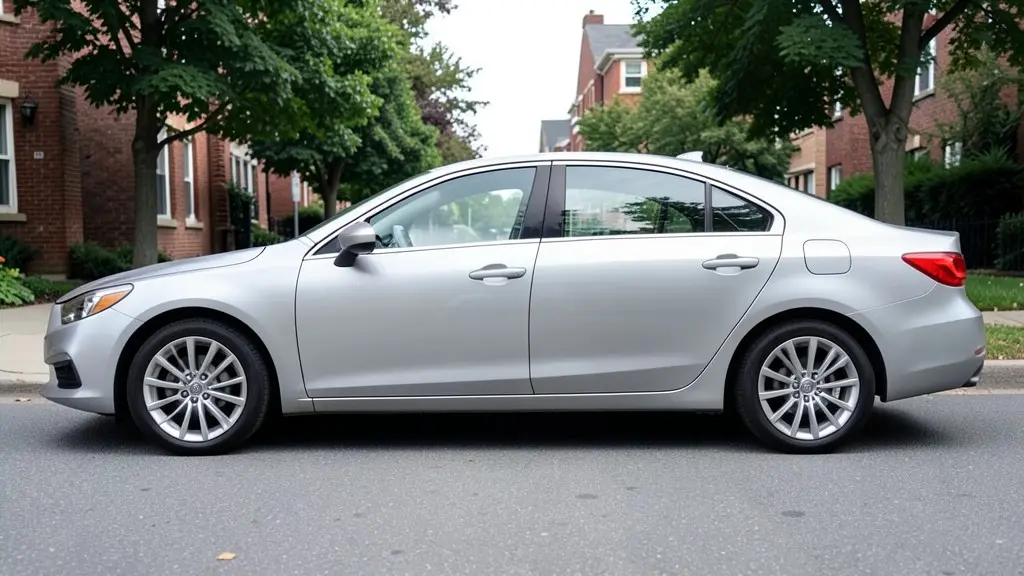
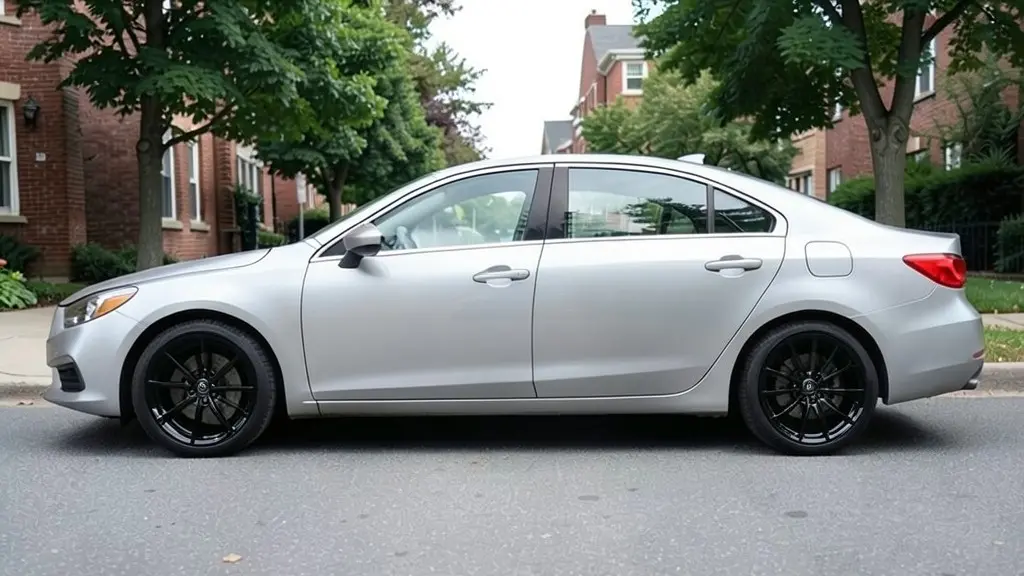
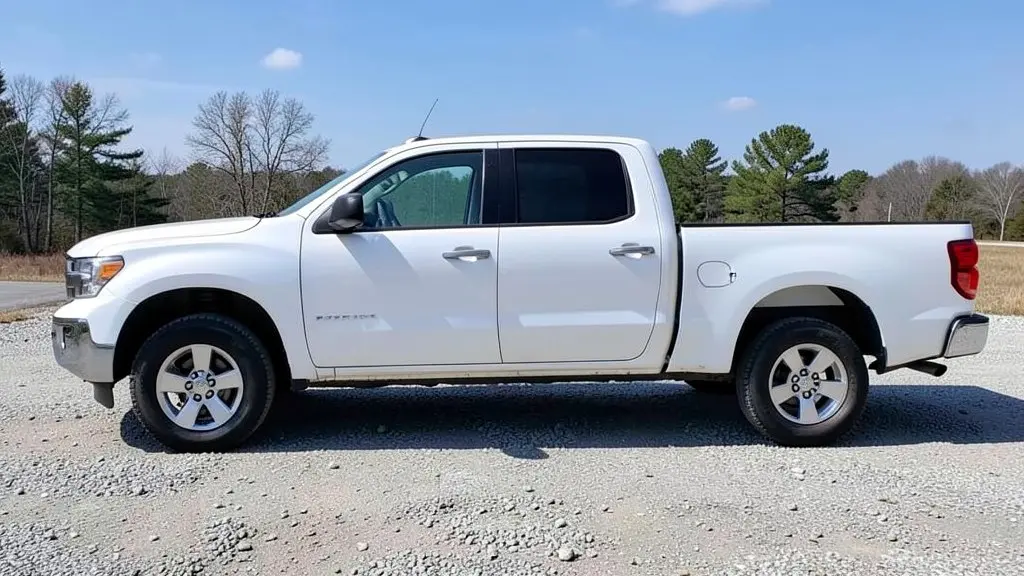
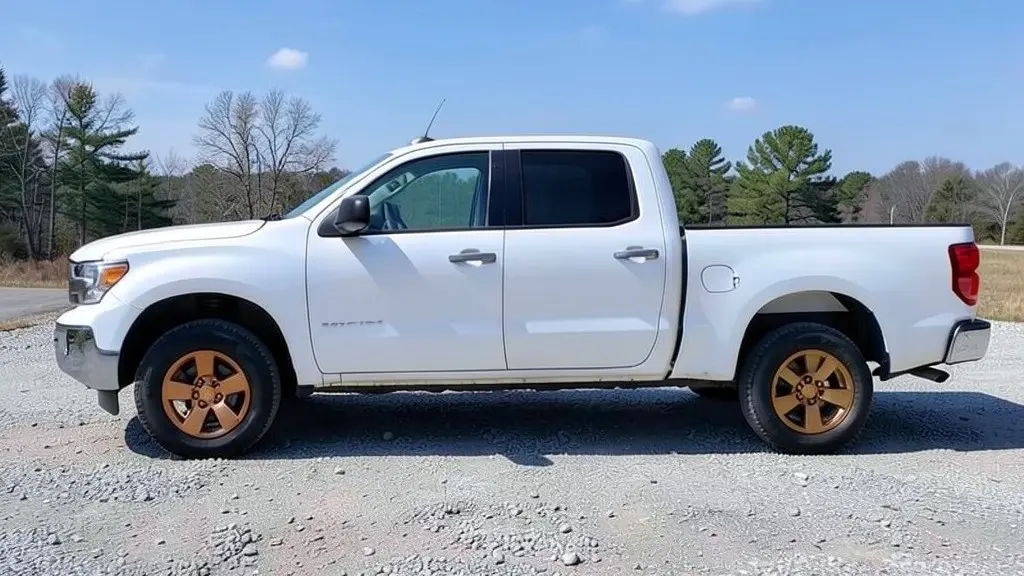
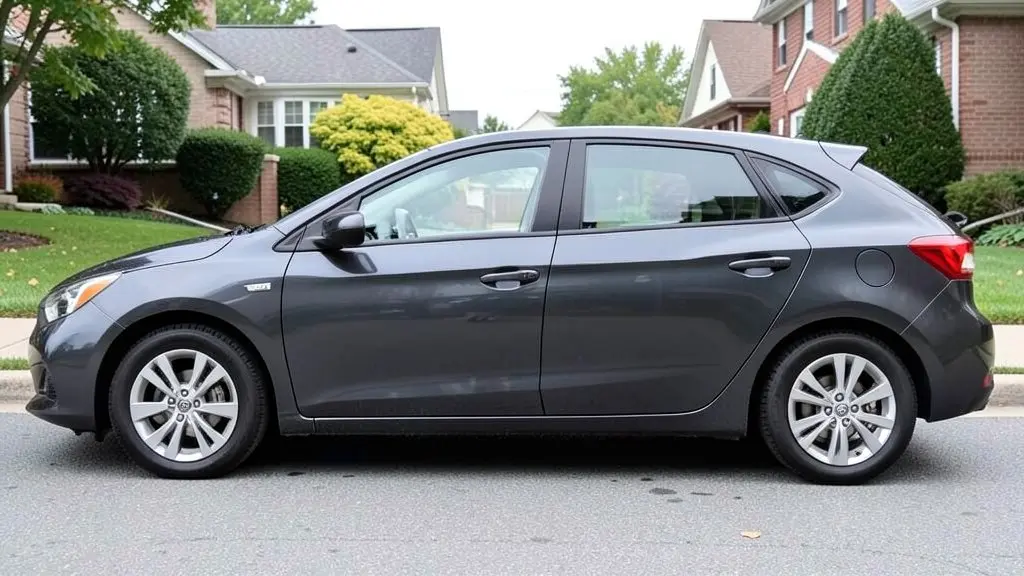
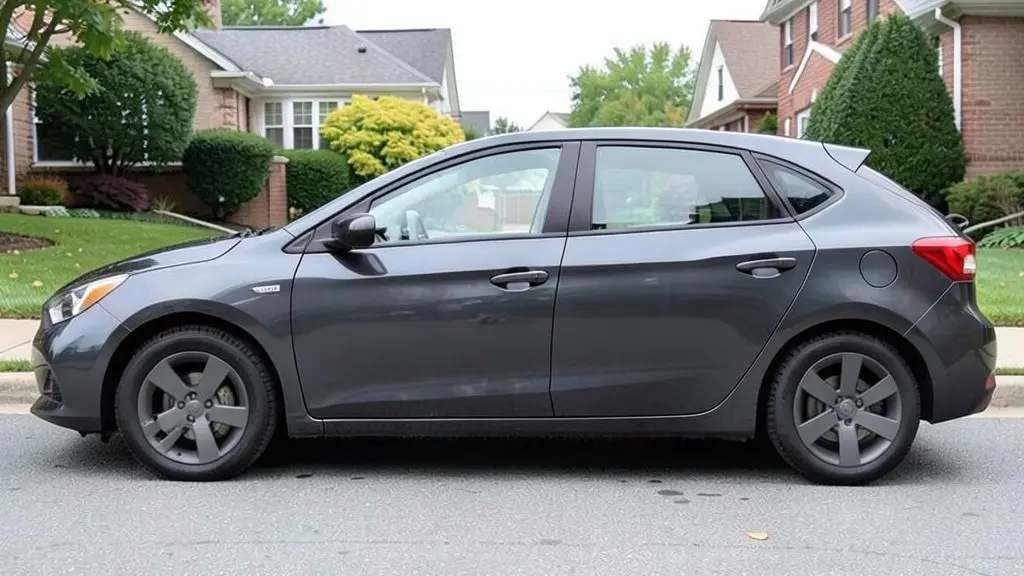
All example images on this page are AI-generated samples made with our own image model, not photos of real customer cars.
How to try new rims on your car
- 1
Take a side photo
Photograph your car from the side in daylight so both wheels are fully visible.
- 2
Open the Modifications tool and upload it
Modifications is our existing tool for visual upgrades. Upload your photo and stay on the "Exterior Modifications" mode.
- 3
Choose a wheel style
Pick a style under "Wheel Upgrade" (sport, performance, luxury/chrome, off-road, forged or deep dish), or switch to "Custom Vision" and type exactly what you want, for example "replace the wheels with gloss black 5-spoke rims, keep everything else the same".
- 4
Render and compare
Generate the image, compare it with your current wheels, and try a second finish. Black, bronze and silver often look very different on the same car color.
Rim styles: spokes, faces and finishes
Two things decide most of the look of a wheel: the spoke design and the finish. Name both in your prompt to get a useful preview.
5-spoke and 6-spoke
Simple, sporty and easy to clean. Fewer, thicker spokes show more of the brakes and look good on most cars.
Multi-spoke and split-spoke
Many thin spokes, or spokes that split in two near the rim. They look busier and more upscale, and suit larger wheels and luxury cars.
Mesh
A cross-hatched pattern inspired by classic motorsport wheels. Great on European and retro-styled cars; more surfaces to clean.
Concave and deep dish
Concave spokes curve inward toward the center; deep-dish wheels have a wide outer lip. Both depend on wheel width and offset in real life.
Gloss black and matte black
The most popular aftermarket look. Black wheels hide brake dust well and make the car look lower. Gloss is easier to clean than matte.
Bronze and gold
Warm tones that stand out on white, black, blue and grey cars. A favorite on sports cars and off-road builds.
Chrome and polished
Bright and classic. Shows water spots and needs regular cleaning, and road salt can damage the finish over time.
Machined and two-tone
A black or grey wheel with a bright machined face. It adds contrast and shows off the spoke shape.
Sizes and fitment: what the visualizer cannot check
The rim visualizer shows looks only. A wheel that looks perfect in a render can still be wrong for your car. Before you buy, make sure a shop or the wheel maker confirms these details:
- Bolt pattern and center bore: the wheel has to match your hub, for example 5x114.3.
- Offset and width: these decide how far the wheel sits in or out of the arch, and whether it rubs on suspension parts or the fender.
- Diameter and tire size: a larger wheel usually needs a lower-profile tire so the overall diameter stays close to stock. That keeps the speedometer and safety systems accurate.
- Brake clearance: big brake calipers need enough room behind the spokes.
- Load rating: trucks and heavy SUVs need wheels rated for their weight.
A good approach is to use the visualizer to choose a style and finish, then ask a wheel shop which sizes of that style fit your exact car.
How to photograph the side profile
- Park on a flat surface and turn the front wheels straight.
- Stand directly to the side, far enough back that the whole car fits in the frame.
- Crouch so the camera is roughly at wheel-center height; this shows the wheel face without distortion.
- Shoot in even daylight. Avoid hard shadows falling across the wheels.
- Keep curbs, parked cars and people from blocking the wheels.
- Clean brake dust off the current wheels if you can. It helps the AI separate the wheel from the tire.
An honest note about AI renders
Renders are concepts. The AI may slightly change the tire, the brake caliper or small details of the body, and it may not draw the exact same wheel on the front and rear. Use it to decide on a look, then check real photos of the wheel you want on a car like yours, and let a professional confirm fitment.
Who the rim visualizer is for
- Owners choosing their first set of aftermarket wheels.
- Anyone deciding between two finishes, such as black or bronze, on their car color.
- Truck and SUV owners planning an off-road or street look.
- Wheel and tire shops that want to show a customer a quick concept on their own car.
Frequently asked questions
How does the rim visualizer work?
You upload a photo of your car and describe the rims you want, for example "gloss black 5-spoke rims". Our AI image model replaces the wheels in the photo and tries to keep the car body, tires and background the same, so you can compare the new look with your current wheels.
Is it free to try?
You need to sign in with your email or a Google account. Most new accounts get 5 free credits that last 30 days, and a standard render uses 1 credit, so you can try up to 5 rim styles before deciding whether to buy more. Free renders carry a WheelAI watermark; an active paid plan removes it.
Will the rims I see fit my car?
The visualizer only shows how a style looks. It cannot check bolt pattern, center bore, offset, width, diameter, brake clearance or tire size. Always confirm fitment with a wheel or tire shop, or with the wheel maker’s fitment guide, before you buy.
Can I see a specific brand or model of wheel?
You can describe a design in words (spoke count, finish, concave or flat face), and the AI will draw something close to that description. It does not have a catalog of real wheel models, so the result is a style preview, not an exact replica of a product.
Can it show a bigger wheel size or a lowered stance?
Rendering is most reliable when the wheel size stays about the same. Asking for much larger wheels or a lower ride height can work, but treat the result as a rough idea: real fitment depends on tire size, suspension and the wheel arches.
What photo works best for rims?
A full side profile in daylight, taken from about wheel-center height, with both wheels fully visible. Turn the front wheels straight and keep curbs, people and other cars out of the way.
Does it work on trucks and SUVs?
Yes. It works on pickups, SUVs and vans as well as cars. For off-road looks you can ask for things like "matte bronze off-road rims", but tire size and lift still need to be checked by a shop.
Ready to see your car on new wheels?
Upload one side photo and compare a few rim styles before you talk to a wheel shop.
Try new rims on my carAlso try: Car Wrap Visualizer · Car Color Changer · Camaro Visualizer · Corvette Visualizer · Charger Visualizer