Car Spoiler Visualizer: See a Spoiler on Your Own Car Photo
Upload a photo of your car, describe the spoiler or wing you are considering, and see how the shape and size look on your paint before you buy a part or book a shop.
Preview a spoiler on my carSign in with email or Google to render. Most new accounts get 5 free credits (valid 30 days); a standard render uses 1 credit. Free renders carry a WheelAI watermark.
Before and after examples
Each pair is one vehicle photo and the same photo after one Modification Goals request, sent to the image model that Custom Vision uses but with more processing steps than the live tool default, so your own render may be rougher. We picked the best of a few tries for each. The full request text sits under each pair.
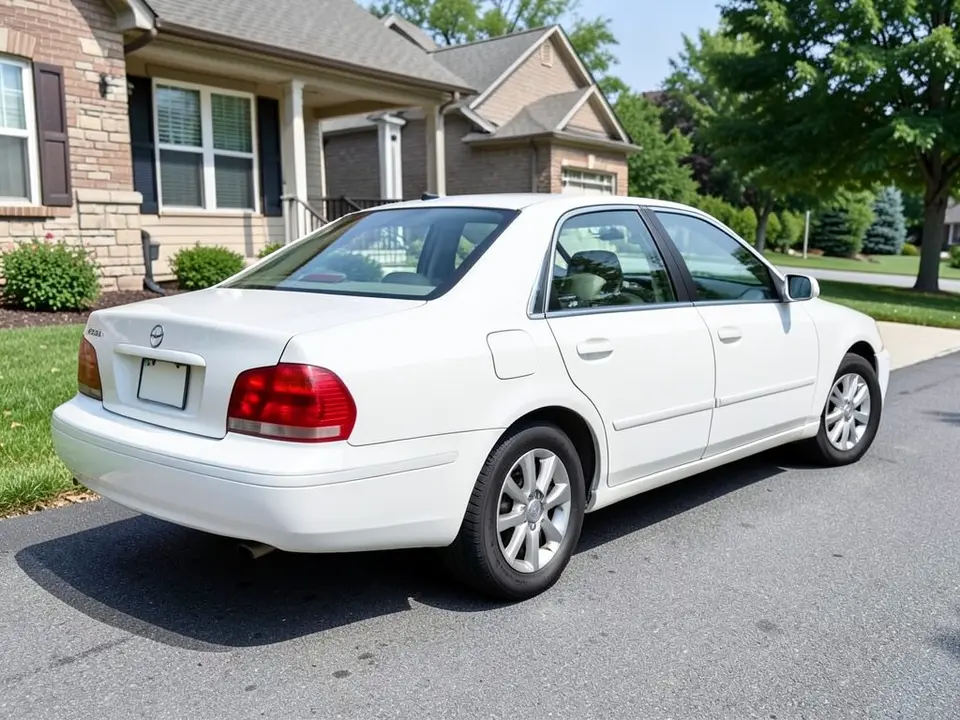
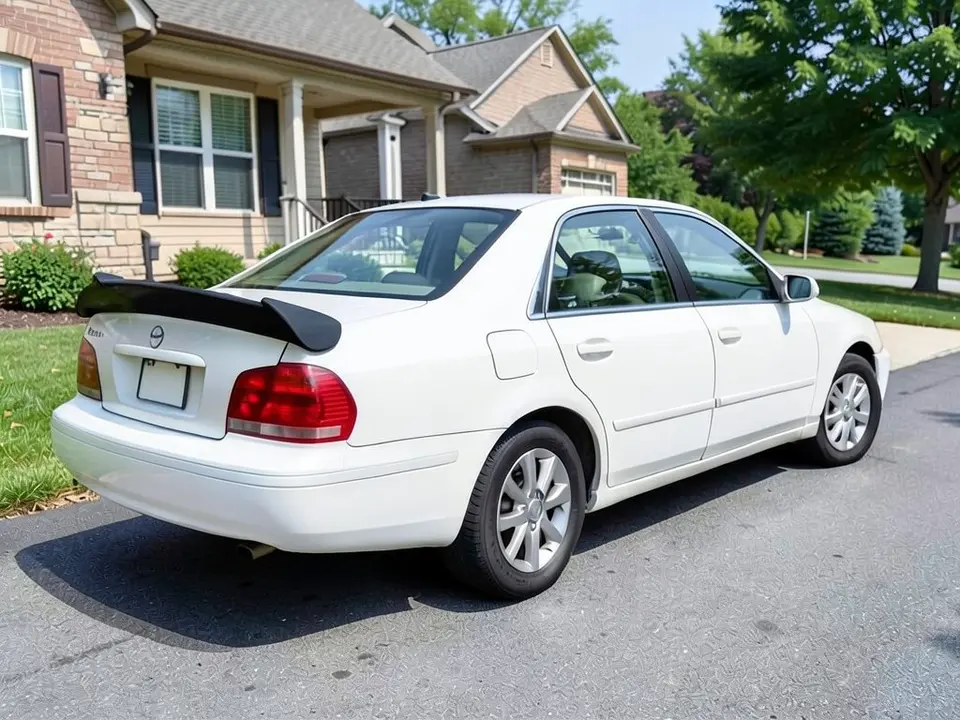
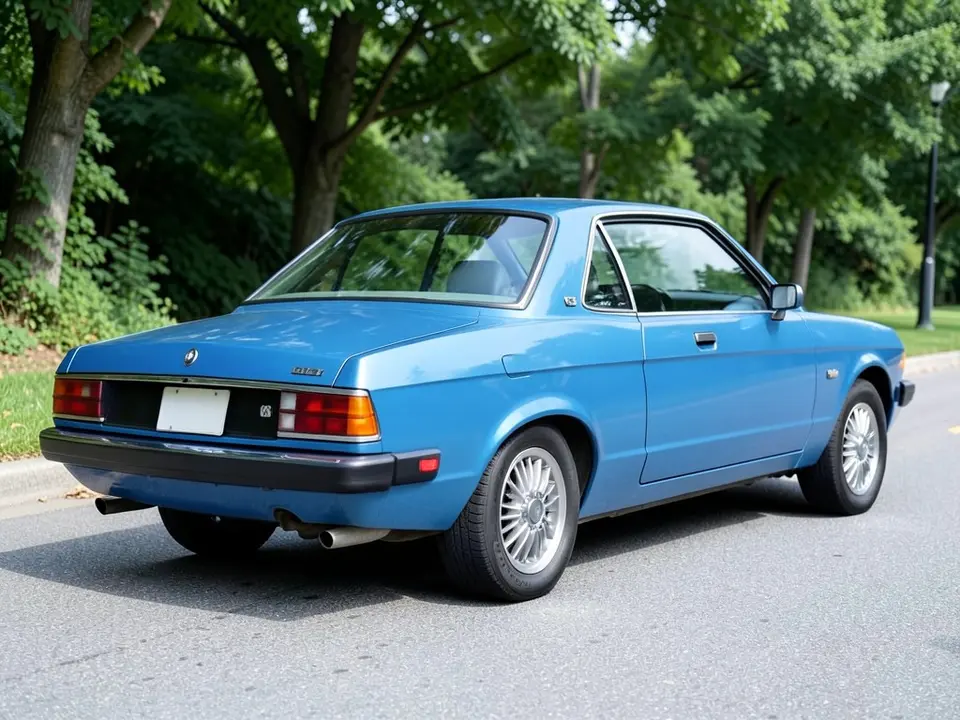
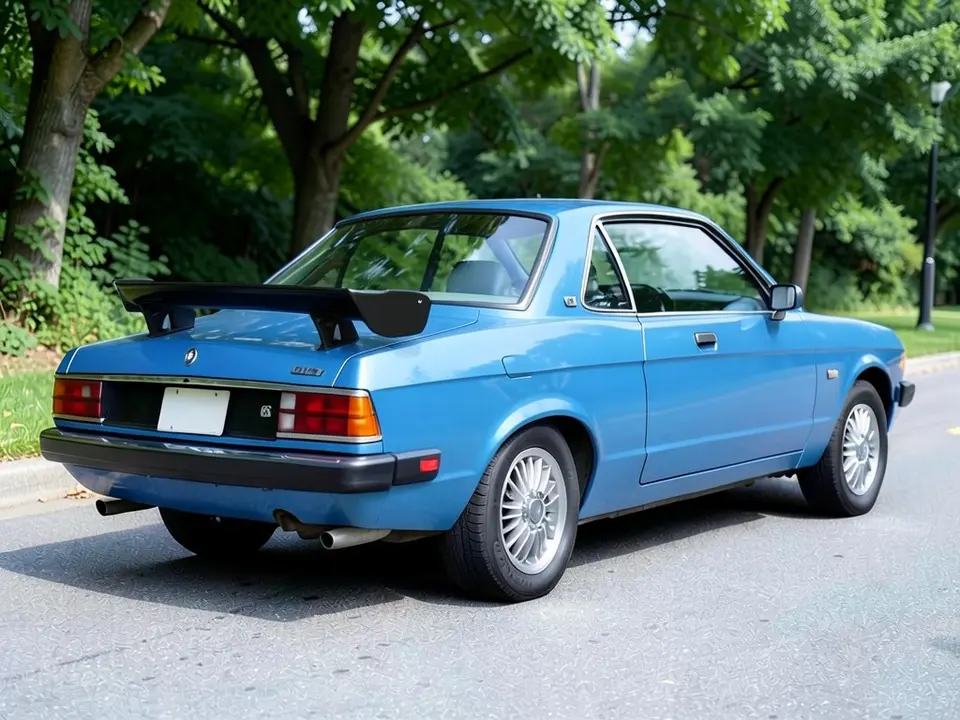
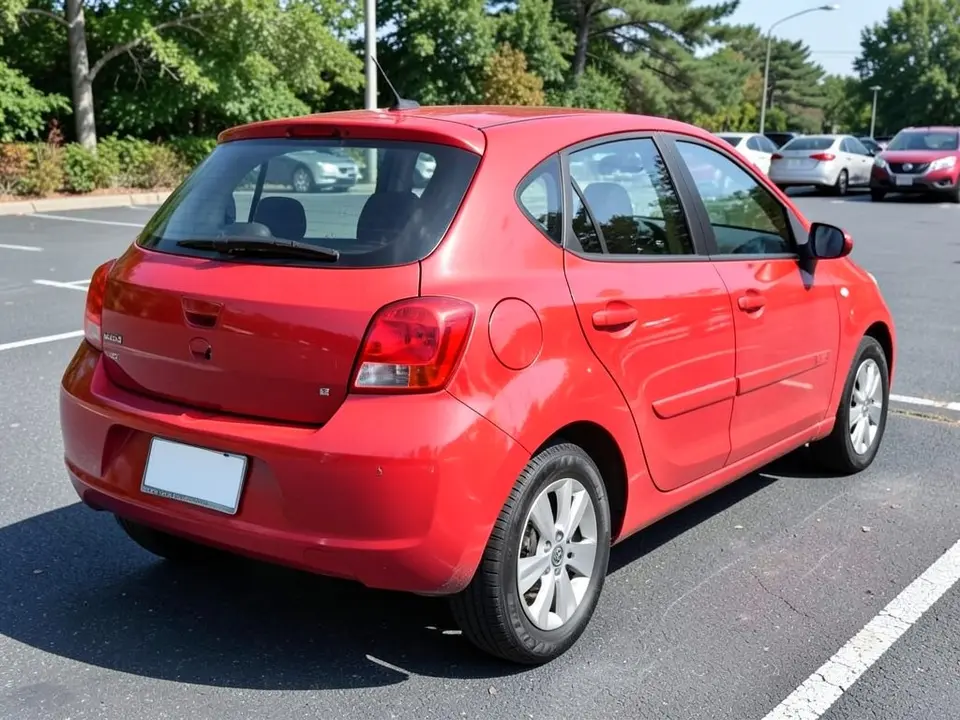
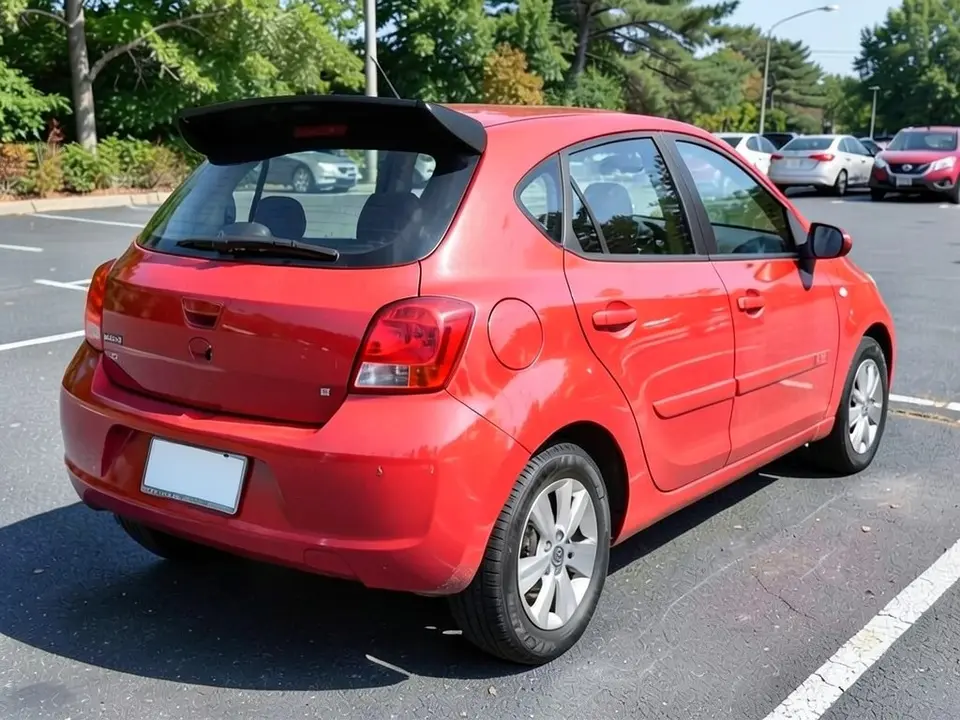
All before and after images are AI-drawn samples from our own image model, not photos of real customer cars. The cars are generic, though a tiny unreadable mark or lettering can appear as an AI artifact. Under each pair we list which parts of the request worked, which did not, and any change we never asked for.
See a spoiler on your own car first
A spoiler or wing is one of the most visible changes you can make to a car, and shape and size are easy to get wrong. A small lip on a family sedan reads very differently from a tall wing on the same trunk. Sellers show their parts on sample cars. WheelAI redraws your own photo with the spoiler you describe, on your paint and in your light.
The example cars below are AI-drawn generic cars, not photos of real customer cars, and no car maker is affiliated with this page.
How to preview a spoiler
There is no special spoiler mode. The Modifications tool edits any vehicle photo, and its Custom Vision mode takes your own wording.
- 1
Take a rear three-quarter photo
Stand a few steps behind one back corner of the car, in daylight, and keep the whole trunk lid or the rear window in the frame.
- 2
Open the Modifications tool
Upload your photo and switch to Custom Vision.
- 3
Describe the spoiler and what stays
Name the shape (lip, ducktail, GT wing, roof spoiler), the color, and list what must not change: paint, wheels, windows, lights and the background.
- 4
Compare and refine
Look at the size next to your original photo. If it is too big, ask for a small or low one and say so plainly.
Spoiler shapes to try
Ducktail or lip spoiler
A blade that sits on the edge of the trunk lid. Our example asked for a large one and got a wide, tall blade; an earlier request for a small one gave only a small black blob, so test your wording.
GT wing on supports
A raised blade held up by two supports. It is the most dramatic look and the one most affected by how tall the AI draws it.
Roof spoiler on a hatchback
A blade over the rear window. Many hatchbacks already have a small one, so describe whether you want to replace it or add to it.
Body-color or black
Try the same shape in black and then in your paint color, on the same photo, to see which suits the car.
What a picture cannot tell you
A render shows whether you like the look. Before you buy, ask the seller about the following.
- Whether the part is made for your exact model and year.
- How it mounts: adhesive, clips or drilled holes, and whether holes would need to be filled later.
- The material and the finish, and whether it arrives painted or needs painting.
- Whether your local rules limit the size or height of rear spoilers. We did not verify any rules, so check yours.
Photo tips
- Use daylight, and avoid heavy reflections on the trunk or rear window.
- Keep the whole rear of the car in the frame, with some space above the roof.
- Use the same photo for each shape so the comparison is fair.
- Wash the car first; dirt reads as texture and confuses the edit.
Three Modification Goals to paste
We used these requests for the examples. Copy one into Modification Goals, swap the colors and background words for your own, and delete anything that does not apply.
- Add a large black ducktail spoiler standing up from the trunk lid, clearly visible from behind; change ONLY the spoiler. Keep the white paint, wheels, windows, lights, driveway, house and the camera angle exactly the same
- Add a tall black GT wing spoiler on two supports on top of the trunk lid; change ONLY the spoiler. Keep the blue paint, wheels, windows, lights, street, trees and the camera angle exactly the same
- Add a black roof spoiler across the top edge of the rear window; change ONLY the spoiler. Keep the red paint, wheels, windows, lights, parking lot and the camera angle exactly the same
What the AI does well and where it slips
A black spoiler of the shape you name usually appears in the right place. The weak spot is size: in our examples the ducktail was wide and tall and extended past the trunk edge, and the roof spoiler was much bigger than the small lip the car already had and overhung the roof edge. The GT wing hovers above the trunk on thin supports. The pavement also looked a little more textured each time. If a render misses, rerun with shorter, plainer wording.
Frequently asked questions
Is there a free car spoiler visualizer that uses my own car photo?
Yes. Sign in with email or Google, upload a photo of your car taken from behind at an angle, and describe the spoiler in the Modification Goals box. Most new accounts get 5 free credits that last 30 days, and a standard render uses 1 credit. Free renders carry a WheelAI watermark. Spoiler sellers show their parts on sample cars; this edits your own picture.
Which angle should the photo be taken from?
A rear three-quarter view, standing a few steps behind one back corner of the car, shows the trunk lid or the roof edge and the side of the car together. All three of our examples use that angle. A straight-on view from behind hides how far the spoiler sticks up.
What is the difference between a spoiler and a wing?
The words are often mixed up. In the way sellers and owners commonly use them, a spoiler is a lip or small blade that sits close to the body, while a wing is a raised blade held up on supports. Our examples show a ducktail-style blade, a raised GT wing on two supports and a roof spoiler. Ask the AI for the shape by name.
Will the render show whether the spoiler fits my car?
No. The picture shows a look, not a part. Size, mounting points, material and whether a given model fits your car all depend on the seller. Check fit with the maker of the part before you buy.
Does a spoiler change how the car drives?
A picture cannot tell you. Whether a given spoiler or wing has any effect on grip or fuel use depends on the part and the car, and a purely cosmetic piece may have none. This page is for judging looks only.
What if the AI changes something I did not ask for?
It can. In our examples the pavement looked more textured after each edit, and the roof spoiler came out much larger than the lip the car already had. Write what must stay the same, compare against your original photo, and rerun if something changed.
Are the example cars real customer cars?
No. They are AI-drawn generic cars, made with our own image model. No car maker is affiliated with or endorses this page. A tiny unreadable mark or lettering sometimes appears on the trunk as an AI artifact; it is not a real badge.
Where can I try other looks on the same photo?
Try our rim visualizer for wheels, our car wrap visualizer for a new color, or the hood wrap and racing stripes pages for body-panel looks. They use the same tool and your same photo.
Ready to try a spoiler?
Compare a small lip, a ducktail and a wing on one photo, then take the favorite to a seller or a shop to check fit, mounting and price.
Preview a spoiler on my carAlso try: Vehicle Modifications Tool · Rim Visualizer · Car Wrap Visualizer · Hood Wrap Visualizer · Racing Stripes Visualizer