See Any Car Wrap on a Photo of Your Own Car
Upload a photo of your car, type the wrap you have in mind, and see it in satin green, matte black, chrome or a color-shift film. Decide on a color before you spend money at a wrap shop.
Try a wrap on my carSign in with email or Google to render. Most new accounts get 5 free credits (valid 30 days); a standard render uses 1 credit. Free renders carry a WheelAI watermark.
Before and after examples
Each pair shows an original car photo and the same photo after asking for a different wrap.
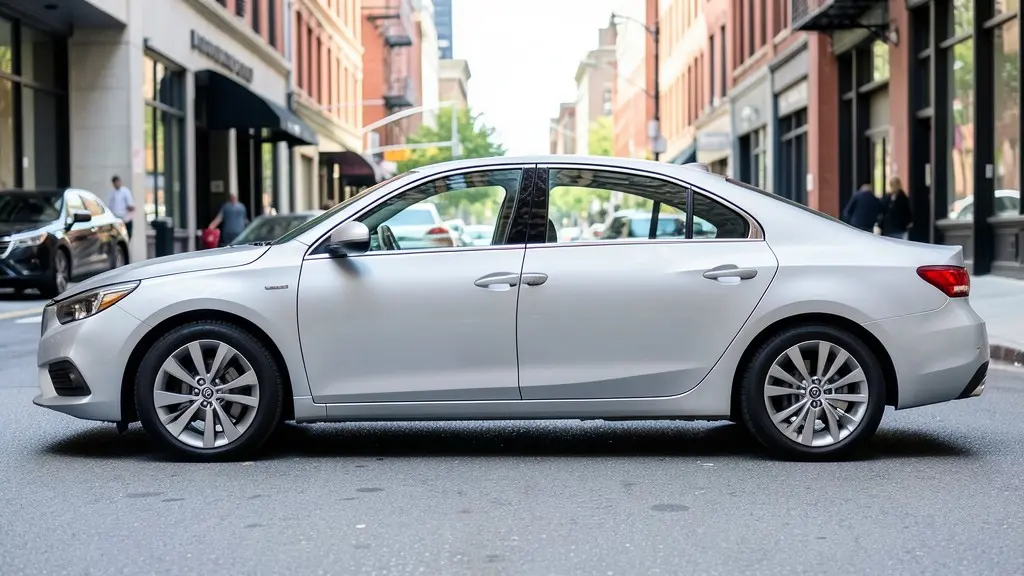
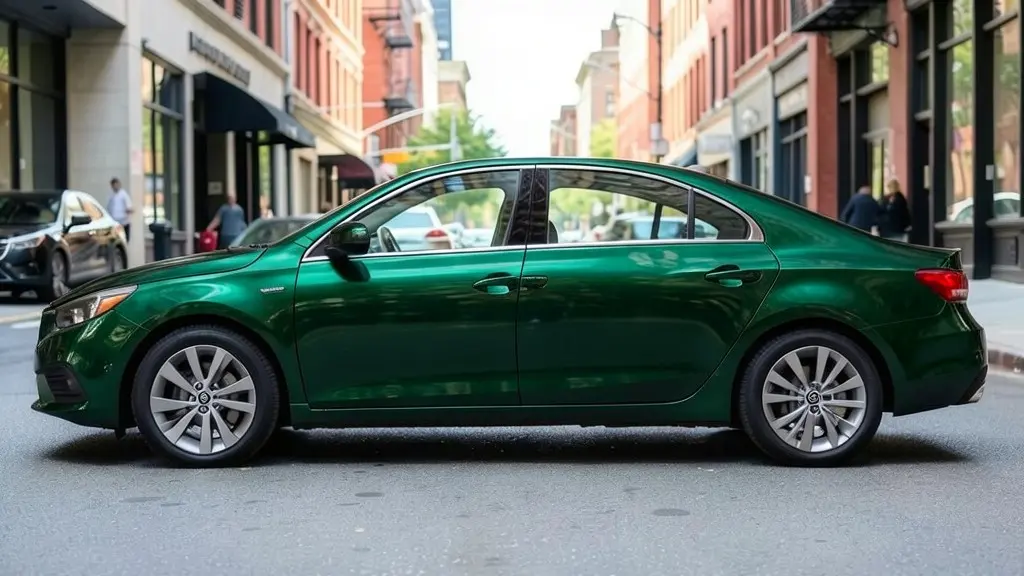
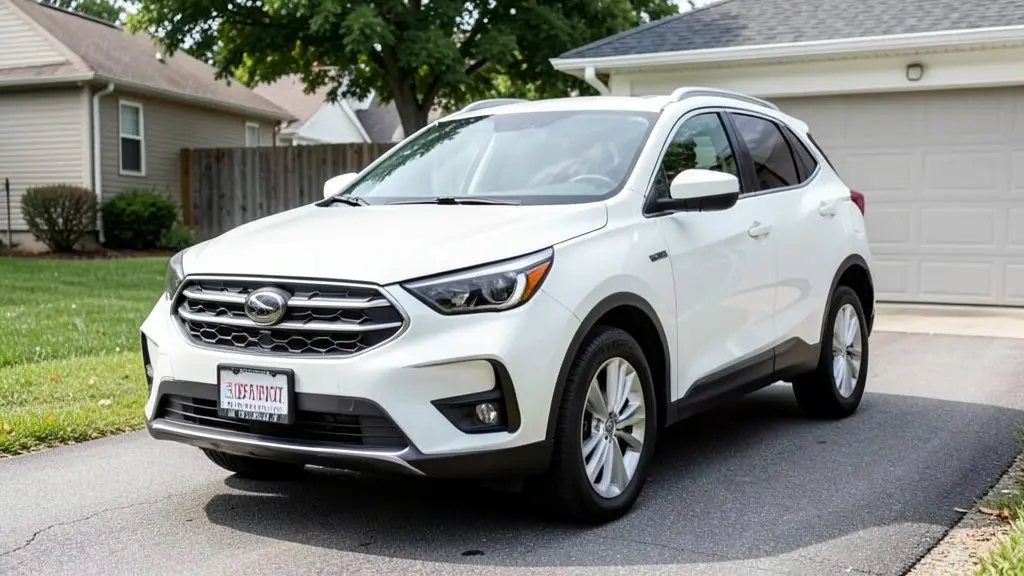
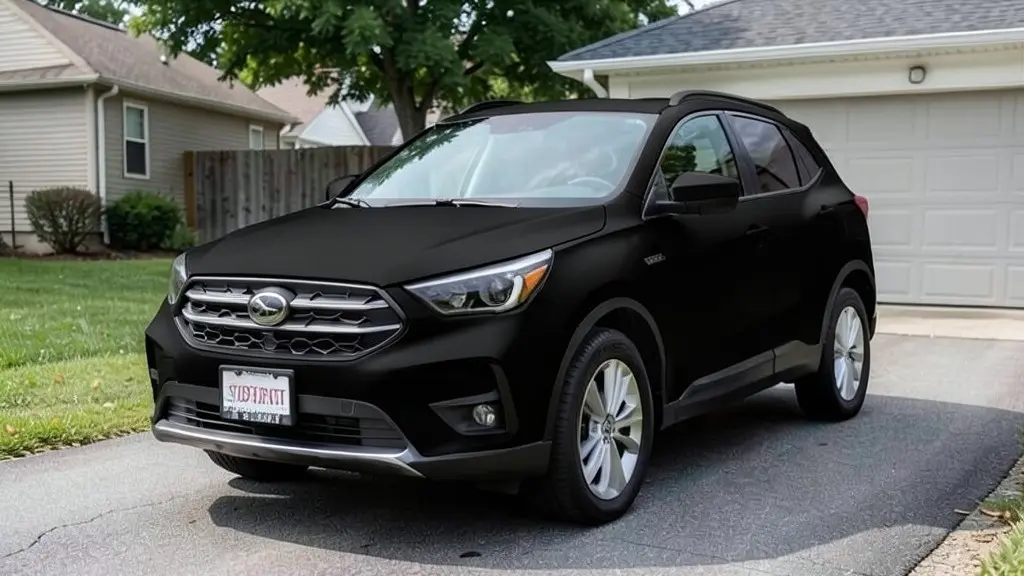
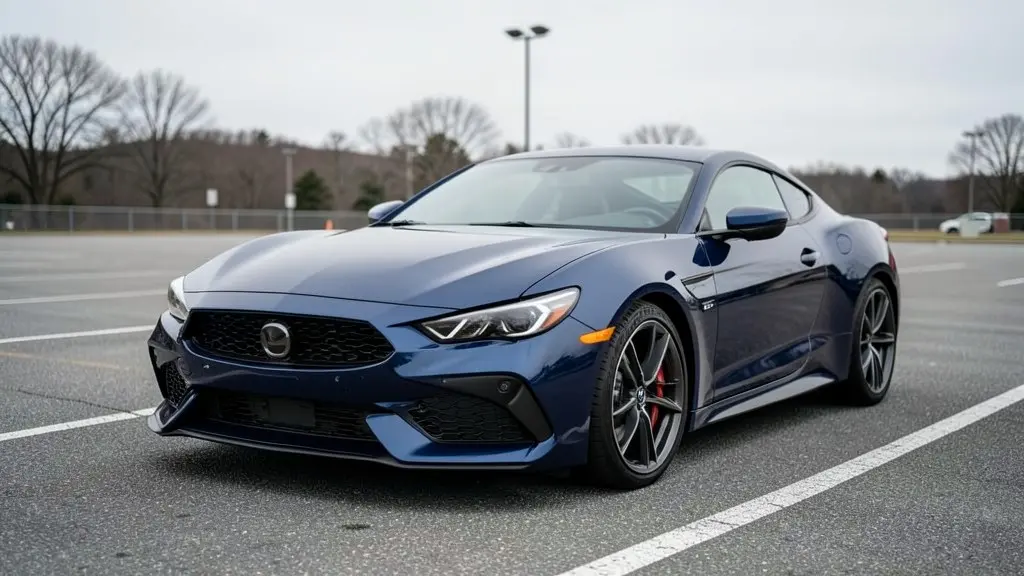
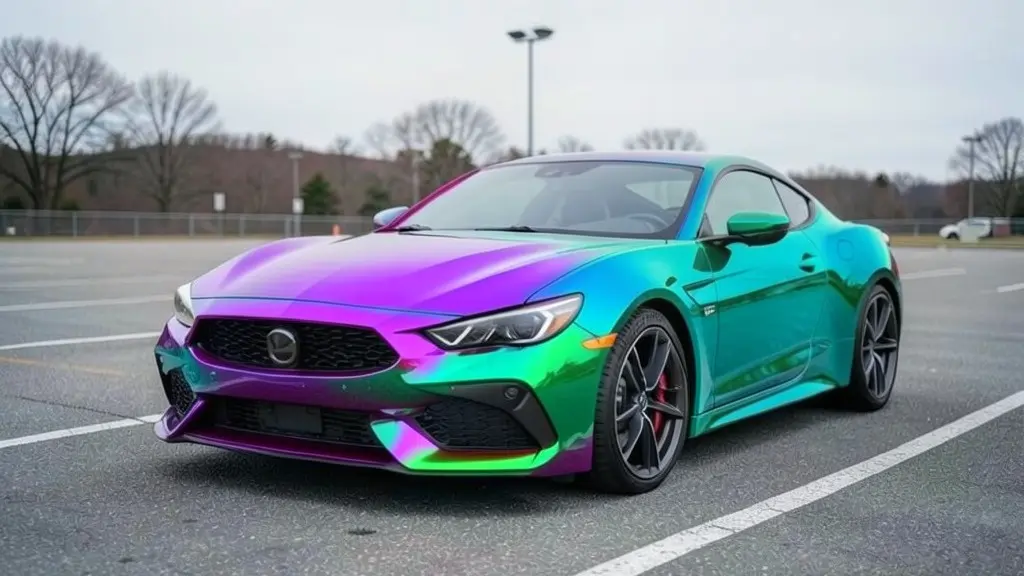
All example images on this page are AI-generated samples made with our own image model, not photos of real customer cars.
How to see a wrap on your own car
- 1
Take or pick a photo
Use a clear daylight photo of your car from the side or a three-quarter angle. The whole car should be in the frame.
- 2
Open the Wrap Designer and upload it
The Wrap Designer is our existing wrap tool. Upload your photo and choose a mode.
- 3
Describe the wrap
For a single color, choose "Custom Wrap Design" and type the color and finish, for example "satin dark green vinyl wrap" or "gloss nardo grey". For patterns, use "Full Vehicle Wrap" (carbon fiber, chrome, camouflage and more) or "Racing Stripes".
- 4
Render, compare and repeat
Generate the image, compare it with your original photo, then try two or three other colors.
Wrap finishes explained
The same color looks very different in each finish, so always name the finish as well as the color.
Gloss
Shiny and close to a fresh paint job. Gloss film is the easiest to keep clean and the most forgiving if you want the car to look factory.
Satin
A soft sheen between gloss and matte. Satin hides small body imperfections better than gloss and is a popular choice for dark greens, greys and blacks. It needs gentle washing; waxes made for gloss paint can leave patches.
Matte
Flat, with almost no reflection. Matte looks aggressive in black and grey, but it shows fingerprints, oils and bird droppings more easily and cannot be polished. Ask your installer about matte-safe cleaning products.
Chrome
A mirror finish that reflects everything around the car. It is one of the most expensive films, harder to install, and some places restrict very reflective finishes on road cars, so check your local rules first.
Color-shift
Also called chameleon or flip film. It changes color with the viewing angle, for example from purple to teal. Renders show one angle only, so see a real sample in daylight.
Car wrap vs paint: which one fits you?
A wrap is a vinyl film applied over your existing paint. A respray replaces or covers the paint itself. Both can change the color of your car, but they suit different owners.
- Reversible: a quality wrap can usually be removed later, which matters if you lease the car or want to keep the original color for resale. Paint is permanent.
- Protection: the film covers the paint underneath from light scratches and stone chips while it is on.
- Lifespan: most installers quote several years for good cast film, less for surfaces that sit in strong sun all day, such as the roof and hood. A good paint job lasts much longer.
- Finishes: satin, matte, chrome and color-shift looks are much easier to get with film than with paint.
- Condition matters: a wrap does not hide peeling clear coat, rust or deep dents. Bad paint usually needs repair before it can be wrapped.
Prices for both depend on your car, region and materials, so get local quotes.
Popular wrap colors to try first
Not sure where to start? These are colors people often ask wrap shops about. Try a few on your own photo.
- Satin black or matte black: a stealthy look that works on almost any car.
- Nardo grey and other flat greys: a clean, modern grey that suits sports cars and sedans.
- Satin dark green or British racing green: classic and a bit different from the usual greys.
- Gloss white or pearl white: a fresh, bright look, popular on older cars with tired paint.
- Deep blues and midnight purple: eye-catching without being loud.
- Color-shift purple-to-teal or green-to-gold: for show cars and anyone who wants attention.
How to photograph your car for a good result
- Shoot in daylight, ideally on an overcast day or in open shade, so there are no hard reflections or deep shadows on the paint.
- Stand far enough back that the whole car fits in the frame with a little space around it. A side view or a front three-quarter view works best.
- Hold the phone at about the height of the door handles and keep it level.
- Wash the car first if you can. Dirt and water spots can end up in the render.
- Avoid busy backgrounds and people or poles in front of the car.
An honest note about AI renders
The images you get are concepts, not proofs. AI can slightly change details such as badges, trim or the shape of a panel, and it cannot show exactly how a specific film will look on your car. Treat the render as a way to choose a direction, then ask a professional installer to show you real swatches and to give you the film brand and color code.
Who the car wrap visualizer is for
- Owners who want to change the color of their car and cannot decide between two or three options.
- Anyone who leases a car and wants a new look that can be removed later.
- Wrap shops and detailers who want to show a customer a quick concept on their own car before quoting.
Frequently asked questions
How does the car wrap visualizer work?
You upload a photo of your car and tell the tool which wrap you want, for example "satin dark green" or "matte black". Our AI image model repaints the body panels in that finish and tries to keep the car shape, wheels, windows and background the same, so you can compare it with the original photo.
Is it free to try?
You need to sign in with your email or a Google account. Most new accounts get 5 free credits that last 30 days, and a standard render uses 1 credit, so you can try up to 5 wraps before deciding whether to buy more. Free renders carry a WheelAI watermark; an active paid plan removes it.
Will the wrap look exactly like the render?
No. The render is a concept that helps you narrow down a color and finish. Real vinyl looks different in sun, shade and under shop lights, and each film brand has its own shades. Before you commit, ask your installer to show you a physical swatch on your car.
Can it tell me the film brand or color code?
No. The tool does not know product codes from film makers such as 3M or Avery Dennison. Use the render to decide on a look, then ask a wrap shop to match it to a real film and give you the exact code.
What kind of photo gives the best result?
A clear daylight photo of the whole car from the side or a three-quarter angle, without people or other cars in front of it. Overcast light works best because there are fewer harsh reflections for the AI to copy.
Can I try chrome, carbon fiber or color-shift wraps?
Yes. Pick "Custom Wrap Design" and describe the film, or use the "Full Vehicle Wrap" mode, which has presets such as carbon fiber, chrome, camouflage and wood grain. Chrome and color-shift results are the least predictable, so try more than one render.
Ready to see your car in a new color?
Upload one photo and try a few wraps side by side before you book an installer.
Try a wrap on my carAlso try: Rim Visualizer · Car Color Changer · Roof Wrap Visualizer · Van Wrap Visualizer · Hood Wrap Visualizer · Chrome Delete Visualizer · Pickup Truck Wrap Visualizer · Car Spoiler Visualizer