See a Lift Kit on a Photo of Your Own Truck
Upload a photo of your truck, SUV or Jeep, ask for a leveling kit, a 3-inch or a 6-inch lift with bigger tires, and see the new stance on your own vehicle. Pick the look before you spend money on parts and labor.
Preview a lift on my truckSign in with email or Google to render. Most new accounts get 5 free credits (valid 30 days); a standard render uses 1 credit. Free renders carry a WheelAI watermark.
Before and after examples
Each pair shows an original vehicle photo and the same photo after asking for a lift and bigger tires. We reran renders that came out with garbled tire lettering, once adding plain black sidewalls to the request, and kept the cleaner one.
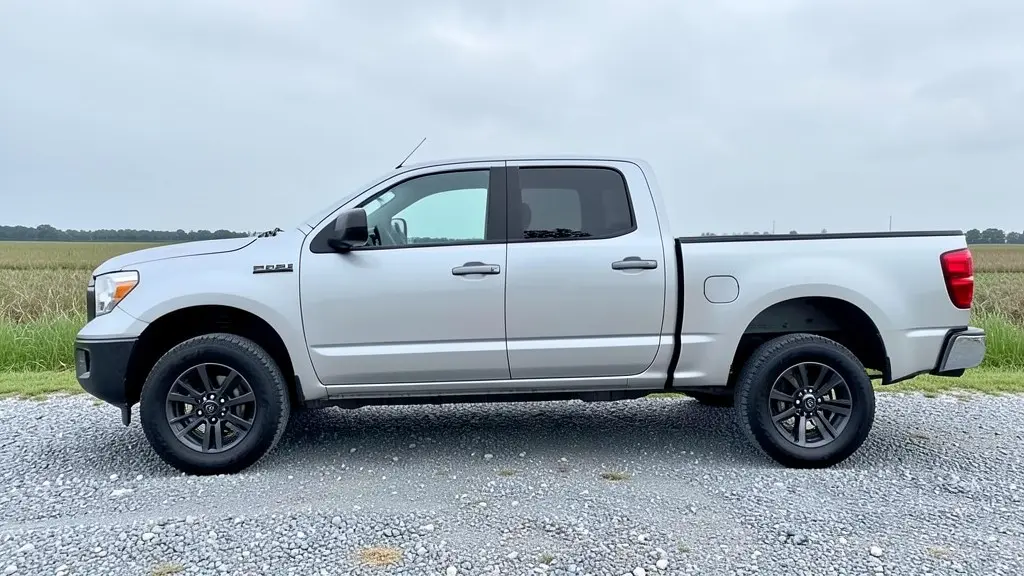
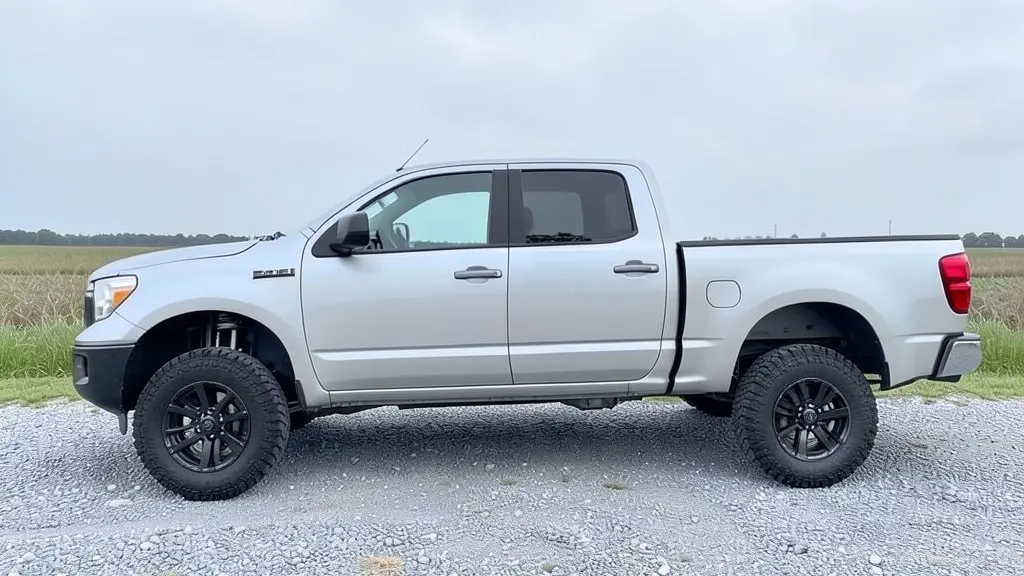
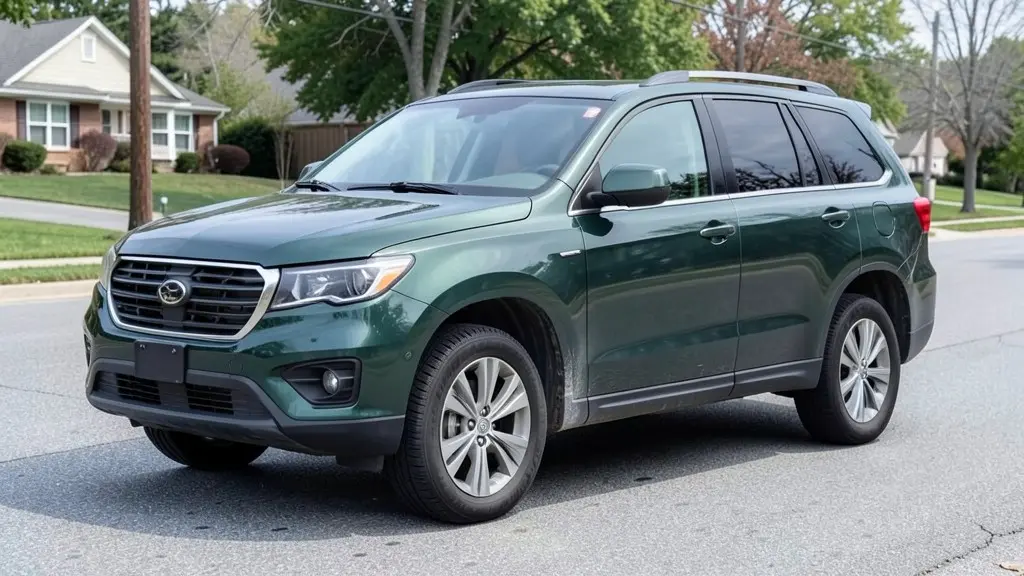
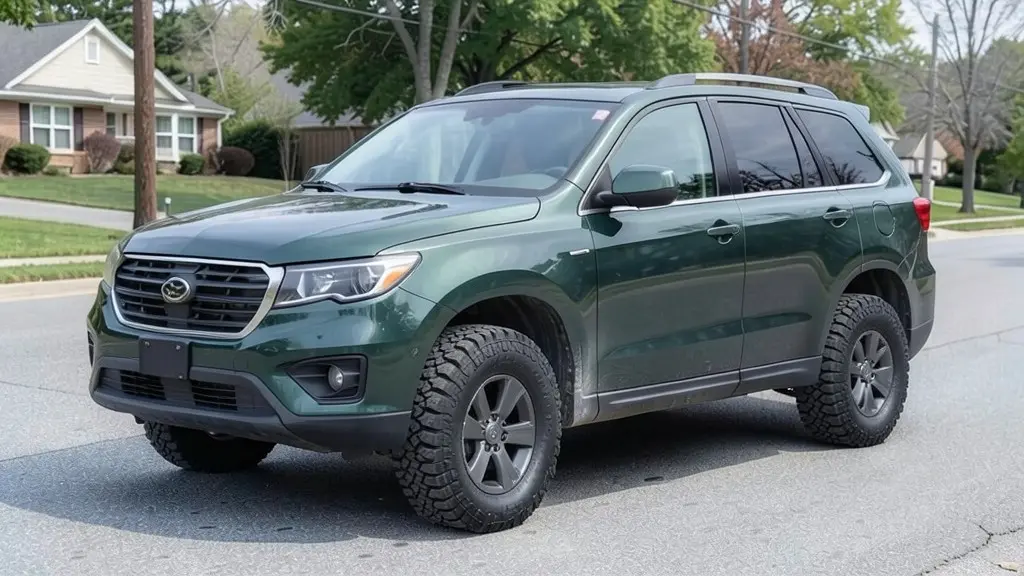
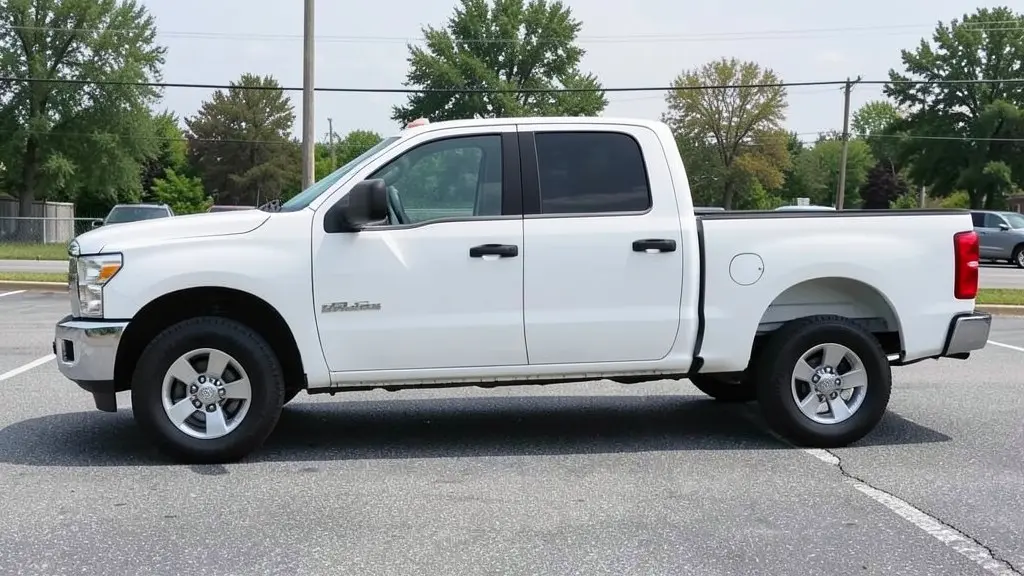
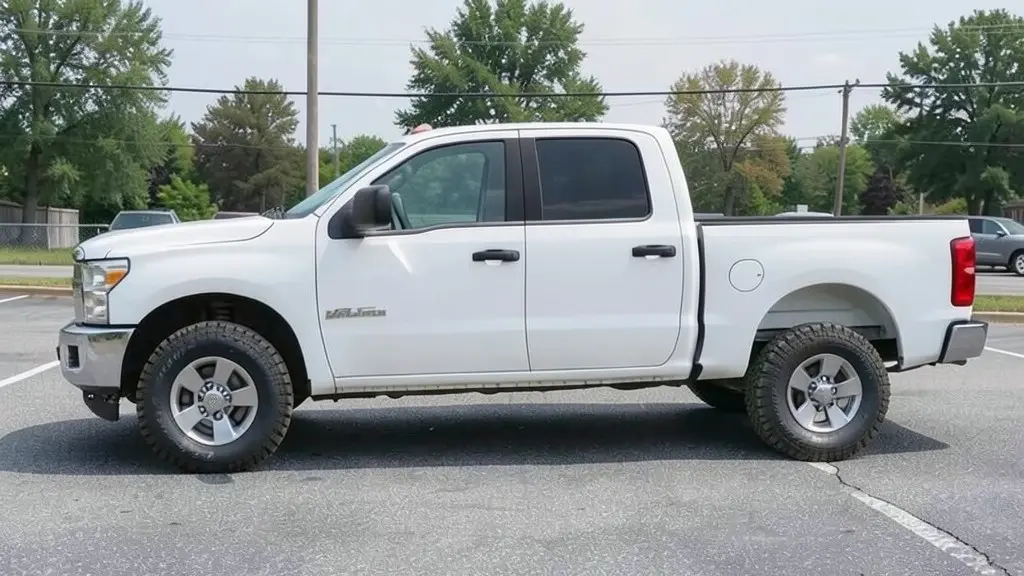
All example images on this page are AI-generated samples made with our own image model, not photos of real customer trucks. The lift heights are approximations of each request.
How to preview a lift kit on your truck
- 1
Take a side photo
Photograph your truck or SUV from the side in daylight, with both wheels and the gap between the tires and the fenders clearly visible.
- 2
Open the Modifications tool and upload it
Upload your photo in the Modifications tool and choose the "Custom Vision" mode for a lift-only preview.
- 3
Describe the lift and tires
Type the lift height and tire size, for example "add a 3-inch suspension lift and 33-inch all-terrain tires, keep the same paint and wheels and change nothing else". For a full off-road build, the "Off-Road Modifications" mode has a Lift Height setting (level kit 1-2", moderate 3-4", aggressive 5-6" or extreme 7"+), a tire setup and accessories; fill in every field there.
- 4
Render and compare
Generate the image and compare it with your original photo. Then try a smaller and a bigger lift, or a different tire size, so you can see which stance you actually like.
Leveling kit, body lift or suspension lift?
The kind of lift decides how much taller the truck gets, how big a tire it can take and how much the ride changes. These are the main options.
Leveling kit
Most pickups sit lower in the front than the rear from the factory (this is called rake). A leveling kit raises only the front, usually by about 1 to 3 inches, so the truck sits level. It is the smallest and usually the cheapest change, and it often makes room for a slightly bigger tire.
Body lift
Spacers go between the body and the frame, usually 1 to 3 inches. The body and the wheel wells move up, but the frame, axles and suspension stay where they were, so ground clearance under the frame does not change. A gap can show between the body and the frame or bumpers.
Spacer or budget suspension lift
Strut spacers in the front and blocks or longer shackles in the rear raise the truck a few inches while keeping most of the factory suspension. The ride depends heavily on the parts used.
Full suspension lift
New springs or coilovers, shocks and often new control arms or knuckles. These kits usually run from about 4 to 6 inches or more. They give the biggest change in height and tire size, and they cost the most in parts and labor.
Lift height and tire size go together
Most people lift a truck so it can run bigger tires, and the tires change the look as much as the lift does. A tall lift on stock-size tires can look unfinished, while big tires with too little lift can rub on the fenders when you turn or hit a bump.
There is no single chart that fits every truck. The tire size a lift allows depends on the vehicle, the wheel width and offset, and how much rubbing or trimming you accept. Use the visualizer to compare a few combinations, for example a level kit with 33-inch tires against a 4-inch lift with 35s, then ask your installer which of them actually fits your truck.
What else changes when you lift a truck
A render shows only the looks. Before you buy, it helps to know what a lift and bigger tires change on the road.
- Ride and handling: a higher center of gravity means more body roll in corners, and the ride quality depends a lot on the shocks in the kit.
- Fuel economy: bigger, heavier tires and a taller truck catch more wind, so mileage usually drops.
- Speedometer: a different tire size makes the speedometer read wrong until it is recalibrated.
- Alignment and wear: a lift changes the suspension angles, so the truck needs an alignment afterwards, and front-end parts like CV axles can wear faster on bigger lifts.
- Headlights and daily use: the headlights may need to be re-aimed, and the truck gets harder to climb into and may no longer fit in a low garage or parking structure.
- Warranty and insurance: ask your dealer how a lift affects your warranty, and tell your insurer about the modification.
Check lift laws before you choose a height
Some states and countries limit how high a vehicle can be lifted. The rules can cover frame height, bumper height, headlight height or tire coverage by the fenders, and they differ from place to place. An AI preview cannot tell you whether a lift is legal where you live. Check your state or local rules and ask a professional installer before you buy.
How to photograph your truck for a good lift preview
- Shoot from the side at about wheel-center height, so the gaps between the tires and the fenders are easy to see.
- Use daylight and keep the whole vehicle in the frame, with a little space above the roof for the extra height.
- Park on level ground with the front wheels pointing straight.
- Avoid busy backgrounds and people or other cars right next to the truck.
An honest note about AI renders
The images are concepts, not measurements. The AI may give you more or less lift than you asked for, or change the wheels or small details. If that happens, render again and be more specific, for example "keep the same wheels and paint". Then confirm the kit, tire size and fitment with a lift shop.
Frequently asked questions
How does the lift kit visualizer work?
You upload a photo of your truck, SUV or Jeep and describe the lift you want, for example "add a 4-inch suspension lift with 35-inch all-terrain tires". Our AI image model raises the body, opens up the wheel wells and fits the bigger tires, and tries to keep the paint, the rest of the vehicle and the background the same, so you can compare the result with your original photo.
Is it free to try?
You need to sign in with your email or a Google account. Most new accounts get 5 free credits that last 30 days, and a standard render uses 1 credit, so you can preview up to 5 lift and tire combinations before deciding whether to buy more. Free renders carry a WheelAI watermark; an active paid plan removes it.
Is the lift in the render exactly the height I asked for?
No. The AI shows the look of a lift, not a measured height. In our own tests a request for a 6-inch lift sometimes came out looking closer to a smaller lift. If the first render looks too mild or too tall, say so in the next request ("lift it higher", "less lift"), and treat the image as a style preview rather than a fitment check.
Will the tires I see fit my truck?
The visualizer cannot check fitment. Whether a tire size fits depends on your exact truck, the lift kit, wheel width and offset, and whether the bumpers or fender liners need trimming. Ask a lift shop or the kit maker which tire sizes the kit is rated for before you buy.
Can I preview a leveling kit instead of a full lift?
Yes. Ask for something like "a 2-inch front leveling kit so the front sits level with the rear". A leveling kit is a small change, so use a straight side photo where you can see the gap between the tire and the fender at both ends; that is where the difference shows.
Does it work on SUVs and Jeeps, not just pickups?
Yes. It works on any vehicle photo: full-size and mid-size pickups, SUVs, Jeeps and crossovers. On smaller crossovers a big lift can look odd, which is useful to know before you spend money on one.
Can I add other off-road parts in the same render?
Yes. In the Off-Road Modifications mode you can add a light bar, roof rack, rock sliders, a bull bar, a snorkel and other accessories along with the lift. If you only want to see the lift and tires, use the Custom Vision mode and say "change nothing else".
Ready to see your truck lifted?
Upload one photo and compare a level kit, a mild lift and a big lift side by side before you talk to a lift shop.
Preview a lift on my truckAlso try: Rim Visualizer · Car Wrap Visualizer · 4Runner Visualizer · Tahoe Visualizer