See Window Tint on a Photo of Your Own Car
Upload a photo of your car, choose a shade like 50%, 35%, 20% or 5% limo, and see how dark it looks on your own windows. Pick a tint before you spend money at a tint shop.
Preview tint on my carSign in with email or Google to render. Most new accounts get 5 free credits (valid 30 days); a standard render uses 1 credit. Free renders carry a WheelAI watermark.
Before and after examples
Each pair shows an original car photo and the same photo after asking for a different tint shade.
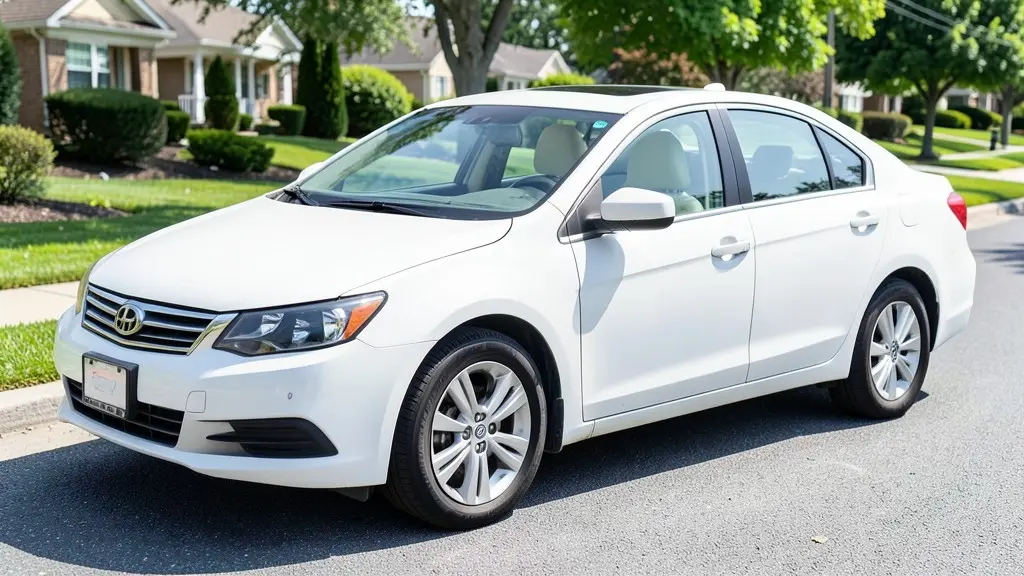
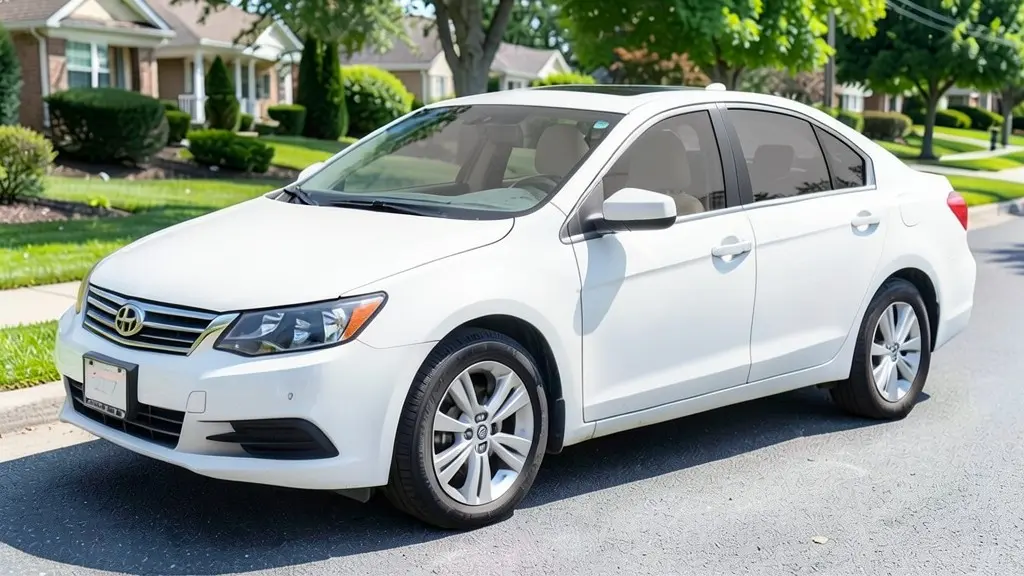
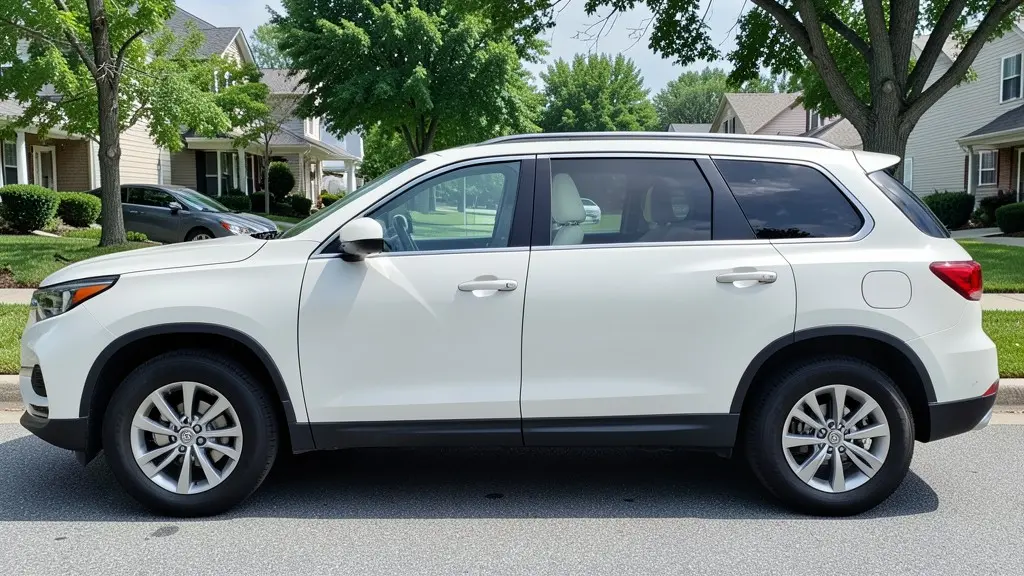
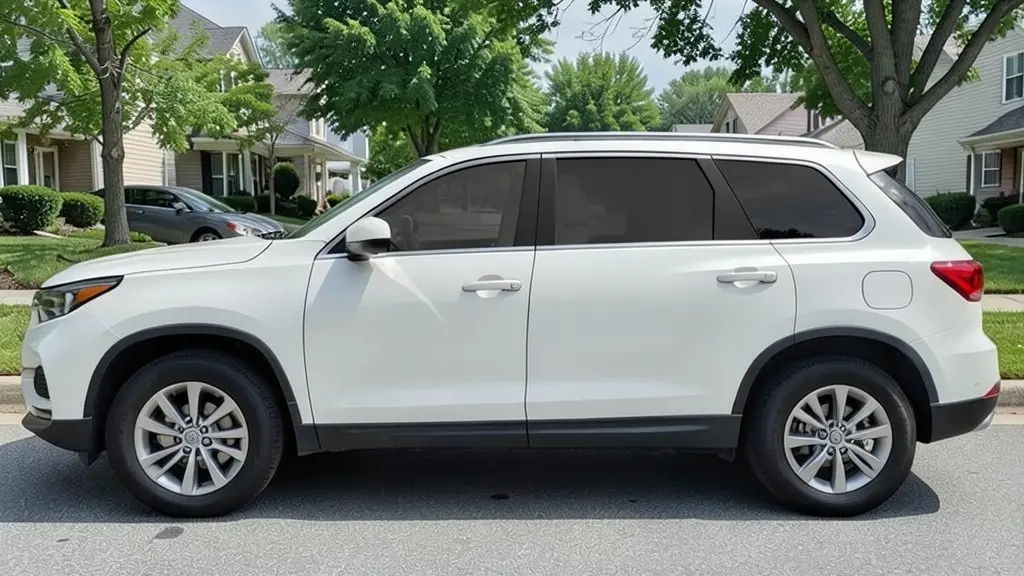
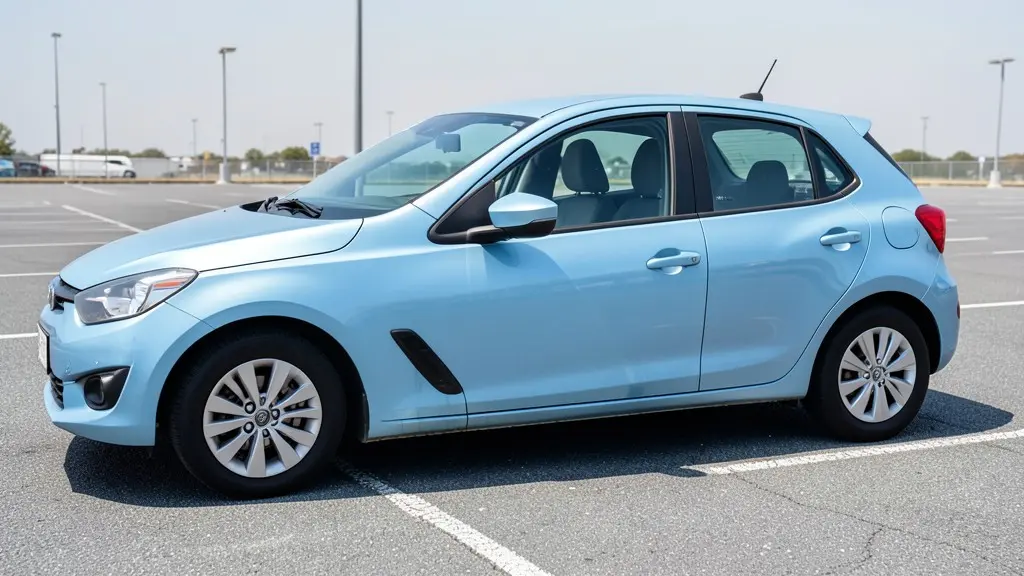
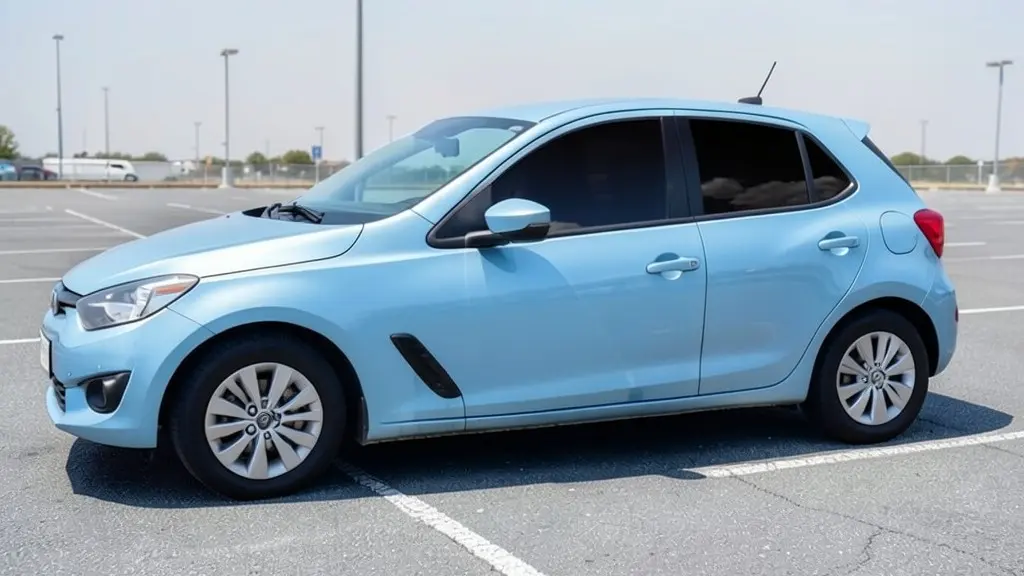
All example images on this page are AI-generated samples made with our own image model, not photos of real customer cars. The darkness is an approximation of each shade.
How to preview window tint on your car
- 1
Take a side photo
Photograph your car in daylight from the side or a front three-quarter angle, so the side windows are easy to see.
- 2
Open the Modifications tool and upload it
Modifications is our existing tool for visual upgrades. Upload your photo and choose the "Custom Vision" mode.
- 3
Describe the tint
Type the shade and which windows to tint, for example "add 20% window tint to all side windows and the back window, keep the windshield clear and keep everything else the same". The "Luxury & Comfort Mods" mode also has a "Tinted Windows" option, but it adds other luxury changes too.
- 4
Render and compare shades
Generate the image, compare it with your original, then try a lighter and a darker shade. Seeing 35%, 20% and 5% side by side makes the choice much easier.
Window tint percentages explained
Tint is rated by VLT, visible light transmission: the share of light the film lets through. A lower number means a darker window. These are the shades most tint shops offer.
70% and 50%: light
A subtle smoky look. You can still see the seats and the people inside clearly. Light ceramic film is a common pick for owners who mainly want heat and UV protection without a dark look.
35%: medium
A popular middle ground. The car looks tinted and more private in daylight, but you can still make out the interior up close. Visibility from inside at night stays fairly good.
20%: dark
The interior is hard to see from outside during the day. It gives real privacy and a sleek look, but driving at night and reversing in dark places get harder.
5%: limo
Almost black from the outside. Often used on rear windows of limousines and SUVs. It is the hardest to see out of at night, and many places do not allow it on front side windows.
Why your result can be darker than the number on the box
Car glass is not perfectly clear. Factory windows already block some light, and many SUVs and trucks come with darker "privacy glass" on the rear windows from the factory. When a film goes on top, the two add up, so the final window is darker than the film rating alone.
That is also why the same film can look different on two cars. Paint color matters too: dark tint stands out more on a white or silver car than on a black one. Ask your installer to hold a sample against your own window, and if your state has a legal limit, ask them to measure the finished glass with a tint meter.
Darkness and film type are two different choices
The percentage decides how dark the window looks. The film type decides most of how much heat, glare and UV it blocks. Pick the look with the visualizer, then pick the film with your installer.
- Dyed film: the lowest cost option. It darkens the glass but rejects less heat, and cheaper dyed films can fade over the years.
- Carbon film: a matte, dark look that holds its color well and rejects more heat than dyed film.
- Ceramic film: usually the best heat rejection, even in light shades, without interfering with phone or GPS signals. It is often the most expensive.
Check tint laws before you choose a shade
Tint rules vary a lot between states and countries, and they are often different for each window. Front side windows usually have the strictest limit, the rear windows and back glass are often allowed to be darker, and the windshield is usually limited to a strip along the top. Some places also limit mirror-like reflective film or allow medical exemptions.
This page does not give legal advice, and an AI preview cannot tell you whether a shade is legal on your car. Check the current rules with your state or local authority and ask a professional installer before you buy.
How to photograph your car for a good tint preview
- Shoot in daylight, ideally on an overcast day or in open shade, so the glass does not mirror the sky too strongly.
- Stand far enough back that the whole car fits in the frame, with the side windows clearly visible.
- Keep the windows closed and clean, and remove sun shades or stickers if you can.
- Avoid busy backgrounds and people standing next to the car.
An honest note about AI renders
The images are concepts, not measurements. The AI may tint the windshield when you did not ask for it, leave a small window lighter than the others, or change small details of the car. If that happens, render again or make your prompt more specific. Treat the result as a way to choose a look, then confirm it with real samples at a tint shop.
Frequently asked questions
How does the window tint visualizer work?
You upload a photo of your car and describe the tint you want, for example "5% limo tint on all side and rear windows, keep the windshield clear". Our AI image model darkens the glass and tries to keep the car, paint, wheels and background the same, so you can compare the result with your original photo.
Is it free to try?
You need to sign in with your email or a Google account. Most new accounts get 5 free credits that last 30 days, and a standard render uses 1 credit, so you can preview up to 5 tint shades before deciding whether to buy more. Free renders carry a WheelAI watermark; an active paid plan removes it.
Is the darkness in the render exactly the tint percentage I asked for?
No. The AI approximates how a shade looks; it does not measure light. The real result also depends on your factory glass, which already blocks some light, on the film brand, and on the light outside. Use the render to choose a direction, then look at real film samples on your car at the shop.
Is the tint I see legal where I live?
The visualizer cannot tell you that. Tint laws differ by state and country, and often by window: front side windows, rear side windows, the back window and the windshield can each have their own limit. Check your state or local rules (for example your DMV or state police website) and ask your installer before you choose a shade.
Can I preview different tint on the front and rear windows?
Yes. Describe each part in your prompt, for example "35% tint on the front door windows and 20% on the rear windows and back glass". Mixed requests are less predictable, so compare a couple of renders.
Does it show how hot or cool the car will be?
No. A render only shows looks. Heat rejection depends mostly on the type of film (for example ceramic versus dyed), not only on how dark it is. Ask your installer for the heat and UV rejection figures of the exact film.
Ready to see your car with tint?
Upload one photo and compare a few shades side by side before you book an installer.
Preview tint on my carAlso try: Car Wrap Visualizer · Rim Visualizer · Roof Wrap Visualizer · Van Wrap Visualizer · Civic Visualizer · Headlight Tint Visualizer