Roof Wrap Visualizer: See a Black or White Roof on Your Own Car
Upload a photo of your own car, describe the roof color you are considering, and see the two-tone look on your paint before you spend money.
Preview a roof on my carSign in with email or Google to render. Most new accounts get 5 free credits (valid 30 days); a standard render uses 1 credit. Free renders carry a WheelAI watermark.
Before and after examples
Each pair is one vehicle photo and the same photo after one Modification Goals request, sent to the image model that Custom Vision uses but with more processing steps than the live tool default, so your own render may be rougher. The full request text sits under each pair.
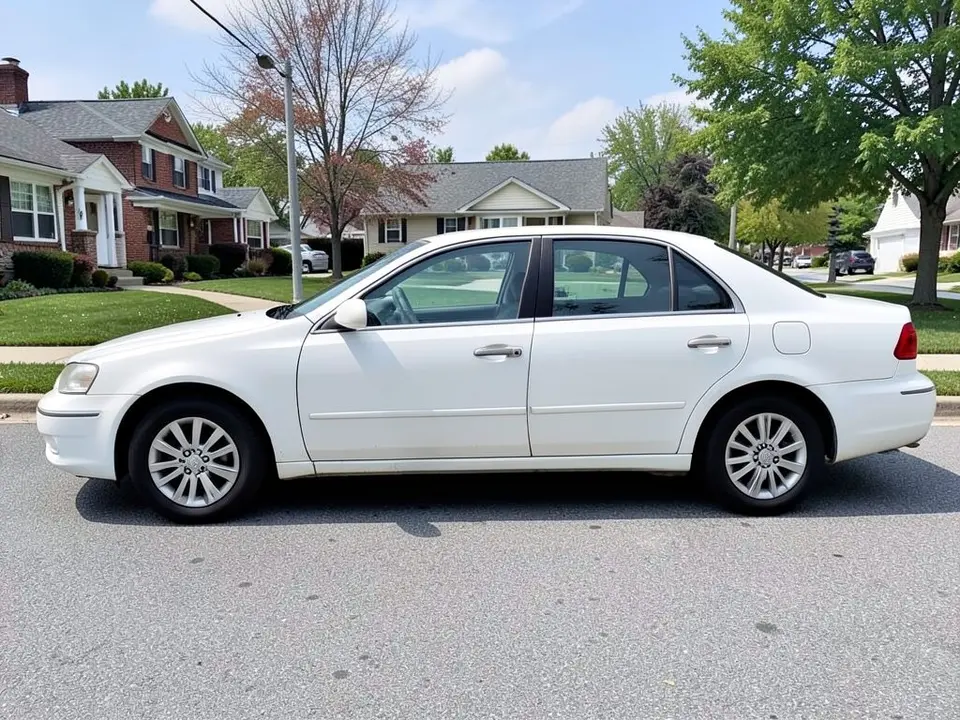
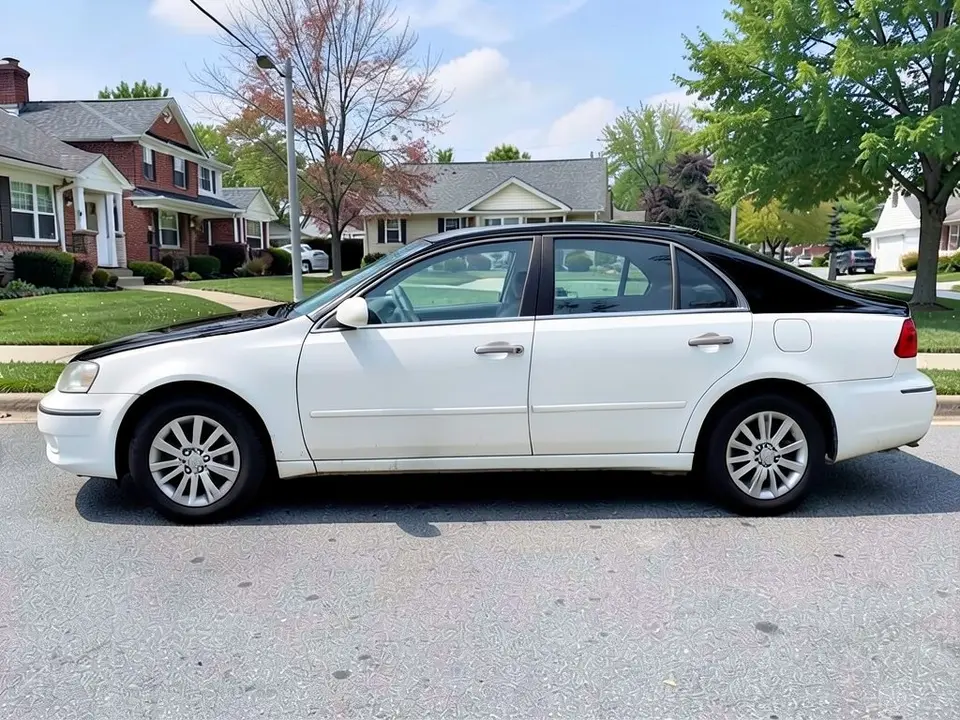
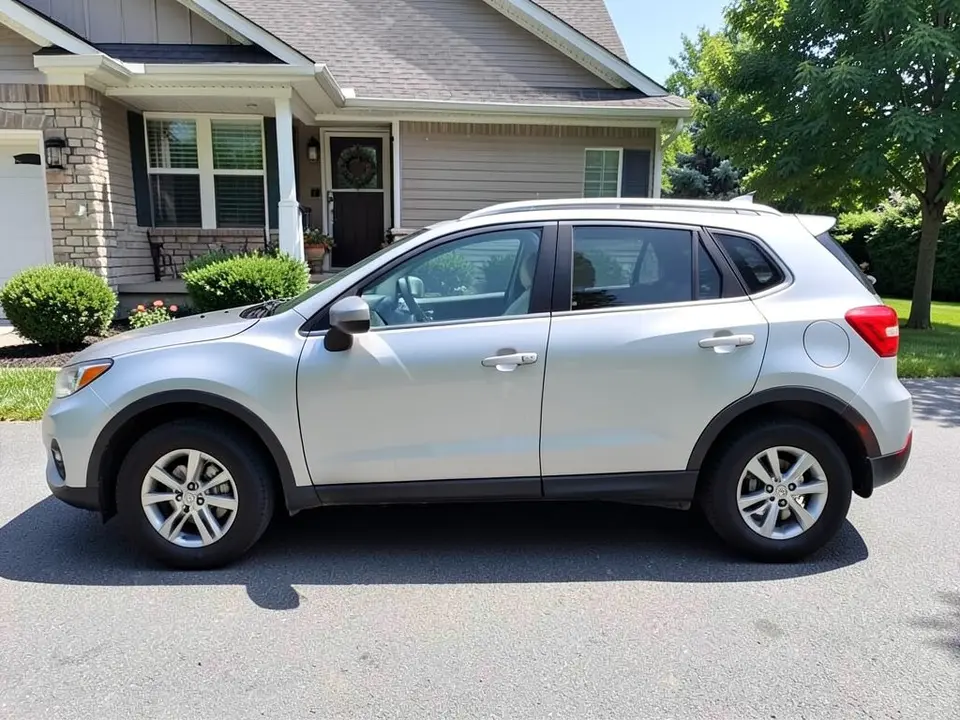
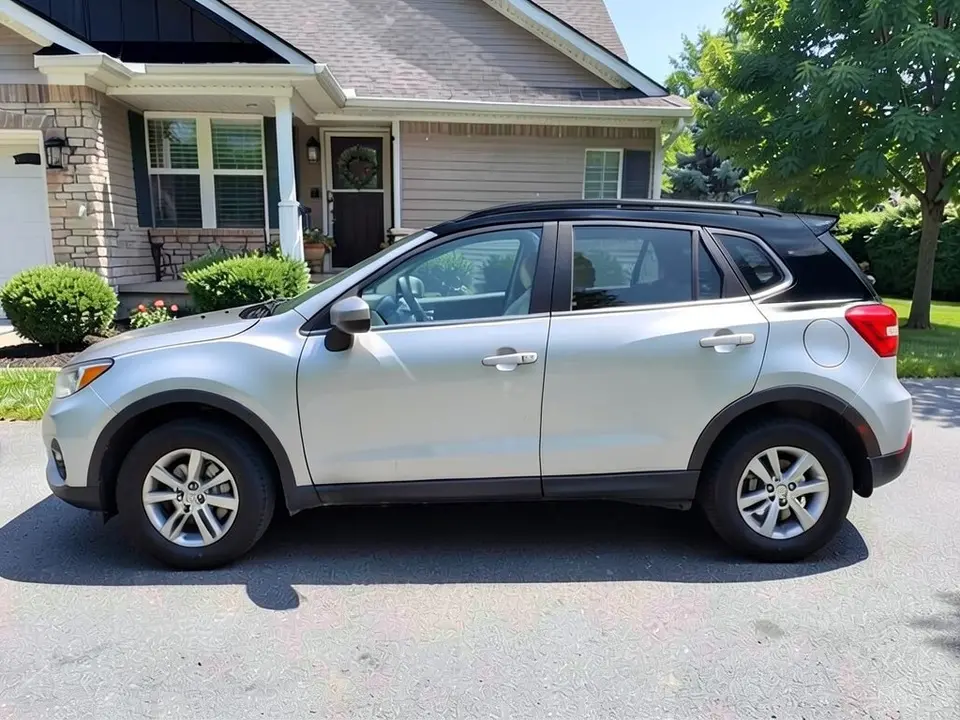
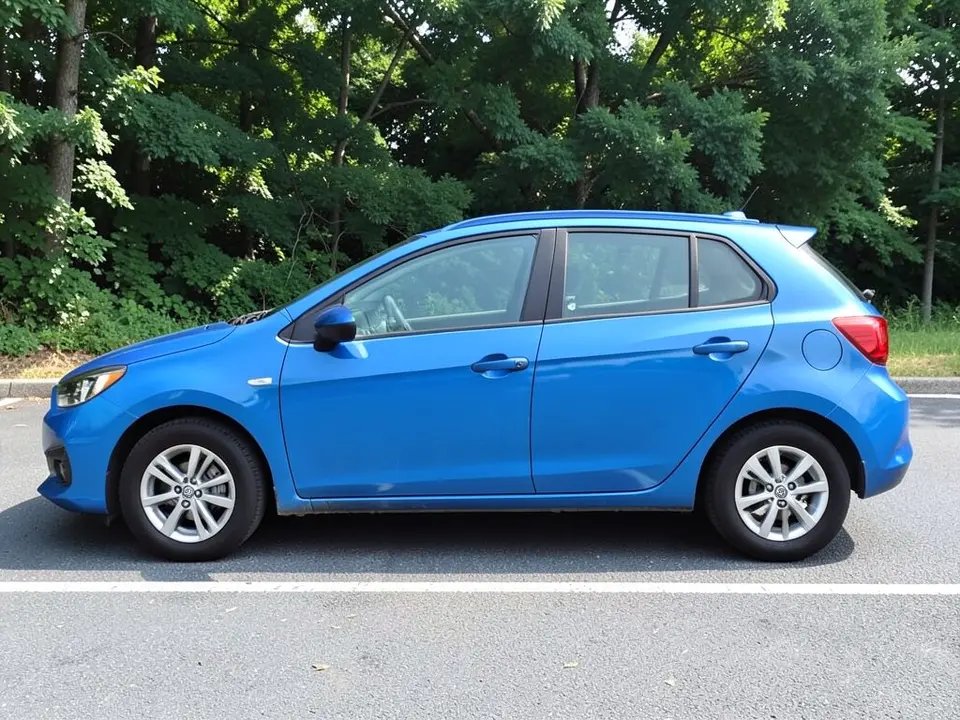
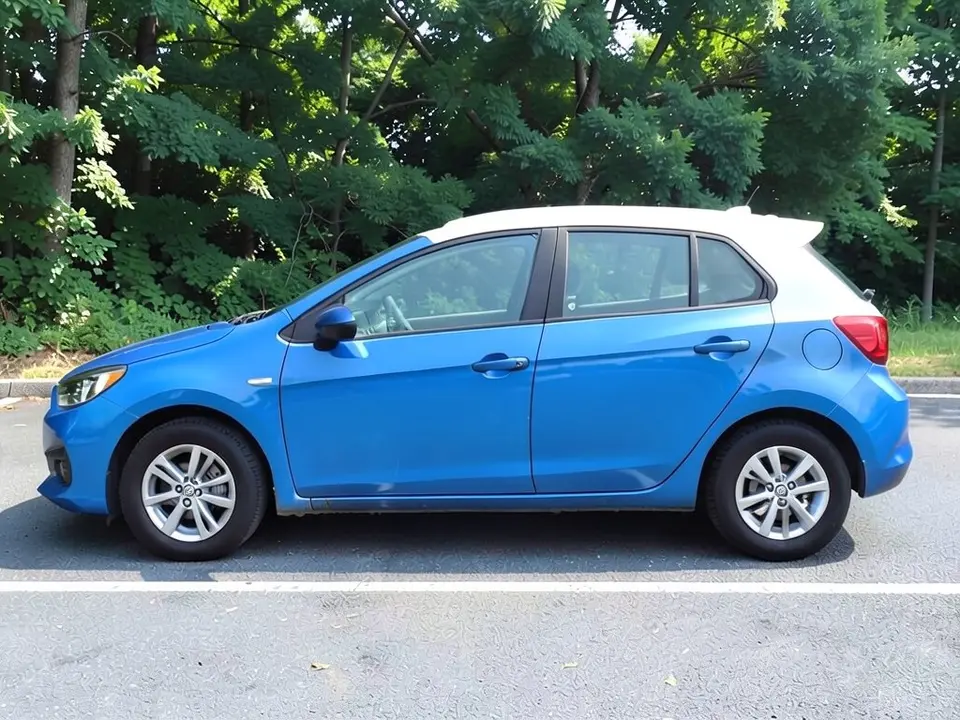
All before and after images are AI-drawn samples from our own image model, not photos of real cars or customer cars. The cars are generic stand-ins drawn side-on, with no brand logos. Under each pair we list which parts of the request worked, which did not, and any change we never asked for.
See the two-tone look on your own car
A black roof on a white car, or a white roof on a blue one, is a look you either love or regret. Photos of other cars only help so much, because your paint, trim and roof shape are different. WheelAI redraws your photo with the roof in the color you describe, so you can compare a few options on the same car in minutes.
The example cars below are AI-drawn generic stand-ins, not photos of real customers or real model lines.
How to preview a roof wrap
There is no special roof mode. The Modifications tool edits any vehicle photo, and its Custom Vision mode takes your own wording.
- 1
Take the photo
Stand square to the side of the car in daylight, so the whole roofline and both pillars are in the frame.
- 2
Open the Modifications tool
Upload your photo and switch to Custom Vision.
- 3
Name the roof change and what stays
In the Modification Goals box, say which color and finish the roof should be, and list what must stay the same: body paint, windows, wheels, background and camera angle.
- 4
Compare and refine
Look at the result next to your original. If the color spills past the roof, ask again with the roof panel above the side windows named explicitly.
Roof colors to compare
Gloss black
A strong contrast on white, silver and light colored cars. Ask a shop how a gloss finish should be washed and cared for.
Satin or matte black
Less shine and a quieter look. Ask the shop and the film maker how a satin or matte finish should be cleaned.
White or silver
A light roof on a colored body is the other common two-tone look. In our blue example, the white roof stood out clearly against the blue body.
Carbon-look or textured films
Carbon-look and brushed textures also exist as film options. The render may simplify a texture into a flat color, so treat the preview as a color check.
Before you book a shop
- Take the preview to the shop and ask what they would cover: roof panel only, the pillars, the rails, the spoiler.
- Ask for a physical sample and look at it outside in sun and shade.
- Ask how the installer handles edges and seams, and how the film can be removed later.
- Keep in mind that a wrap is a film over paint; ask the installer about the condition of your own paint first.
Photo tips
- Use daylight and avoid harsh shadows across the roof.
- Stand square to the side and hold the camera at about door-handle height so the roofline is visible.
- Leave space around the car in the frame, especially above the roof.
- Wash the car first if the roof is dusty, so the AI sees clean edges.
- Use the same photo for every roof idea so the comparisons are fair.
Three Modification Goals to paste
We used these requests for the examples. Copy one into Modification Goals, swap the colors and background words for your own, and delete anything that does not apply.
- Change ONLY the roof: make the roof panel gloss black; keep the white body paint, windows, wheels, tires, street, houses and the camera angle exactly the same
- Change ONLY the roof: make the roof panel gloss black; keep the silver body paint, windows, wheels, tires, driveway, house and the camera angle exactly the same
- Change ONLY the roof: make the roof panel white; keep the blue body paint, windows, wheels, tires, parking lot, trees and the camera angle exactly the same
What the AI does well and where it slips
The roof color usually comes out clearly, and the body, wheels and background mostly stay put. The weak spot is the roof edge: the new color spread along the top of the hood and front fender, over the rear window and trunk lid, onto the rear pillars and spoilers, and once it darkened part of a house behind the car. Plain areas such as pavement can also look more textured. Treat the render as a color and contrast check, not a template for where a shop would cut film.
Frequently asked questions
Is there a free roof wrap visualizer that uses my own car photo?
Yes. Sign in with email or Google, upload a photo of your car, and describe the roof color in the Modification Goals box. Most new accounts get 5 free credits that last 30 days, and a standard render uses 1 credit. Free renders carry a WheelAI watermark. It edits your own picture, so you see the roof on your paint, not on a stock car.
Which roof colors can I try?
Any color you can describe. Two looks to try are a gloss black roof on a light car and a white or silver roof on a colored car. Our examples show gloss black on a white sedan and a silver SUV, and white on a blue hatchback. Name the color and the finish, such as gloss, satin or matte.
Will the render only change the roof?
Not always. The image model redraws the whole photo, and the roof edge is where it slips most. In our examples the new color also spread past the roof: onto a strip along the top of the hood and front fender and over the rear window and trunk lid on the sedan, onto the rear pillar and spoiler on the SUV and the hatchback, and in one case it also darkened part of the house behind the car. Ask for the roof only, list what must stay the same, and rerun if a part changed.
Gloss black, satin black or matte black for the roof?
That is a taste and upkeep call, and the render can only show you the look. Try each finish in the Modification Goals box, then ask a wrap shop for physical samples and for the film maker care instructions for each finish before you decide.
Does a roof wrap work with a panoramic roof or sunroof?
The render treats glass as part of the photo and may paint over it or leave it alone, depending on how you word the request. A real installer has to decide how to handle glass, rails and seams on your exact car. Show your photo to a shop and ask what they would cover.
What if the AI changes something I did not ask for?
It can. In our examples the paint and wheels stayed as asked, but the pavement looked more textured after all three edits, and the black or white spilled past the roof edge. Write what must stay the same, compare the result with your original, and rerun with shorter, plainer wording if a part changed.
Does the render show what a real roof wrap would cost or how it would look in person?
No. It shows no real vinyl product, price, seam, edge or install quality. Reflections and sunlight change how a roof color reads on a real car, so look at a physical sample outside before you commit.
How is this different from the car wrap visualizer?
The car wrap visualizer on this site is for changing the whole body color and finish. This page is about a single panel, the roof, and the two-tone look: a roof in a different color from the body. Both use the same tool and your own photo.
Ready to try a new roof?
Compare black, white and silver roofs on one photo, then bring your favorite to a wrap shop to confirm what they would cover and what it costs.
Preview a roof on my carAlso try: Car Wrap Visualizer · Mustang Wrap Visualizer · Window Tint Visualizer · Wheel Color Visualizer