Racing Stripes Visualizer: See Stripes on Your Own Car Photo
Upload a photo of your car, describe the racing stripes you are considering, and see how the color and width look on your paint before you buy a kit or book a shop.
Preview racing stripes on my carSign in with email or Google to render. Most new accounts get 5 free credits (valid 30 days); a standard render uses 1 credit. Free renders carry a WheelAI watermark.
Before and after examples
Each pair is one vehicle photo and the same photo after one Modification Goals request, sent to the image model that Custom Vision uses but with more processing steps than the live tool default, so your own render may be rougher. We picked the best of a few tries for each. The full request text sits under each pair.
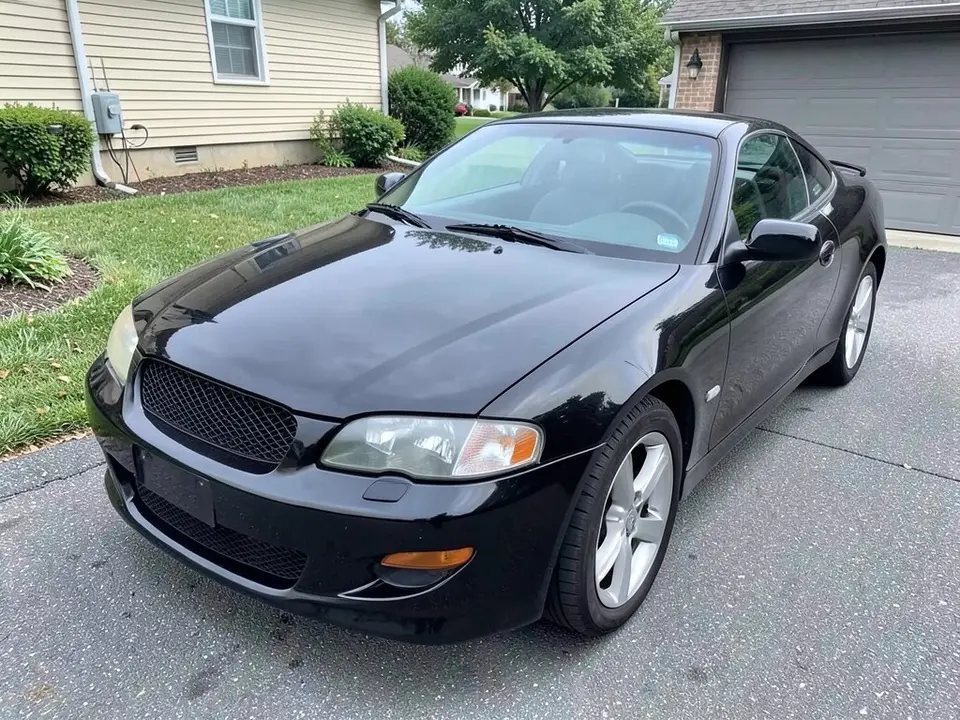
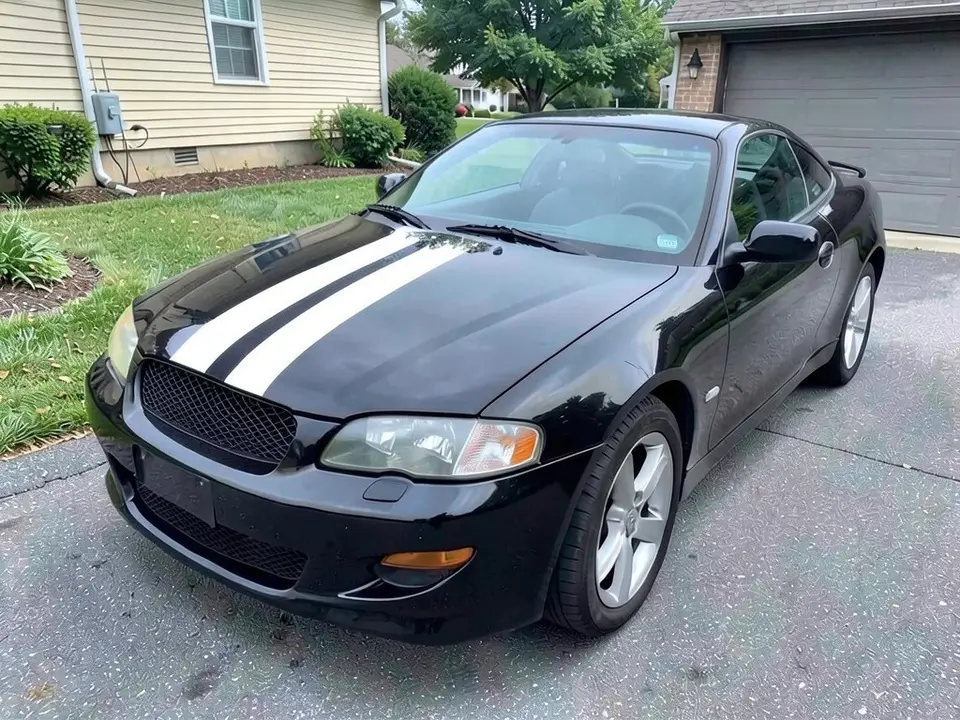
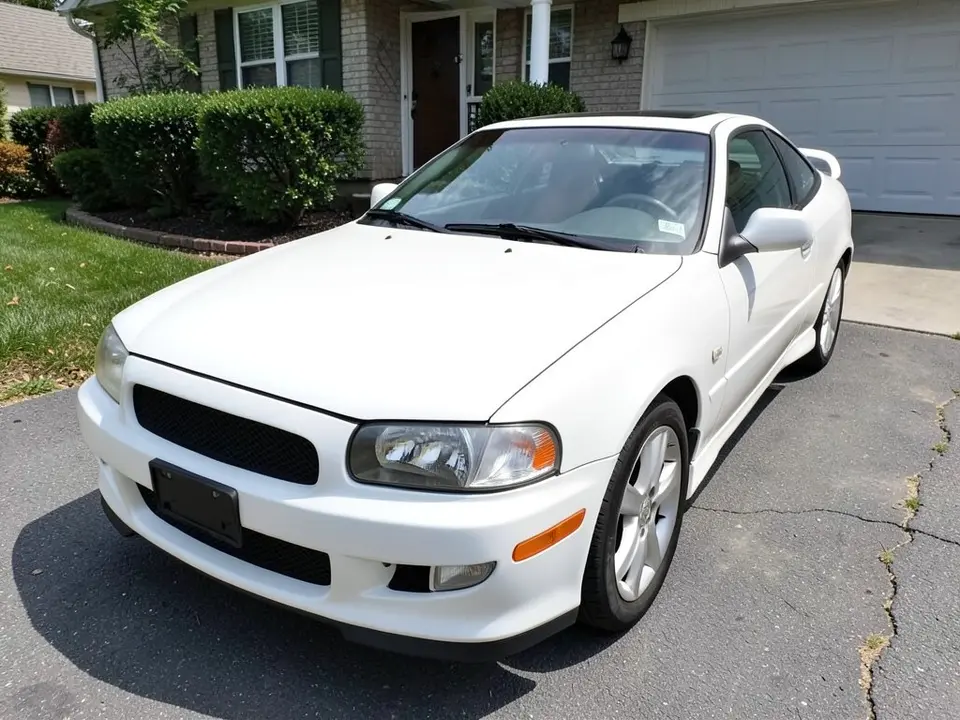
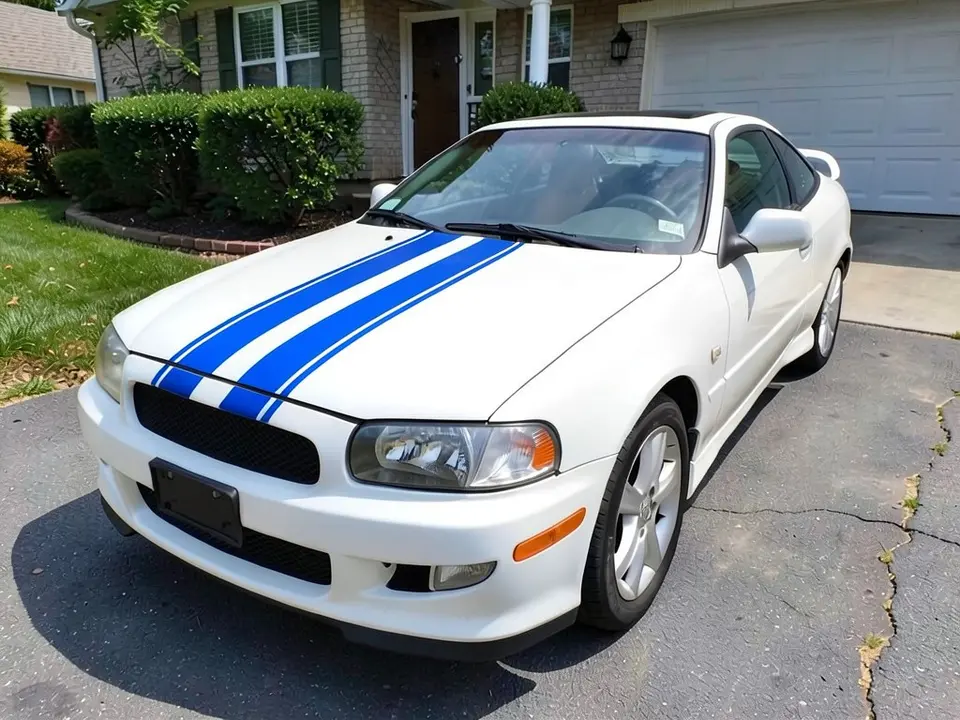
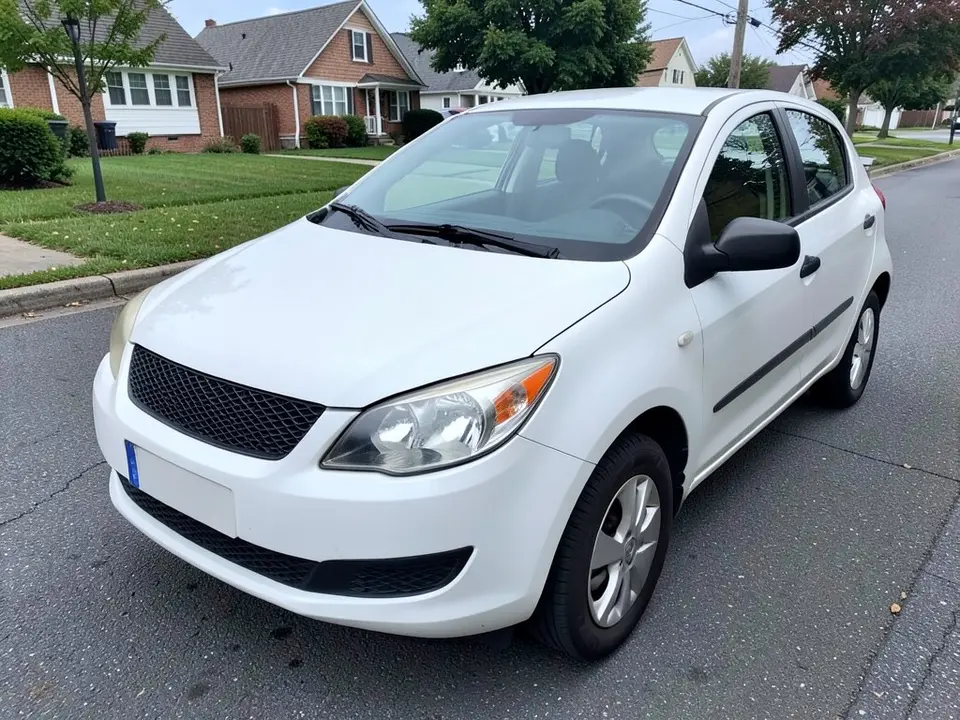
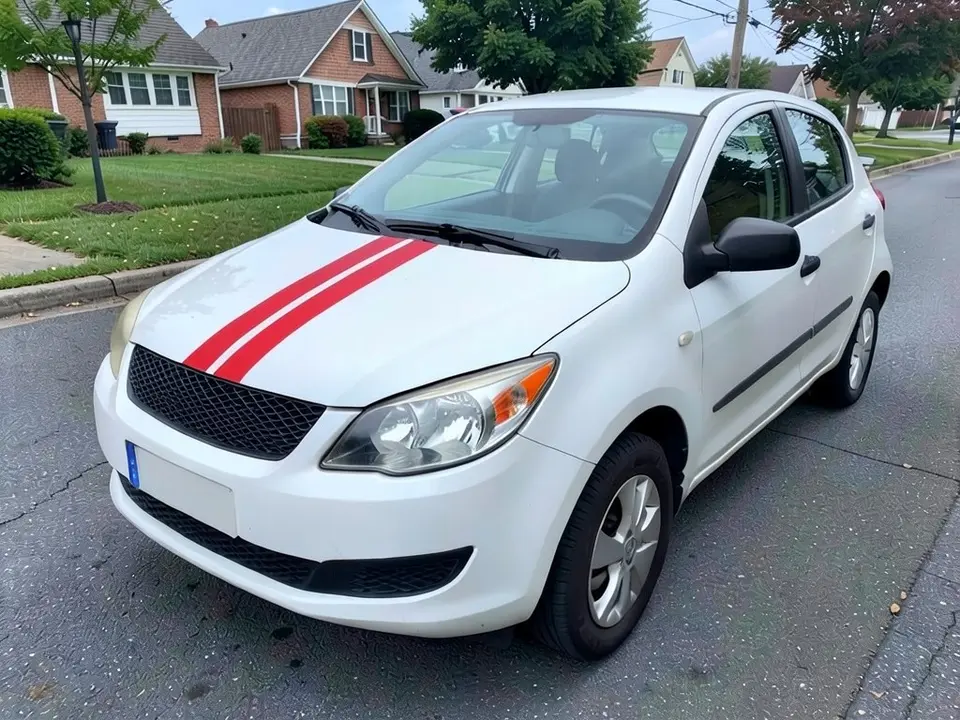
All before and after images are AI-drawn samples from our own image model, not photos of real customer cars. The cars are generic, with no brand logos, though a tiny unreadable mark can appear as an AI artifact. Under each pair we list which parts of the request worked, which did not, and any change we never asked for.
See racing stripes on your own car first
Racing stripes are a low-cost way to change how a car looks, and they are easy to get wrong: the color, the width and the gap between two stripes all change the result. Kit sellers show their stripes on sample cars. WheelAI redraws your own photo with the stripes you describe, on your paint and in your light.
The example cars below are AI-drawn generic cars, not photos of real customer cars, and no car maker is affiliated with this page.
How to preview racing stripes
There is no special stripes mode. The Modifications tool edits any vehicle photo, and its Custom Vision mode takes your own wording.
- 1
Take a clear photo
Stand at the front corner of the car in daylight and keep the hood and roof in the frame. A slightly raised camera shows more of both.
- 2
Open the Modifications tool
Upload your photo and switch to Custom Vision.
- 3
Describe the stripes and what stays
Name the color, say how many stripes and how thin, and list what must not change: paint, wheels, windows and the background.
- 4
Compare and refine
Check whether the stripes reached the roof and whether they look too wide. Rerun with plainer wording if needed.
Stripe ideas to try
White stripes on a dark car
The classic contrast look and the easiest to see in a small picture.
A color stripe on a white car
Blue and red read clearly on white paint. Our examples use both.
Hood-only stripes
The AI often draws the hood section alone, which is also a lower-cost version of the idea.
Thin versus wide
Try the same colors with the word thin and with the word wide, on the same photo, to see which suits the car.
What a picture cannot tell you
A render shows whether you like the look. Before you buy, ask the seller about the following.
- Whether the kit is made for your exact model and year.
- The film material and the warranty on it.
- Whether the kit is cut for your car or trimmed by hand on the car.
- A painter's tape mock-up on the real car, to check width and gap in person.
Photo tips
- Use daylight, and avoid heavy reflections on the paint.
- Keep the whole hood and roof in the frame.
- Use the same photo for each color so the comparison is fair.
- Wash the car first; dirt reads as texture and confuses the edit.
Three Modification Goals to paste
We used these requests for the examples. Copy one into Modification Goals, swap the colors and background words for your own, and delete anything that does not apply.
- Add two thin parallel white racing stripes running from the front of the hood back over the roof; change ONLY the stripes. The black paint, wheels, windows, driveway, house and the camera angle stay exactly the same
- Add two thin parallel blue racing stripes running from the front of the hood back over the roof; change ONLY the stripes. The white paint, wheels, windows, driveway, house and the camera angle stay exactly the same
- Add two thin red racing stripes, each only about a hand wide, running from the front of the hood back over the roof, with a wide strip of original white paint between them; change ONLY the stripes. The white paint, wheels, windows, street, houses and the camera angle stay exactly the same
What the AI does well and where it slips
Two stripes on the hood in the color you name usually appear. The weak spot is length: in all three examples the stripes stopped at the base of the windshield and did not cross the roof, although we asked for that. The stripes also came out wider than we asked, and the pavement looked a little more textured each time. If a render misses, rerun with shorter, plainer wording.
Frequently asked questions
Is there a free racing stripes visualizer that uses my own car photo?
Yes. Sign in with email or Google, upload a photo of your car, and describe the stripes in the Modification Goals box. Most new accounts get 5 free credits that last 30 days, and a standard render uses 1 credit. Free renders carry a WheelAI watermark. Stripe kit sellers show their kits on sample cars; this edits your own picture.
Which stripe colors work on which car colors?
Stripes need contrast to show. Sellers and forum owners commonly mention white or black stripes, but any color can be described. White stripes on a white car barely show, so pick a color that differs from your paint. Our examples use white on black, blue on white and red on white.
Can I preview stripes that run over the roof and trunk?
You can ask for it, but in all three of our examples the stripes appeared on the hood only and did not continue over the roof, even though we requested the roof. If you need full-length stripes, plan to check the render closely and rerun with a short, plain request, or mock the line up on the real car with painter's tape before buying.
Can I choose the width and spacing of the stripes?
You can describe it in words, such as thin, wide or close together, but the AI will not follow exact measurements. In our examples the white and blue stripes came out wider than the word thin, and the gap between the red stripes came out narrower than the wide gap we asked for. In one example our first drafts came out with a mostly red hood, so we asked for thin stripes with a wide gap of original paint between them. Treat width as a rough look, then ask your kit seller or shop for the real dimensions.
Does the render show a real stripe kit or its fit?
No. The picture shows a look, not a product. Kit size, material, the way the edges meet panels and the price all depend on the seller. Check that a kit is made for your model before buying.
What if the AI changes something I did not ask for?
It can. In our examples the pavement looked slightly more textured after the edit, and some stripes did not follow the request. Write what must stay the same, compare against your original photo, and rerun if something changed.
Are the example cars real customer cars?
No. They are AI-drawn generic cars, made with our own image model. No brand logos are added, although a tiny unreadable mark can appear as an AI artifact. No car maker is affiliated with or endorses this page.
I own a Mustang. Which page should I use?
Our Mustang wrap visualizer covers Mustang-specific looks, including stripes. This page is the general one for any car, truck or hatchback. The tool and the way you write the request are the same.
Ready to try racing stripes?
Compare a white, a blue and a red stripe on one photo, then take the favorite to a kit seller or a shop for the real width, material and price.
Preview racing stripes on my carAlso try: Car Wrap Visualizer · Mustang Wrap Visualizer · Roof Wrap Visualizer · Hood Wrap Visualizer · Car Spoiler Visualizer