Headlight Tint Visualizer: See Smoked Lights on Your Own Car Photo
Upload a photo of your car, describe the smoked headlights you are considering, and see how the shade looks on your paint before you buy film or covers.
Preview smoked lights on my carSign in with email or Google to render. Most new accounts get 5 free credits (valid 30 days); a standard render uses 1 credit. Free renders carry a WheelAI watermark.
Before and after examples
Each pair is one vehicle photo and the same photo after one Modification Goals request, sent to the image model that Custom Vision uses but with more processing steps than the live tool default, so your own render may be rougher. We picked the best of a few tries for each. The full request text sits under each pair.
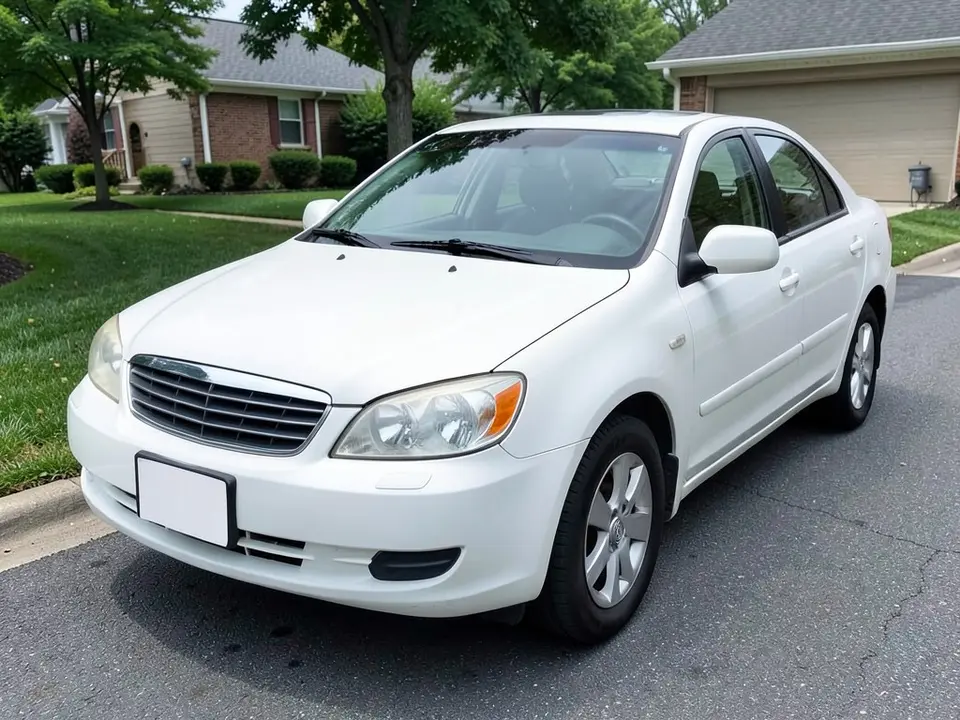
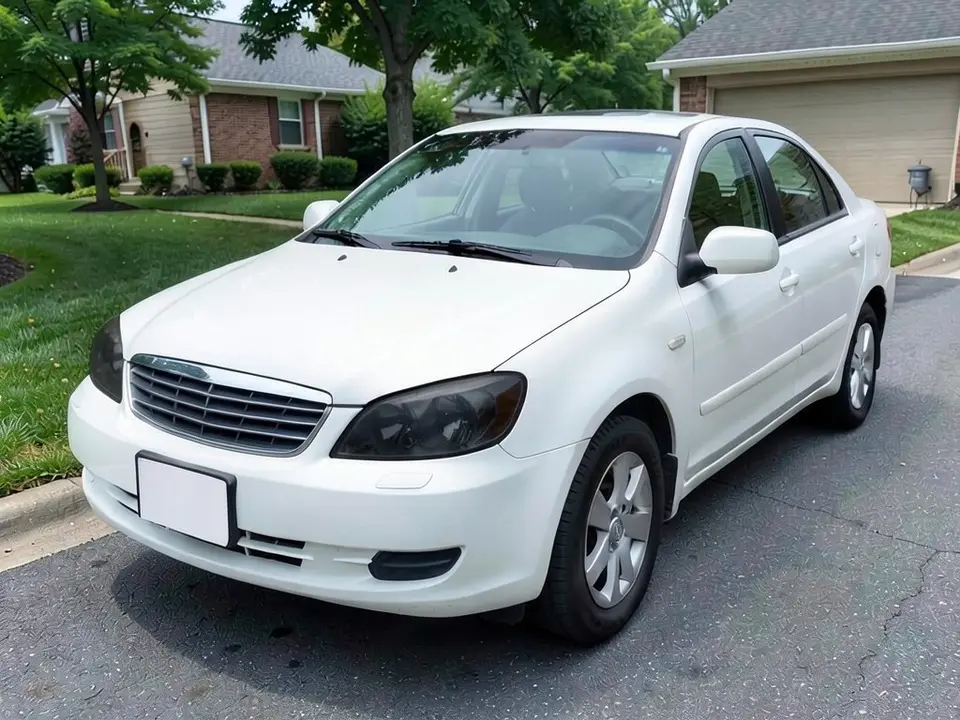
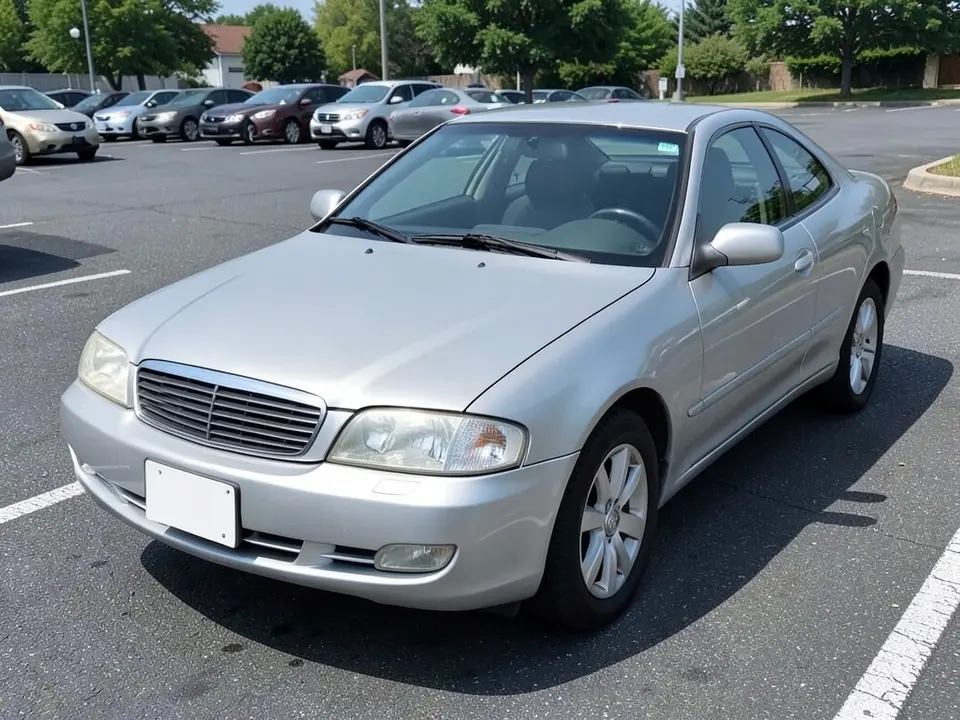
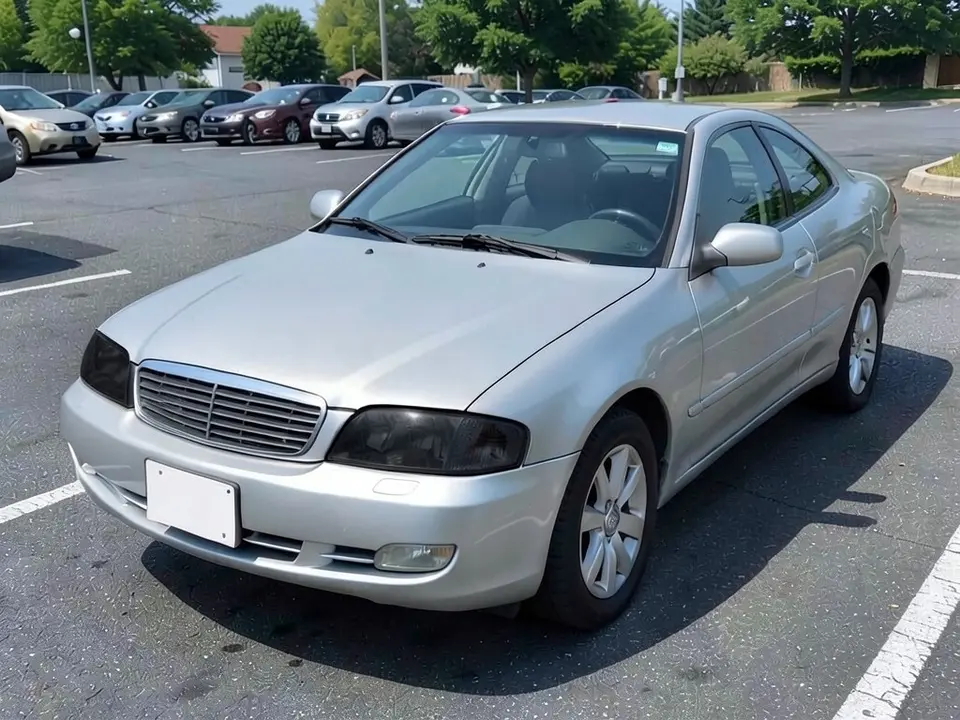
All before and after images are AI-drawn samples from our own image model, not photos of real customer cars. The cars are generic, though a tiny unreadable mark can appear as an AI artifact. Under each pair we list which parts of the request worked, which did not, and any change we never asked for.
See smoked lights on your own car first
Dark headlight tint changes the whole face of a car, and the shade is easy to get wrong. A light smoke and a blacked-out look are very different. Sellers show tint on sample cars. WheelAI redraws your own photo with the shade you describe, on your paint and in your light.
The example cars below are AI-drawn generic cars, not photos of real customer cars, and no car maker is affiliated with this page.
How to preview light tint
There is no special tint mode. The Modifications tool edits any vehicle photo, and its Custom Vision mode takes your own wording.
- 1
Take a three-quarter photo
Stand a few steps in front of one front corner of the car, in daylight, and keep the lamps clearly in the frame.
- 2
Open the Modifications tool
Upload your photo and switch to Custom Vision.
- 3
Describe the shade and what stays
Say which lights, how dark, and list what must not change: paint, bumper, grille, wheels, windows and the background. Add no yellow or amber if you want a neutral gray.
- 4
Compare and refine
Look at the shade next to your original photo. If it is too dark, ask for light smoke and say so plainly.
Looks to try
Light smoke
A hint of gray over the lens. In our examples the AI jumped to a much darker shade, so be firm about the word light.
Dark smoke
A strong gray-black lens through which the lamp is still faintly visible.
Clear stays clear
Rerun the same photo with no change to the lights to see the stock look beside the tinted version.
What a picture cannot tell you
A render shows whether you like the look. Before you buy film or covers, ask about the following.
- Whether tinted lights are allowed where you drive. Rules vary by place and we have not checked them.
- Whether tint reduces how much light reaches the road and how visible the lamp is to others.
- How the film or cover is applied, and whether it can be removed without damage.
- Whether it covers turn signals and brake lights, which are usually expected to stay clearly visible.
Photo tips
- Use daylight, and avoid heavy reflections on the lamp lens.
- Frame the lamp large enough to see its shape.
- Use the same photo for each shade you compare.
- Wash the car and the lenses first; dirt reads as texture and confuses the edit.
Two Modification Goals to paste
We used these requests for the examples. Copy one into Modification Goals, swap the paint and background words for your own, and delete anything that does not apply.
- Make the headlight lenses smoked dark gray tint; change ONLY the headlights. Keep the white paint, bumper, grille, wheels, windows, driveway and the camera angle exactly the same
- Make the headlight lenses dark smoked gray-black tint, no yellow or amber; change ONLY the headlights. Keep the silver paint, bumper, grille, wheels, windows, parking lot and the camera angle exactly the same
What the AI does well and where it slips
The lamp it is pointed at usually changes, and the paint and shape stay put. The weak spots are the shade, which tends to land darker than the words suggest. An early try came out amber. If a render misses, rerun with shorter, plainer wording.
Frequently asked questions
Is there a free headlight tint visualizer that uses my own car photo?
Yes. Sign in with email or Google, upload a front three-quarter photo of your car, and describe the smoked headlights in the Modification Goals box. Most new accounts get 5 free credits that last 30 days, and a standard render uses 1 credit. Free renders carry a WheelAI watermark.
Is tinted or smoked lighting legal?
We do not know, and it differs by place. Rules about light color, brightness and covers vary by country and by state or region, and we have not checked them. Look up your local vehicle lighting rules before you buy film or covers. This page only shows how a look would appear.
Does tint change how much light the lamp gives off?
A picture cannot tell you. Some lighting makers say tint reduces light output, which could matter for night driving and for being seen by other drivers. We did not test it. Ask the seller of any film or cover, and check your local rules.
What shades can I ask for?
Describe the look in plain words, such as light smoke, dark smoke or blacked-out. Our examples used dark smoke. The first headlight attempts came out amber, so we added no yellow or amber to the request. Try a light and a dark shade on the same photo to compare.
What if the AI changes something I did not ask for?
It can. In our examples the headlights went close to black rather than a light smoke, a turn signal disappeared on one car, and the pavement looked more textured. Write what must stay the same, compare against the original photo, and rerun if something changed.
Are the example cars real customer cars?
No. They are AI-drawn generic cars, made with our own image model. No car maker is affiliated with or endorses this page.
Where can I try other looks on the same photo?
Try the window tint visualizer for glass, the car wrap visualizer for paint, the brake caliper color visualizer and the wheel color visualizer. They use the same tool and your same photo.
Ready to try smoked lights?
Compare a light smoke and a dark smoke on one photo, then check your local lighting rules and ask the seller how the film or cover works before you buy.
Preview smoked lights on my carAlso try: Vehicle Modifications Tool · Window Tint Visualizer · Car Wrap Visualizer · Brake Caliper Color Visualizer · Wheel Color Visualizer