Motorcycle Customizer Online: See Colors and Parts on Your Own Bike
Upload a photo of your own motorcycle, name a color or a part to change, and see it on your bike before you order anything. This is a picture tool for motorcycles, not a bicycle build configurator and not a shop.
Customize my bike photoSign in with email or Google to render. Most new accounts get 5 free credits (valid 30 days); a standard render uses 1 credit. Free renders carry a WheelAI watermark.
Before and after examples
Each pair is one motorcycle photo and the same photo after one Modification Goals request, sent to the image model that Custom Vision uses but with more processing steps than the live tool default, so your own render may be rougher. Each before and after image is a single run. The full request text sits under each pair.
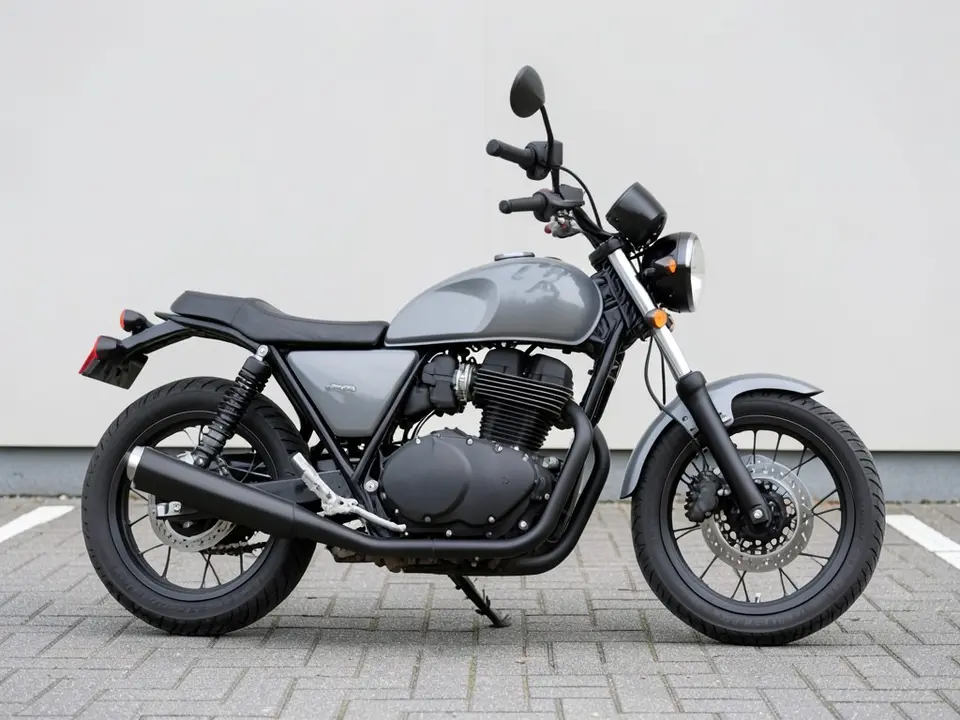
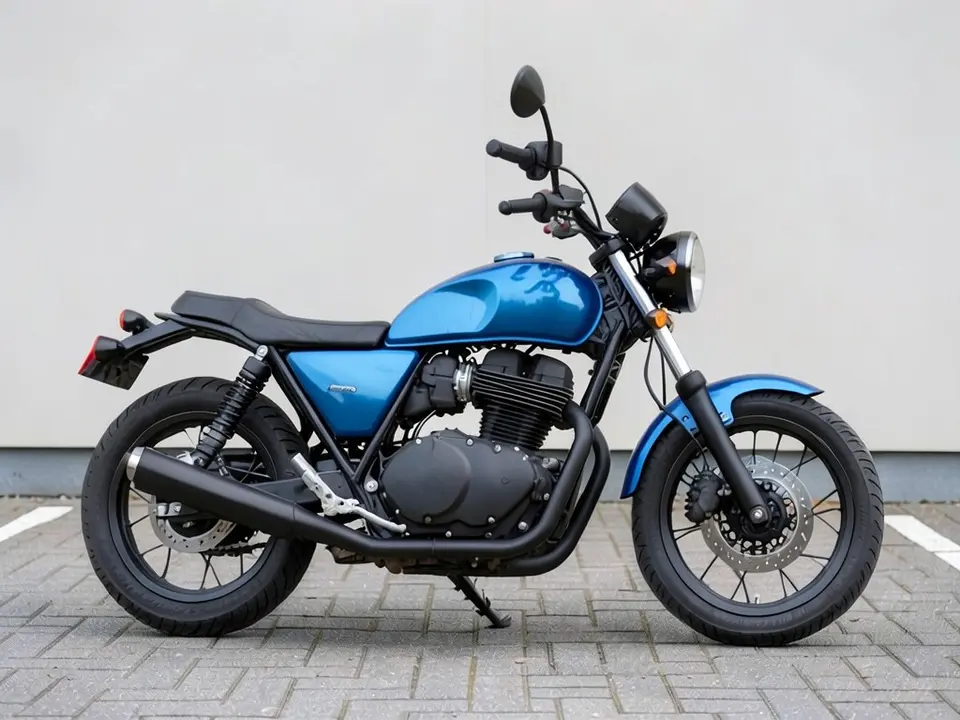
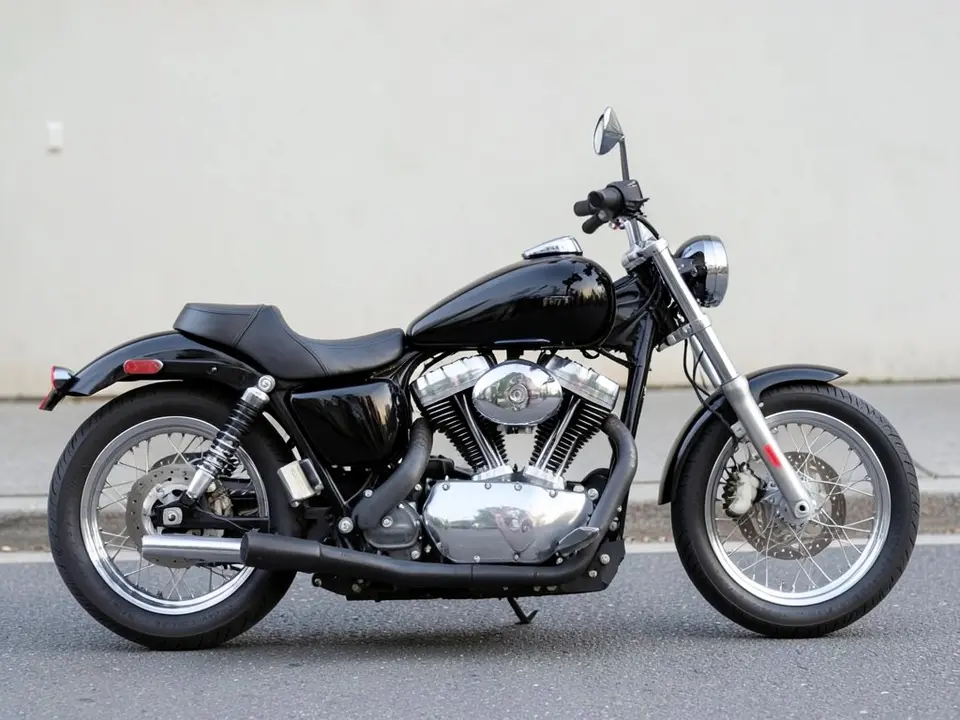
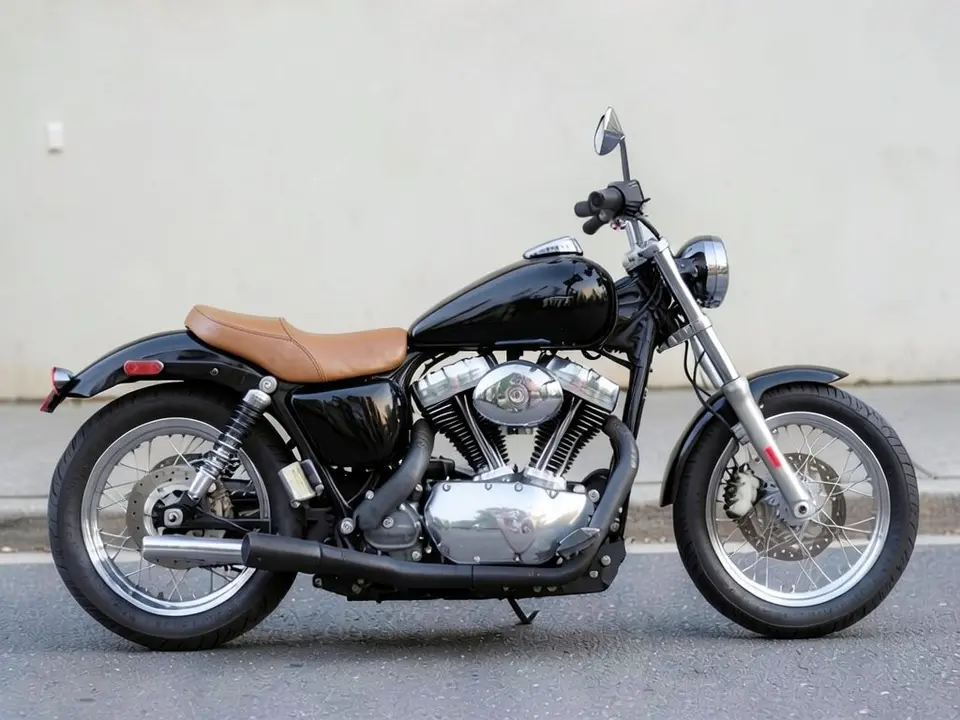
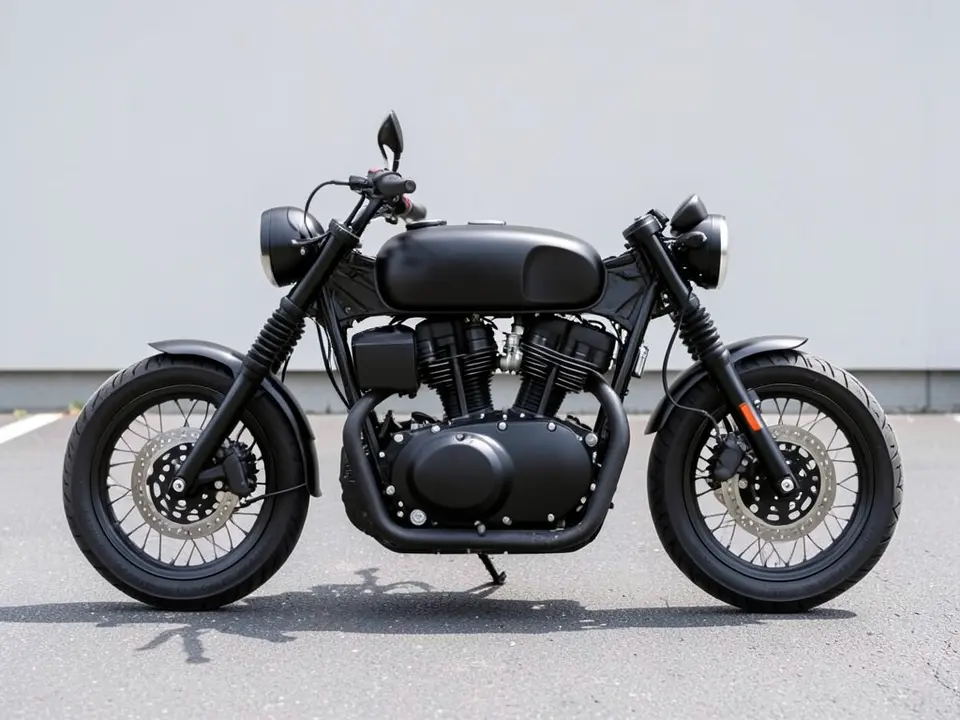
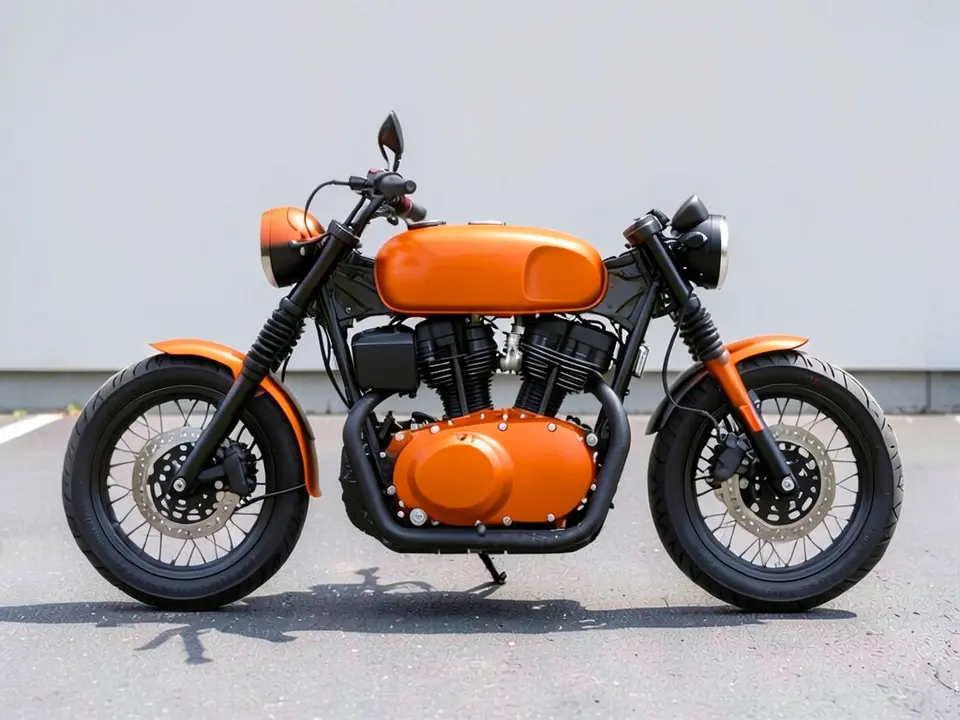
All before and after images are AI-drawn samples from our own image model, not photos of real customer bikes. The bikes are plain generic bikes with no names, numbers or logos. Under each pair we list which parts of the request worked, which did not, and any change we never asked for.
See it on your own bike first
Most examples online are shown on someone else's bike, and a color or part that looks great on one can look wrong on yours. WheelAI redraws your own photo with the change you describe, so you can compare a few options on the bike you ride before you spend anything.
The example bikes below are AI-drawn generic stand-ins, not photos of real customer bikes or a specific make.
What this customizer does, and what it does not
Most online customizers are build configurators from a maker or a parts shop: you step through options, see a 3D model and end on a price or a dealer quote. This page is different. WheelAI redraws your own photo with the change you describe, so you can compare a few colors or a seat on the bike you ride.
It is a motorcycle photo tool. It does not build or price a bike, and it does not check that a part exists, fits or is road legal. If you came for a bicycle component configurator, this is not that.
How to customize a motorcycle photo
There is no separate customizer mode. The Modifications tool edits any vehicle photo, and its Custom Vision mode takes your own wording.
- 1
Take the photo
Stand square to the side of the bike in daylight, with the whole bike in the frame and a plain background if you can.
- 2
Open the Modifications tool
Upload your photo and switch to Custom Vision.
- 3
Name one change and what stays
In the Modification Goals box, name the part (tank, side panels, seat) and the color or material, then list what must stay the same: the rest of the bike, the background and the camera angle.
- 4
Compare and try another
Look at the result next to your original, then try a different color or part on the same photo.
Customizing ideas we compared
Satin blue tank and side panels
On a gray standard bike we asked for a satin blue tank and side panels. Both came out blue, but the front fender turned blue too.
Tan leather seat
On a black cruiser we asked for a tan brown leather seat. This one came out as asked, with the rest of the bike unchanged.
Bright orange tank
On a black standard bike we asked for a bright orange tank. The tank is orange, but the fenders and the engine cover turned orange as well.
Before you order paint or parts
- Treat the render as a look, not a spec. Check with the seller that a part fits your exact model.
- Ask for a real color sample and look at it outdoors on the bike.
- Check your local rules before changing anything that affects lights, mirrors or the exhaust.
- Try one change at a time on the same photo so you can see which one you like.
Three Modification Goals to paste
We used these requests for the examples. Copy one into Modification Goals, swap the colors and parts for your own, and delete anything that does not apply.
- Change ONLY the paint color of the fuel tank and side panels: repaint them a satin blue. Keep everything else on the motorcycle, the background and the camera angle exactly the same.
- Change ONLY the seat: replace it with a tan brown leather seat. Keep everything else on the motorcycle, the background and the camera angle exactly the same.
- Change ONLY the paint color of the fuel tank: repaint it a bright orange. Keep everything else on the motorcycle, the background and the camera angle exactly the same.
What the AI does well and where it slips
Whole-part color changes usually come out well. A color often spills onto nearby parts such as fenders and covers, as in two of the three examples above. Parts that do not exist on the bike, such as a new exhaust or fairing, are drawn in the AI's own style. Treat this page as a color and look test. If a render misses, rerun it with shorter, plainer wording.
Frequently asked questions
Is there a free motorcycle customizer where I upload my own photo?
Yes. Sign in with email or Google, upload a side photo of your motorcycle, and describe the change in the Modification Goals box. Most new accounts get 5 free credits that last 30 days, and a standard render uses 1 credit. Free renders carry a WheelAI watermark.
Is this for motorcycles, scooters or bicycles?
This page is about motorcycle photos. The tool edits any vehicle picture, so a scooter should work the same way, but we have only shown motorcycles here. It is not a bicycle component configurator, so it will not step through frames, groupsets or sizes.
Can I try several colors on the same photo?
Yes. Upload the same photo again and change only the color in the Modification Goals box. Each render uses credits, so try one change at a time.
Can I save or share the result?
The finished image can be downloaded from the tool. Free renders carry a WheelAI watermark.
What if the AI changes something I did not ask for?
It can. The image model redraws the whole photo. In our examples the front fender turned blue when we asked for a blue tank and side panels, and the fenders and engine cover turned orange when we asked for an orange tank. Write what must stay the same, compare the result with your original, and rerun if a part changed.
Does it show that a part fits my bike, or what it costs?
No. It shows a look only. It does not check fit, availability, price or whether a change is legal where you ride. Check those with the seller or your local rules before you buy.
Ready to customize your bike photo?
Try a color or a part on your own motorcycle, then take the one you like to a shop for a real sample and a quote.
Customize my bike photoAlso try: AI Bike Modifier · AI Bike Color Changer · Motorcycle Wrap Visualizer · Rim Visualizer · All Visualizers