Car Decal Visualizer: See a Vinyl Decal on Your Own Car
Upload a photo of your own car, truck or van, describe the decal you have in mind, its color and where it goes, and see how the size and placement look before you order it.
Preview a decal on my carSign in with email or Google to render. Most new accounts get 5 free credits (valid 30 days); a standard render uses 1 credit. Free renders carry a WheelAI watermark.
Before and after examples
Each pair is one vehicle photo and the same photo after one Modification Goals request, sent through the same image model, step count and request wording that Custom Vision uses. The white hatchback is a single run; the gray hatchback is our second run of the same request, and the caption says what the first run did. Before photos were cleaned with the same model to remove brand-style badges. The full request text sits under each pair.
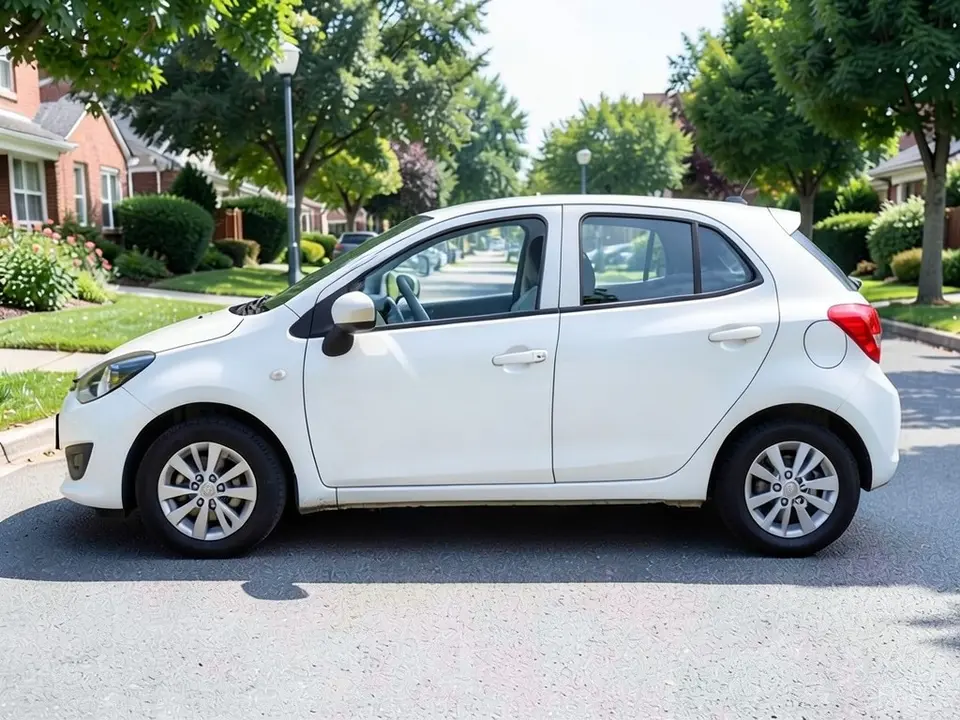
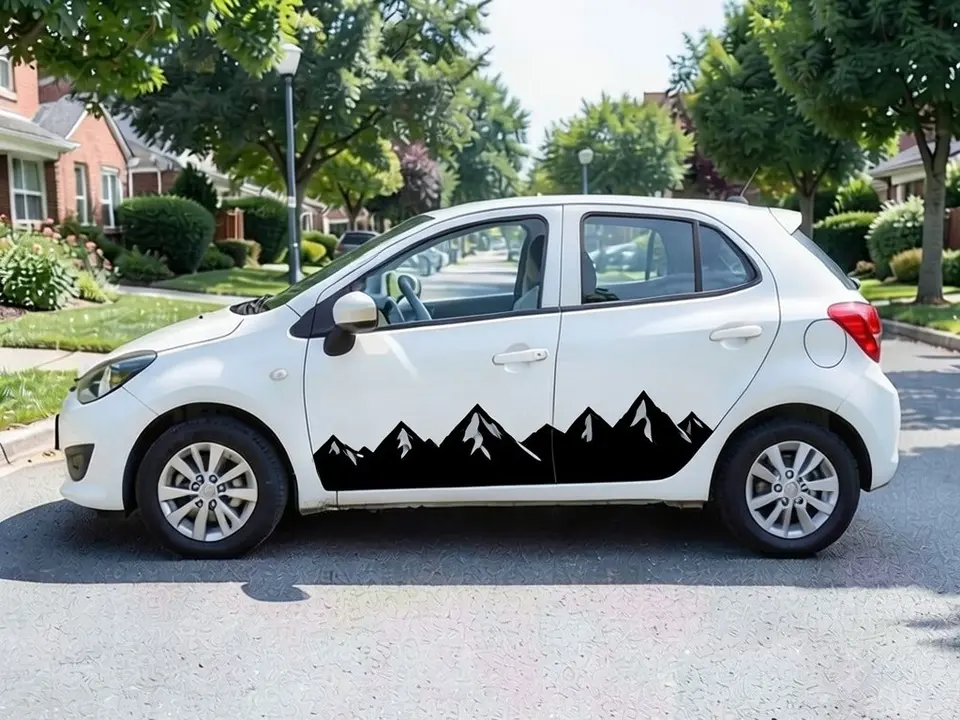
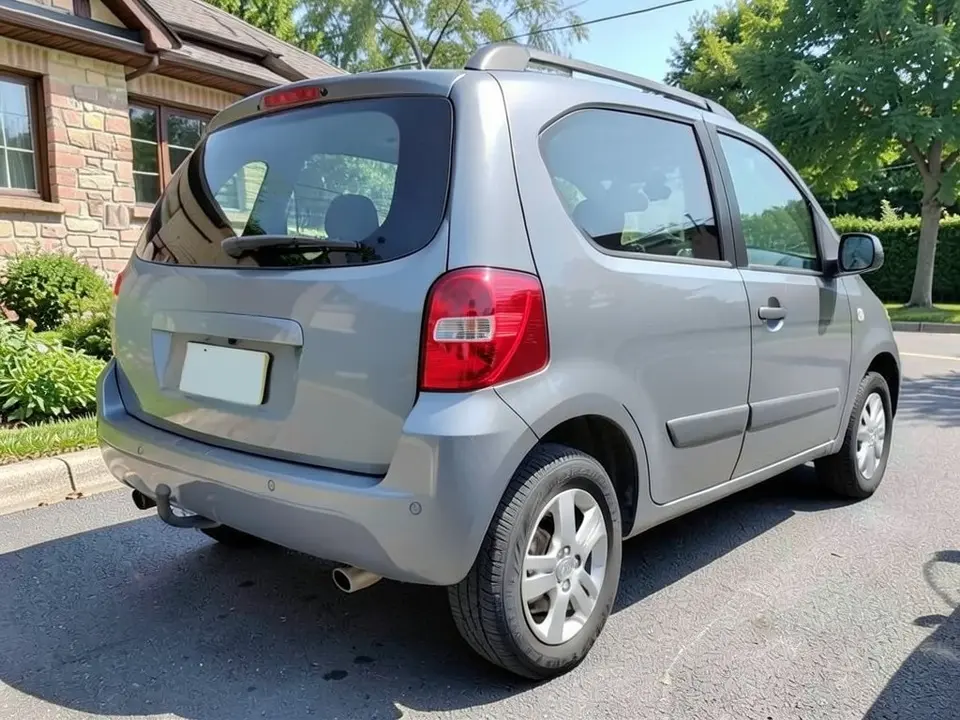
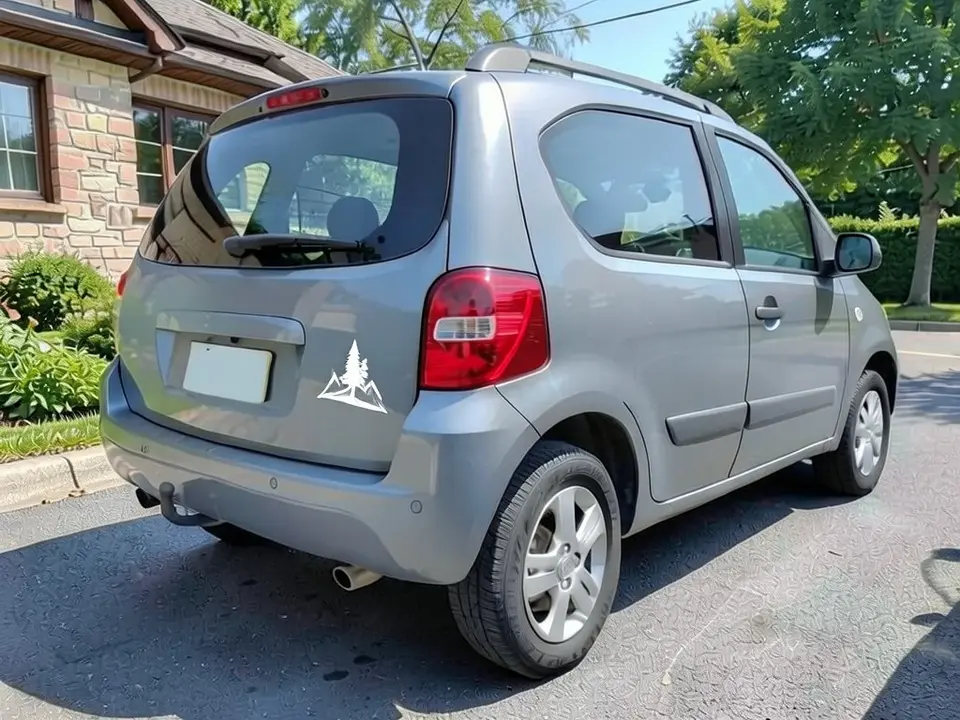
All before and after images are AI-drawn samples from our own image model, not photos of real customer vehicles. The vehicles are plain generic models with blank plates. Under each pair we list which parts of the request worked, which did not, and any change we never asked for.
See a decal on your own car first
A decal that looks right on a screen can look too big, too small or in the wrong spot once it is on your car. WheelAI redraws a photo of your own vehicle with the decal you describe, so you can try a size, color and position before you order.
The example vehicles below are AI-drawn generic vehicles, not photos of real customer vehicles, and no vehicle maker or parts maker is affiliated with this page.
How to preview a decal
There is no special mode for this part. The Modifications tool edits any vehicle photo, and its Custom Vision mode takes your own wording.
- 1
Take a photo of the spot
A side photo for doors and body panels, a rear photo for the back window. Stand a few steps back in even light.
- 2
Open the Modifications tool
Upload your photo and switch to Custom Vision.
- 3
Describe the decal and the exact spot
Say the shape, color and size, name exactly where it goes, and list what must not change: paint, wheels, windows and background.
- 4
Compare and refine
Check where the decal landed and rerun or reword the spot if it moved.
Decal types you can describe
Cut vinyl
A solid color shape or lettering with no background, like our mountain silhouette.
Printed graphic
A full-color image printed on white film. Good for logos with many colors.
Window sticker
A small die-cut sticker for a back or side window. Shops often put these on the outside of the glass.
Business lettering
A name and phone number on a door or van side. Use the render for size and placement only.
What a picture cannot tell you
A render shows whether you like the size and spot. Before you order, ask about the following.
- The real size in inches or centimeters: measure the panel on your car.
- Whether the decal crosses a door gap, handle or body line, where it would need to be cut.
- Whether a window sticker goes inside or outside the glass. Lettering inside dark tinted glass can be hard to see.
- For a work vehicle, which numbers and markings the rules where you drive require.
- How long the film lasts outdoors and how it comes off.
Two Modification Goals to paste
We used these requests for the examples. Copy one into Modification Goals, swap the shape, color, spot and background words for your own, and delete anything that does not apply.
- Add a black vinyl decal of a simple mountain range silhouette along the lower half of both doors on the visible side; change ONLY the doors. Keep the paint color, wheels, windows, street and the camera angle exactly the same
- Add a small white die-cut vinyl decal of a pine tree and mountain outline in the lower left corner of the rear window; change ONLY the rear window. Keep the paint, wheels, lights, driveway and the camera angle exactly the same
What the AI does well and where it slips
Simple solid-color shapes on a plain panel come out clean, and the rest of the car stays the same. The weak spots are placement and text: in our tests a small decal landed on the body instead of the window, and business lettering came back misspelled. Use renders to compare looks, not as a final proof.
Frequently asked questions
Is there a free car decal visualizer that uses my own photo?
Yes. Sign in with email or Google, upload a photo of your vehicle, and describe the decal and where it goes in the Modification Goals box. Most new accounts get 5 free credits that last 30 days, and a standard render uses 1 credit. Free renders carry a WheelAI watermark. It edits your own picture rather than a template car.
Can it put my own logo or artwork on the car?
No. You describe the decal in words, and the model draws its own version. Use the render to judge size, color and placement, then send your real artwork to the decal shop.
Can it spell my business name correctly?
Not reliably. In our test on a white van it spelled the name right once, then added a second misspelled line under it, so we left that example out. Treat any lettering in a render as a placement guide, not a proof.
What photo works best?
A straight side photo for door and body graphics, or a rear photo for window stickers, taken from a few steps back in even daylight. Name the exact spot, such as lower half of both doors or lower left corner of the rear window, and check where it landed.
Which decal types can I try?
Any type you can describe: a solid-color cut vinyl shape or lettering with no background, a full-color printed graphic, a stripe, or a window sticker. A render cannot show the difference between a printed decal and a perforated one-way window film up close.
What if the AI changes something I did not ask for?
It can. The image model redraws the whole photo. In one of our examples it put the decal in a different spot than we asked for. Compare the result with your original and rerun if something changed.
Does the render show how long a decal lasts or how it comes off?
No. It shows a look only. Ask the shop about the film, how long it lasts outdoors, and how it is removed. Paint under a decal can fade less than the paint around it, which can leave an outline after removal.
Ready to see a decal on your car?
Try two sizes or two spots on the same photo, then send your real artwork and measurements to the shop.
Preview a decal on my carAlso try: Racing Stripes Visualizer · Car Wrap Visualizer · Van Wrap Visualizer · Hood Wrap Visualizer · Flame Paint Job Visualizer