Two-Tone Truck Paint Visualizer: See a Color Split on Your Own Pickup
Upload a photo of your own pickup, describe two colors and where the split goes, and see the scheme on your truck before you book a painter.
Preview two-tone paint on my truckSign in with email or Google to render. Most new accounts get 5 free credits (valid 30 days); a standard render uses 1 credit. Free renders carry a WheelAI watermark.
Before and after examples
Each pair is one truck photo and the same photo after one Modification Goals request, sent to the image model that Custom Vision uses but with more processing steps than the live tool default, so your own render may be rougher. Each after-image is a single run. We re-ran the before photos of two trucks because early versions showed a brand-style emblem on the grille and badges on the body, and show the ones we kept. The full request text sits under each pair.
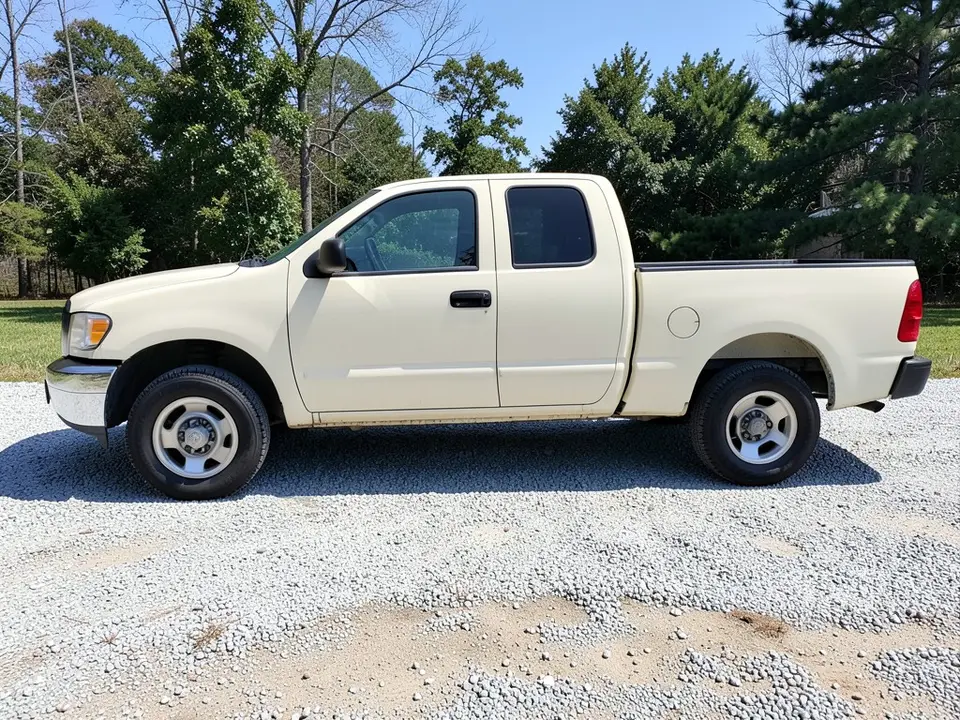
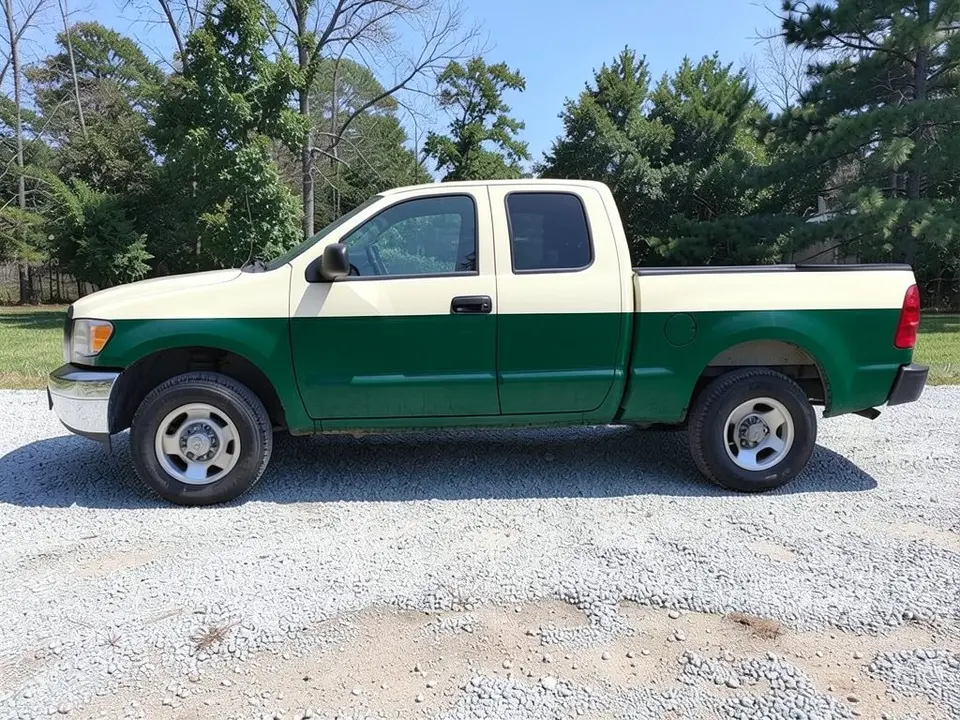
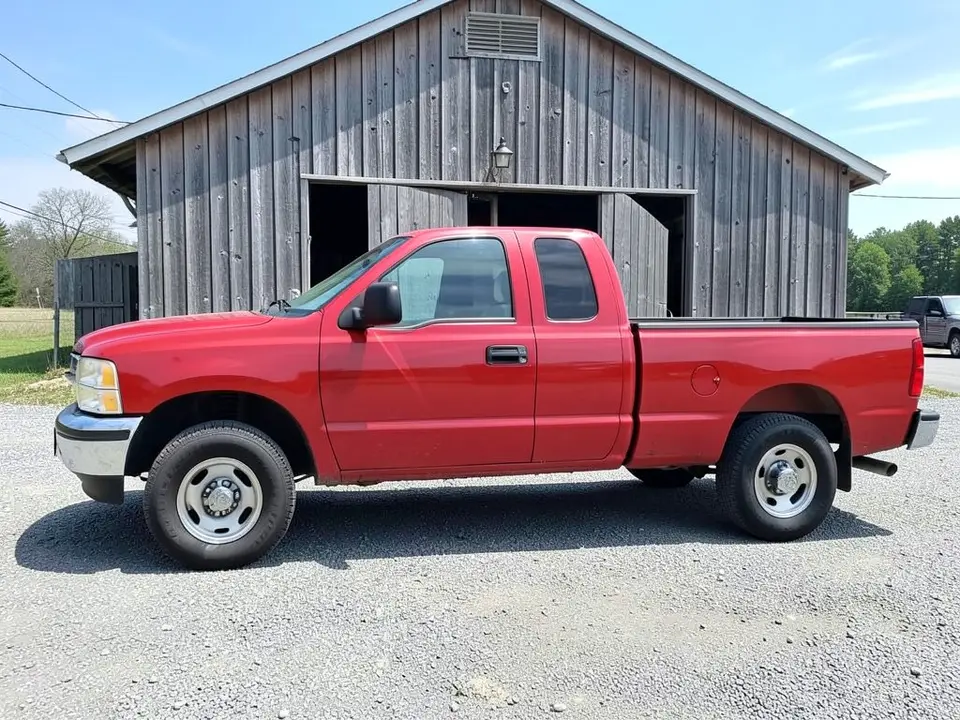
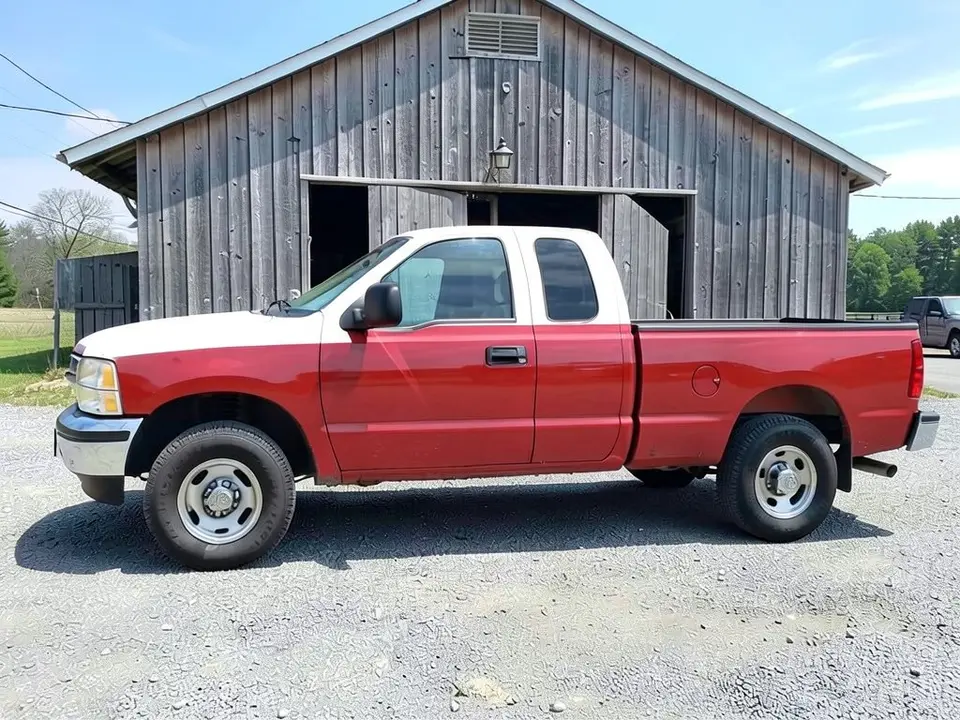
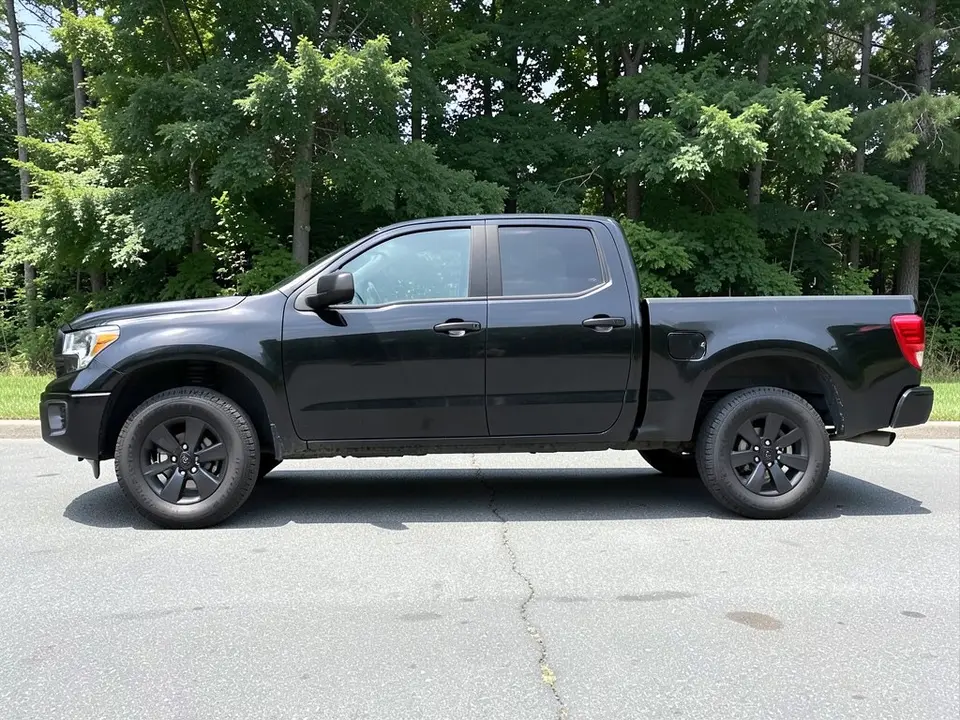
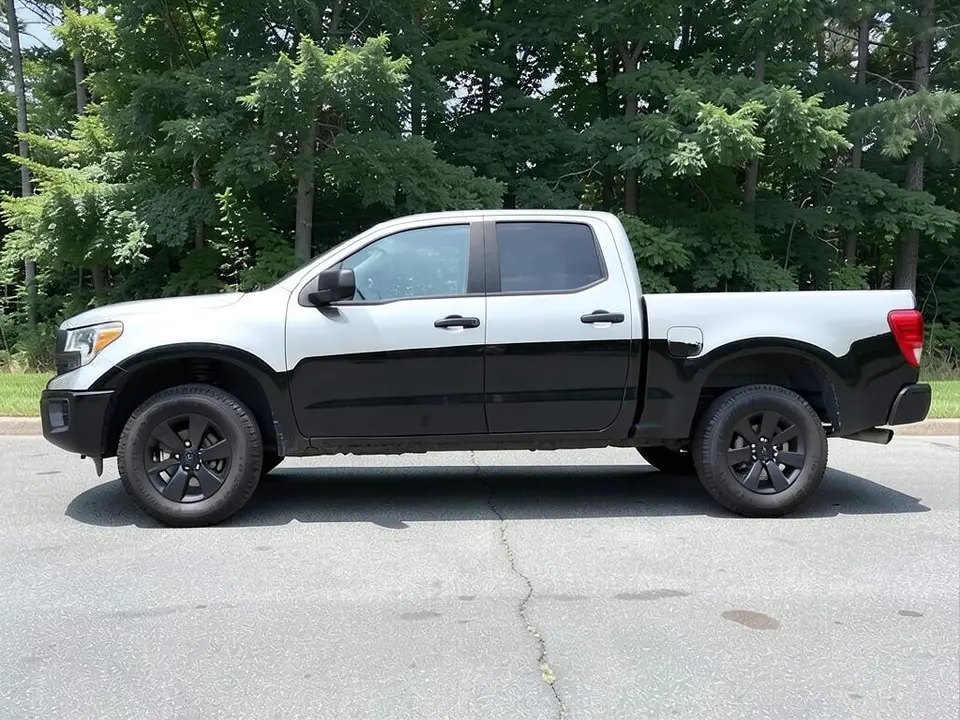
All before and after images are AI-drawn samples from our own image model, not photos of real customer trucks. The trucks are plain generic stand-ins with blank plates and no logos. Under each pair we list which parts of the request worked, which did not, and any change we never asked for.
See a two-tone scheme on your own truck first
A two-tone job is easy to picture and hard to judge. Whether a white roof suits red, or whether a green lower half is too heavy on cream, depends on your truck and your light. WheelAI redraws your own photo with the split you describe, so you can compare a few schemes on the same truck before a painter masks anything.
The example trucks below are AI-drawn generic stand-ins, not photos of real customer trucks.
How to preview a two-tone paint scheme
There is no special two-tone mode. The Modifications tool edits any vehicle photo, and its Custom Vision mode takes your own wording.
- 1
Take the photo
Stand square to the side of the truck in daylight, far enough back to fit the whole truck with space around it.
- 2
Open the Modifications tool
Upload your photo and switch to Custom Vision.
- 3
Name both colors and the split
In the Modification Goals box, say which part gets the new color (roof, lower half or top half), which part keeps the old color, and list what must stay the same: windows, wheels, tires, chrome, background and camera angle.
- 4
Compare and refine
Look at the result next to your original. Try one scheme at a time on the same photo.
Schemes we compared
Lower-body split
On a cream pickup we asked for dark green below the beltline. It painted the lower body and the front fender green and kept the roof, upper cab and hood cream. The split sits about mid-door and runs straight, not along a body crease.
Contrast roof
On a red pickup we asked for a white roof and upper pillars. The roof and upper cab turned white, but the hood and the top of the front fender went white too, which we did not ask for.
Silver top, black bottom
On a black pickup we asked for a silver top. The roof, upper cab and upper body went a bright white-silver rather than a true silver, and the lower body stayed black.
Before you book a painter
- Decide where the break line goes and ask the painter how they will mask it around trim, door handles and body creases.
- Ask for a painted sample card of the exact two colors and look at it outdoors.
- Ask whether trim, handles, mirrors and bumpers get painted, taped or replaced.
- Ask how the prep and extra coats affect the quote, and get several written quotes.
- Keep a copy of the original paint color in case you want to match it later.
Three Modification Goals to paste
We used these requests for the examples. Copy one into Modification Goals, swap the colors and background words for your own, and delete anything that does not apply.
- Change ONLY the paint: repaint the lower half of the truck body, below the beltline, in dark forest green, and keep the upper half and roof cream, in a clean two-tone split; keep the chrome, windows, wheels, tires, gravel, trees and the camera angle exactly the same
- Change ONLY the paint: repaint the cab roof and the upper cab pillars white while the rest of the truck body stays red, a clear two-tone with a white roof; keep the windows, wheels, tires, bed, barn, grass and the camera angle exactly the same
- Change ONLY the paint: repaint the upper body and roof of the truck light silver and keep the lower body black, a clear two-tone with a silver top and black bottom; keep the windows, wheels, tires, grille, pavement, trees and the camera angle exactly the same
What the AI does well and where it slips
A clear color split usually comes out well, and the windows, wheels, tires and surroundings mostly stay put. The weak spots are the exact shades (our silver came out nearly white), the second color spilling onto the hood, and a split line that does not follow real body creases or trim. Treat this page as a color and layout test. If a render misses, rerun it with shorter, plainer wording.
Frequently asked questions
Is there a free two-tone truck paint visualizer that uses my own truck photo?
Yes. Sign in with email or Google, upload a side photo of your pickup, and describe the two colors and where the split goes in the Modification Goals box. Most new accounts get 5 free credits that last 30 days, and a standard render uses 1 credit. Free renders carry a WheelAI watermark. It edits your own picture rather than a stock truck.
Which two-tone schemes can I try?
A contrast roof, a lower-body split or an upper and lower split with a different top color. Our examples show a cream truck with a dark green lower half, a red truck with a white roof, and a black truck with a silver top. Name both colors and say exactly where the line goes, such as at the beltline, along the door handles or at the bed rail.
Will it draw the tape line, a stripe or a trim break between the two colors?
Not reliably. The edit draws a clean color boundary, but it does not know where your real body creases, trim pieces and break lines are, and a thin divider stripe is easy for it to skip. Your painter will mark the real break line on the truck, so use the render to choose colors and the rough height of the split.
Is this about paint or wrap?
This page is about paint-style two-tone schemes, where the color change follows the body. If you want to preview a vinyl film, try a wrap page. The render cannot tell paint from film and gives no price, finish or durability advice.
Does it work on any pickup?
It edits the vehicle in your photo and never asks for a make or model, so it should work on pickups of different sizes and ages, new or old. Our examples are AI-drawn generic trucks, so we have not tested a specific make. A sharp daylight photo of the whole truck from the side matters more than the model.
What if the AI changes something I did not ask for?
It can. The image model redraws the whole photo. In our examples the windows, wheels, tires and surroundings stayed as asked, but the second color spread onto parts we did not name, such as the hood, and the shades landed a bit differently from the words. Write what must stay the same, compare the result with your original, and rerun if a part changed.
Does the render show cost, prep work or how long a paint job takes?
No. It shows a look only. A two-tone job needs masking, prep and extra coats, so ask a painter for a written quote for your own truck. The render gives no price and no timing, and it cannot say whether your current paint is in good enough shape for a respray.
How is this different from the pickup truck wrap page?
That page is about covering a pickup in a new color with a wrap. This one is about a two-tone split, where two colors share one body. The tool is the same; only the Modification Goals wording differs.
Ready to try a two-tone scheme on your truck?
Compare a lower-body split, a contrast roof and a silver top on one photo, then give your favorite to a painter for a mask plan and a written quote.
Preview two-tone paint on my truckAlso try: Pickup Truck Wrap Visualizer · Roof Wrap Visualizer · Car Wrap Visualizer · Racing Stripes Visualizer · Hood Wrap Visualizer