AI Truck Builder: Build Your Own Pickup on a Photo
Upload a photo of the truck you own and build it with AI: a lift, bigger tires, new wheels, a steel bumper or a blacked-out look. See the whole build on your real truck before you buy a single part.
Sign in with email or Google to render. Most new accounts get 5 free credits (valid 30 days); a standard render uses 1 credit. Free renders carry a WheelAI watermark.
 BeforeAfter
Before and after examples
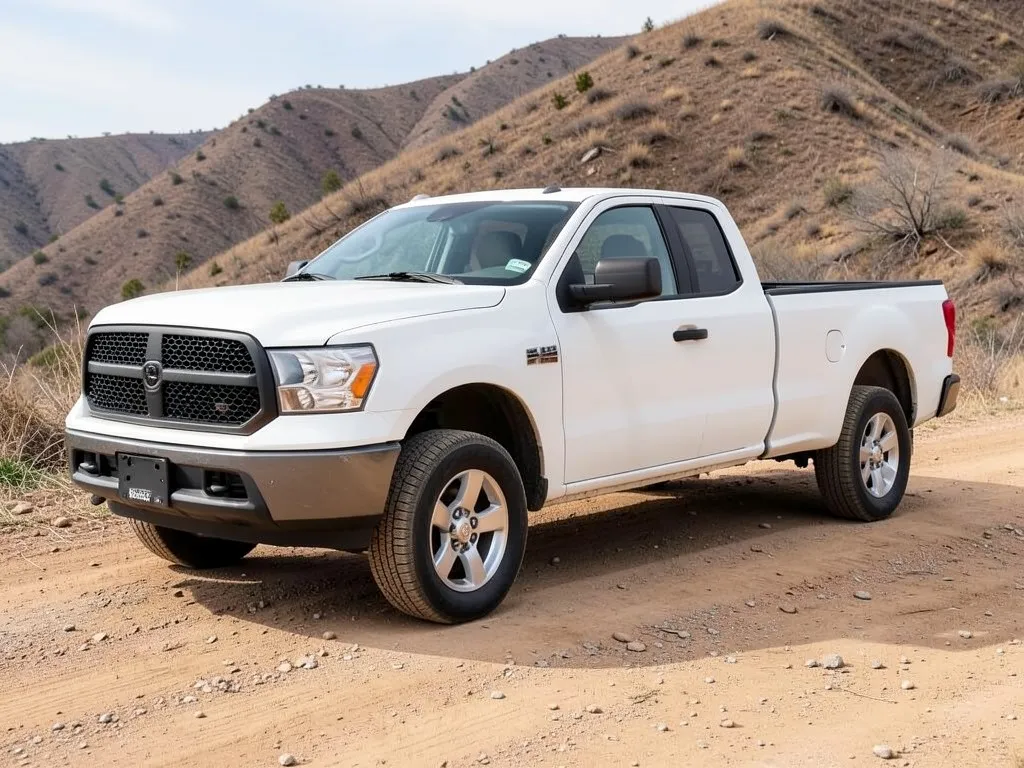
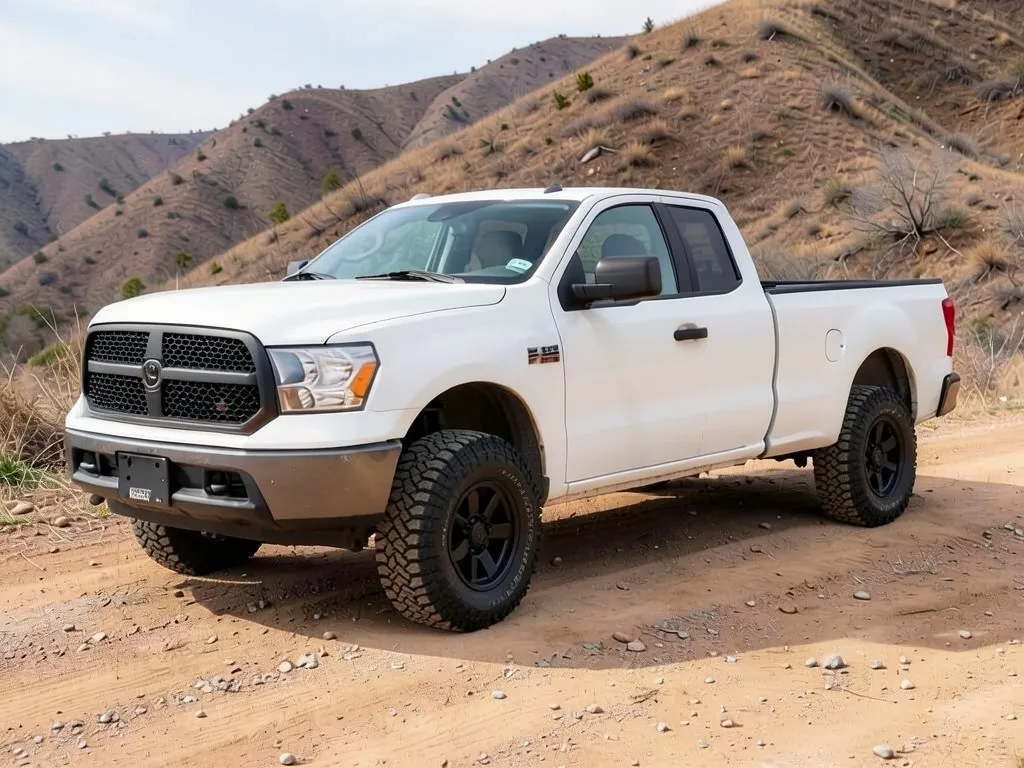
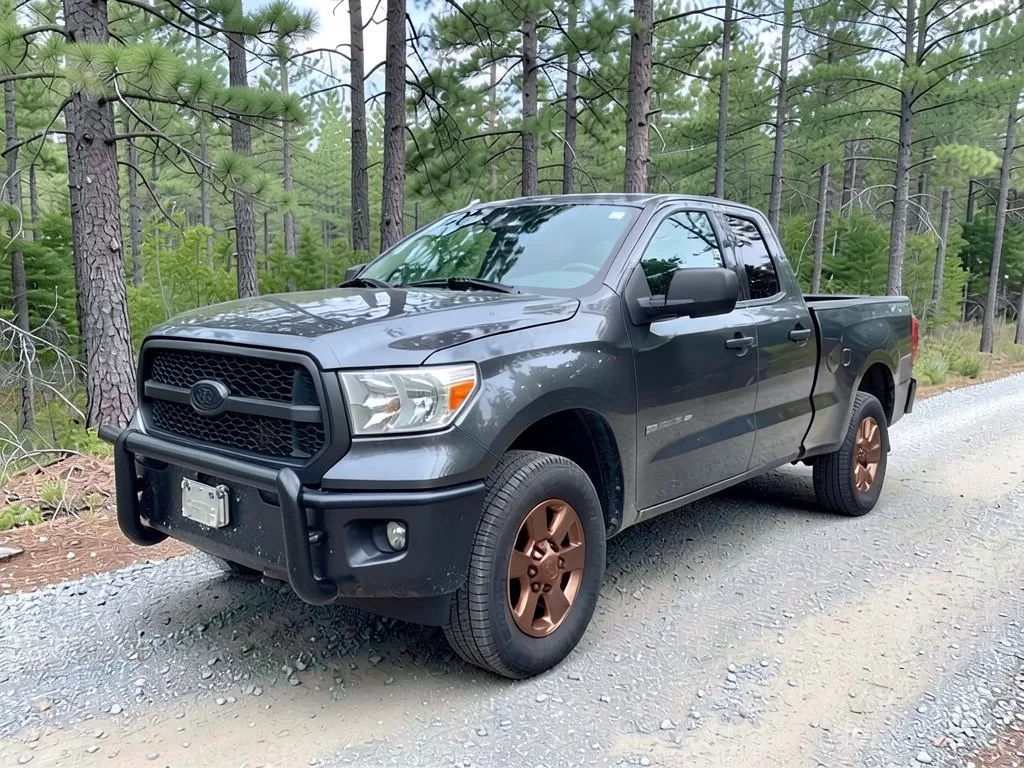
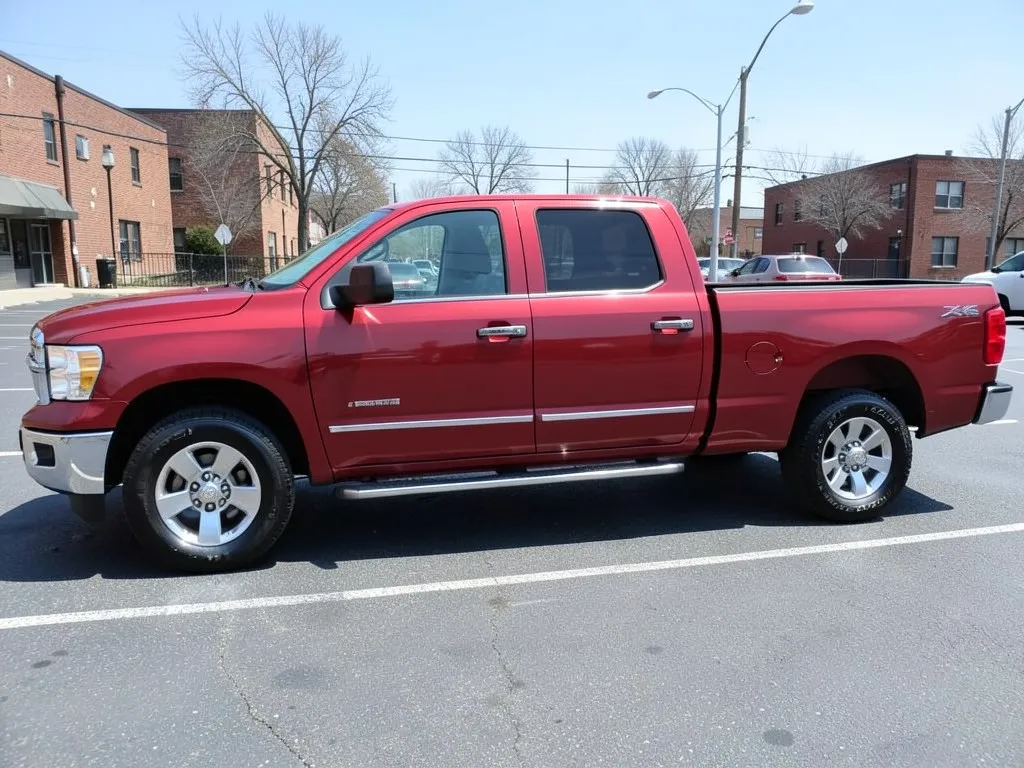
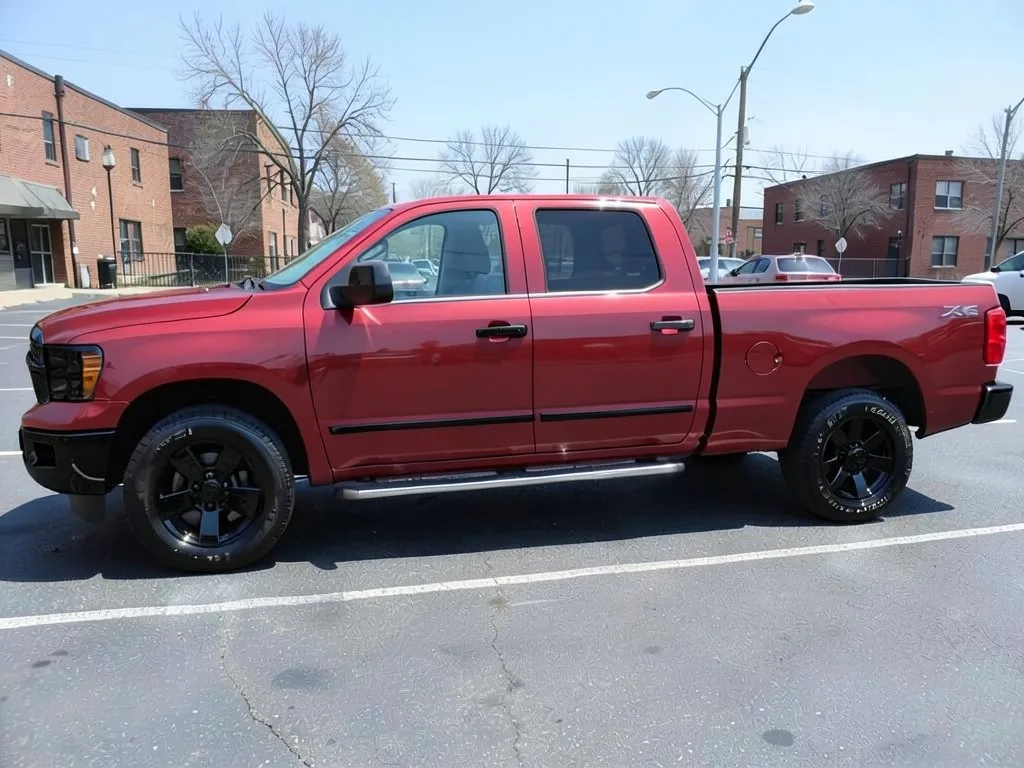
Each pair shows an original truck photo and the same photo after asking for a build. Each request was run once, and we show that run, including what the AI missed.
BeforeAfter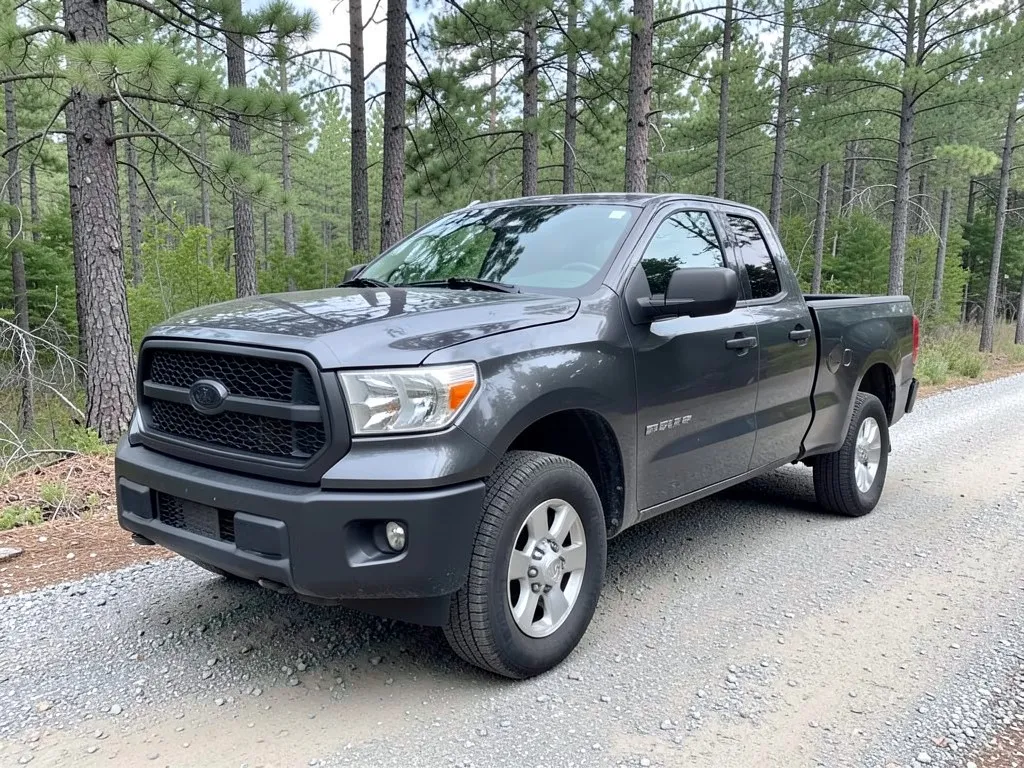
 BeforeAfter
 BeforeAfter
All example images on this page are AI-generated samples made with our own image model, not photos of real customer trucks. They were made with 4 processing steps, which is more than the live tool uses (2), so a render in the tool may come out rougher. The trucks are unbadged, generic pickups and the parts are styles, not real products.
How to build your truck with AI
- 1
Take a photo of your truck
Shoot in daylight with the whole truck in the frame: from the side for a lift, tires and wheels, from the front corner for a bumper or light bar.
- 2
Open the Modifications tool and upload it
Modifications is our tool for visual upgrades. Upload your photo and switch to "Custom Vision" to describe your own build.
- 3
Describe the build and what stays
For example: "add a 4 inch lift and 35 inch all-terrain tires on matte black wheels, keep the same paint, grille and background".
- 4
Render, compare and add the next mod
Compare the result with your photo. If one mod is missing, render again with a shorter request, or add mods one by one.
Popular truck builds to try
Lifted off-road build
A lift, 33 to 35 inch all-terrain or mud-terrain tires and black off-road wheels. The most popular pickup build.
Overland build
A steel front bumper, bronze or black wheels, a light bar and a moderate lift. Our grey truck example starts this build.
Blacked-out street build
Chrome bumpers, grille, mirrors and handles turned gloss black, with black wheels. Our red truck example.
Lowered street truck
A drop in ride height with large wheels and low-profile tires, often on a single-cab or older pickup.
Work truck refresh
Steel wheels, all-terrain tires, a headache rack or a fresh color, for a truck that works every day.
Pages for each mod
Each part of a build has its own page with examples and tips. Use them when you want to try one mod at a time.
For height and stance: the lift kit visualizer and the lowered truck visualizer. For wheels and tires: the truck wheel visualizer and the tire visualizer. For the front end: the truck bumper visualizer and the LED light bar page. For color: the pickup truck wrap visualizer.
Pages for popular trucks
We also have pages for single trucks: the F-150 visualizer, Silverado visualizer, Ram 1500 visualizer and Tacoma visualizer.
What a render cannot tell you
- Lift and tire size: how much lift a given tire needs, and whether it rubs at full lock, depends on your exact truck.
- Wheels: bolt pattern, offset, width and load rating must match your truck.
- Bumpers and light bars: mounting, sensor and camera locations, airbag sensors and local lighting laws.
- Driving: a lift and bigger tires change braking, handling, fuel use and the speedometer reading.
- Warranty and inspection: some mods affect your warranty or need to pass a local inspection.
An honest note about AI renders
The images are concepts, not measurements. The AI may do less than you asked, as with the small lift on our white truck and the missing winch on our grey truck, or change a detail you wanted to keep. If that happens, render again with a shorter, clearer request, then confirm the real parts and their fitment with a shop.
Frequently asked questions
What is an AI truck builder?
Here it means a tool that builds your own pickup in a picture. You upload a photo of your truck, describe the mods you want, such as a lift, bigger tires, black wheels or a steel bumper, and the AI draws them on your truck. It is not a factory build-and-price tool and it does not configure new trucks or semi trucks.
How is this different from a manufacturer truck configurator?
A factory configurator shows a new truck in its own trims, colors and options, on a stock picture. This tool works on a photo of the truck you already own, with its real paint and condition, and lets you add aftermarket mods that no factory configurator offers. The trade-off: it shows a look, not a price, a part number or an order.
Which mods can I build on my truck?
Anything you can describe: a suspension lift or leveling kit, bigger all-terrain or mud-terrain tires, new wheels in black, bronze or chrome, a steel off-road bumper, an LED light bar, a lowered street stance, a chrome delete, a new paint color or a wrap. You can ask for several mods in one request, but one or two at a time gives cleaner results.
Which trucks does it work with?
Any pickup you can photograph: full-size trucks such as the F-150, Silverado, Sierra, Ram 1500 and Tundra, mid-size trucks such as the Tacoma, Ranger and Colorado, heavy-duty trucks and older pickups. There is no model list, because the AI works on your photo.
Will the parts in the render fit my truck?
The render shows style only. It does not check fit. Lift height, tire size, wheel offset and bumper mounting all depend on your exact truck, cab, bed and trim, and big tires can rub or need trimming. Confirm every part with a shop or the maker's fitment guide before you buy.
Does it show real brands or part numbers?
No. The AI draws a style from your words, not a product from a catalog, so a bumper or wheel in the render is a look, not a part you can order. Truck and parts brand names belong to their owners, and this site is not affiliated with any truck or parts maker.
Is it free to try?
You need to sign in with your email or a Google account. Most new accounts get 5 free credits that last 30 days, and a standard render uses 1 credit. Free renders carry a WheelAI watermark; an active paid plan removes it.
What photo works best?
A clear daylight photo with the whole truck in the frame. A side view is best for a lift, tires and wheels; a front three-quarter view is best for a bumper, grille or light bar. Keep other vehicles and people out of the shot.
Ready to build your truck?
Upload one photo of your pickup and try a lift, new wheels or a blacked-out look before you buy parts.
Build my truckAlso try: Lift Kit Visualizer · Truck Wheel Visualizer · Truck Bumper Visualizer · LED Light Bar on a Truck · Lowered Truck Visualizer · Pickup Truck Wrap Visualizer · Car Visualizers