Side Skirts Visualizer: See Side Skirts on Your Own Car
Upload a side photo of your own car or truck, describe the side skirts you are considering and their color, and see how they look along the doors before you buy or fit anything.
Sign in with email or Google to render. Most new accounts get 5 free credits (valid 30 days); a standard render uses 1 credit. Free renders carry a WheelAI watermark.
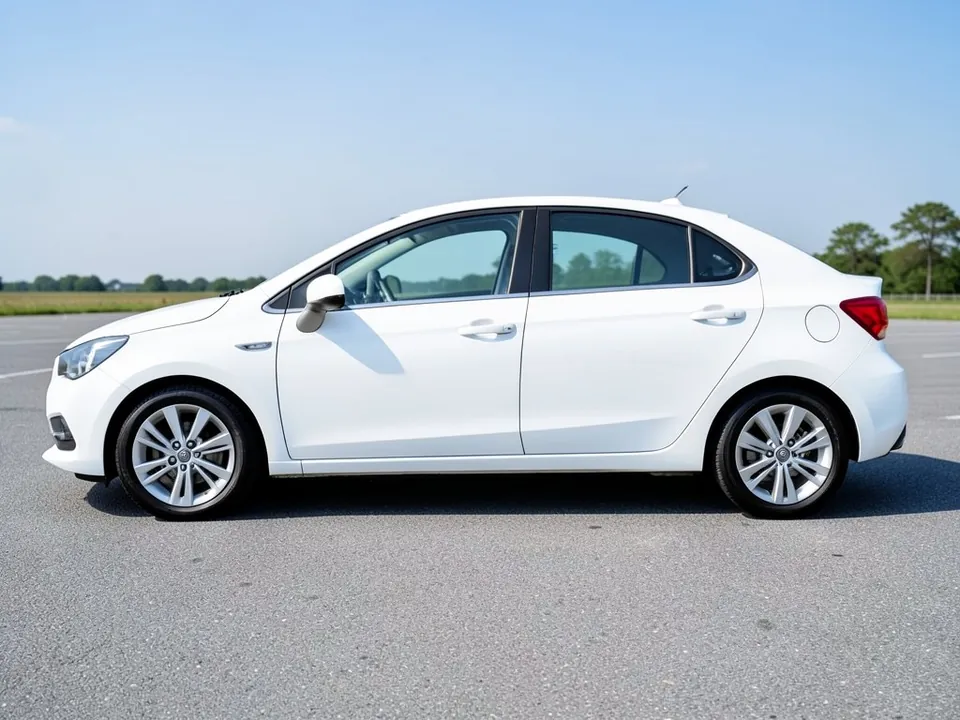
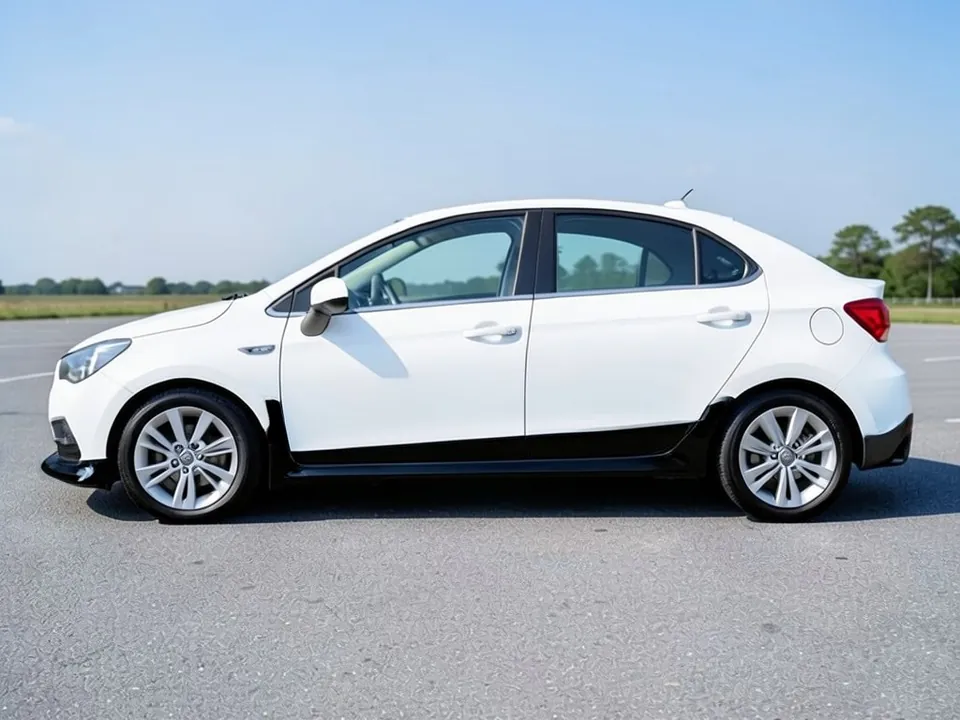 BeforeAfter
Before and after examples
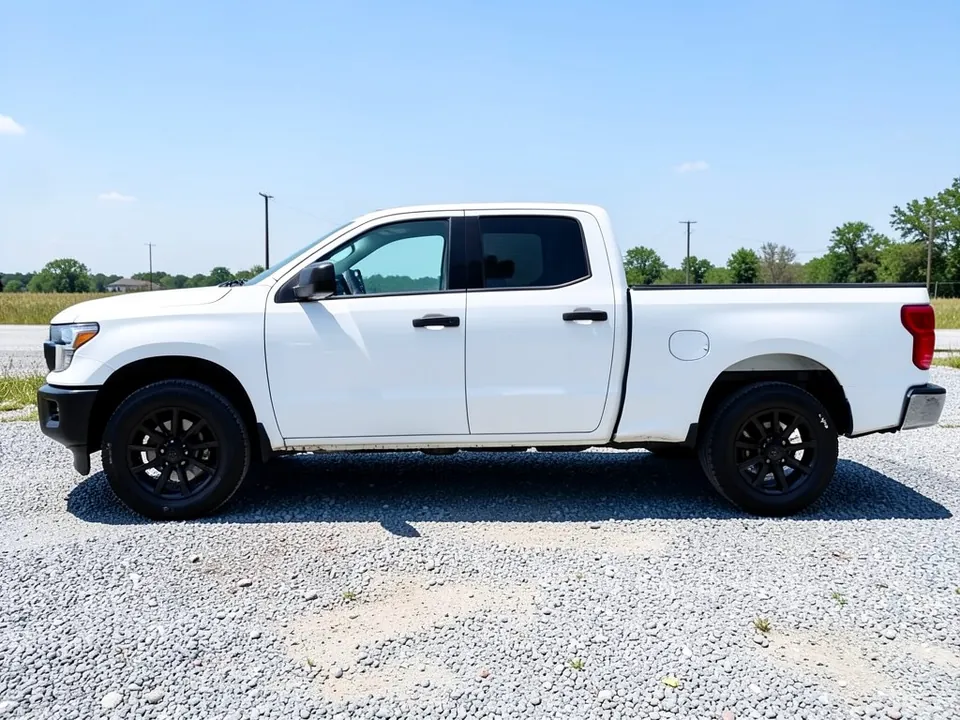
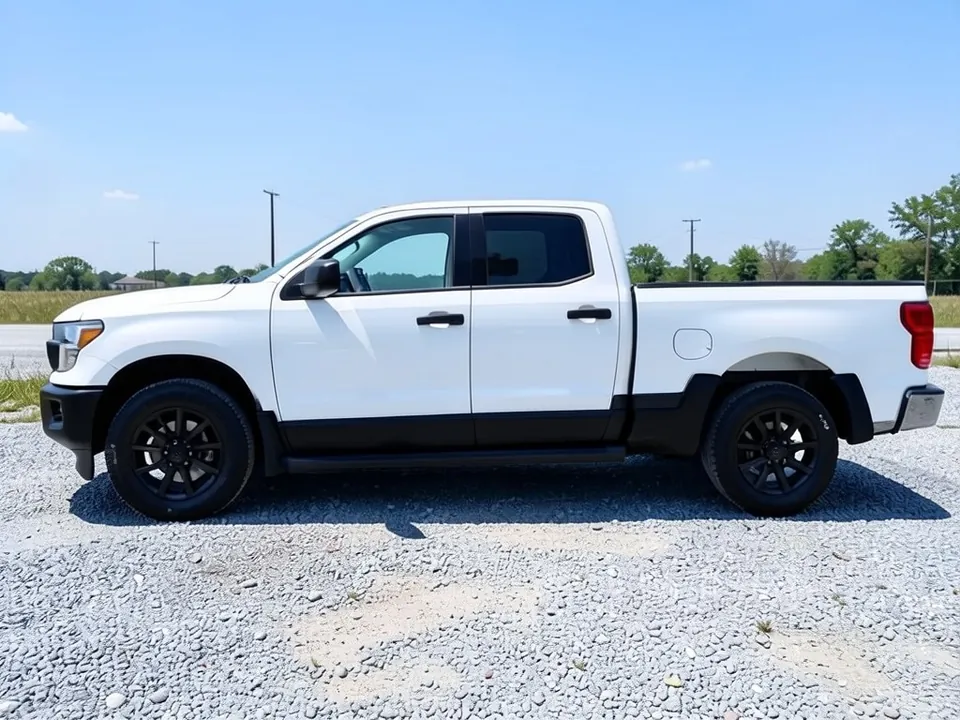
Each pair is one side photo and the same photo after one Modification Goals request, sent through the same image model, step count and request wording that Custom Vision uses. Each after-image is a single run. The before photos are plain model output and were not retouched. The full request text sits under each pair.
BeforeAfter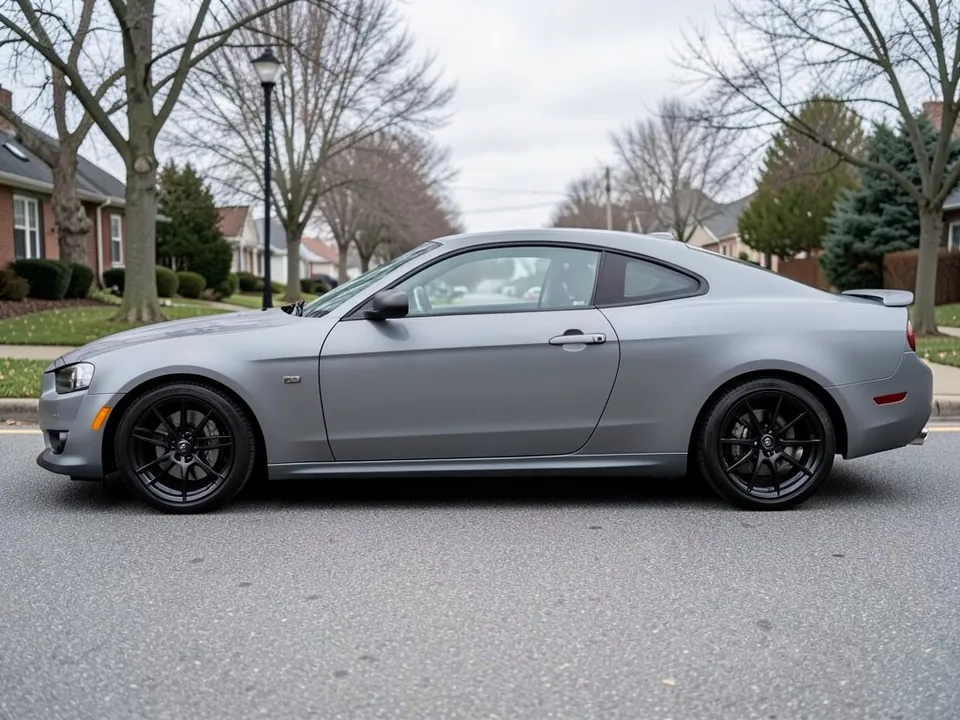
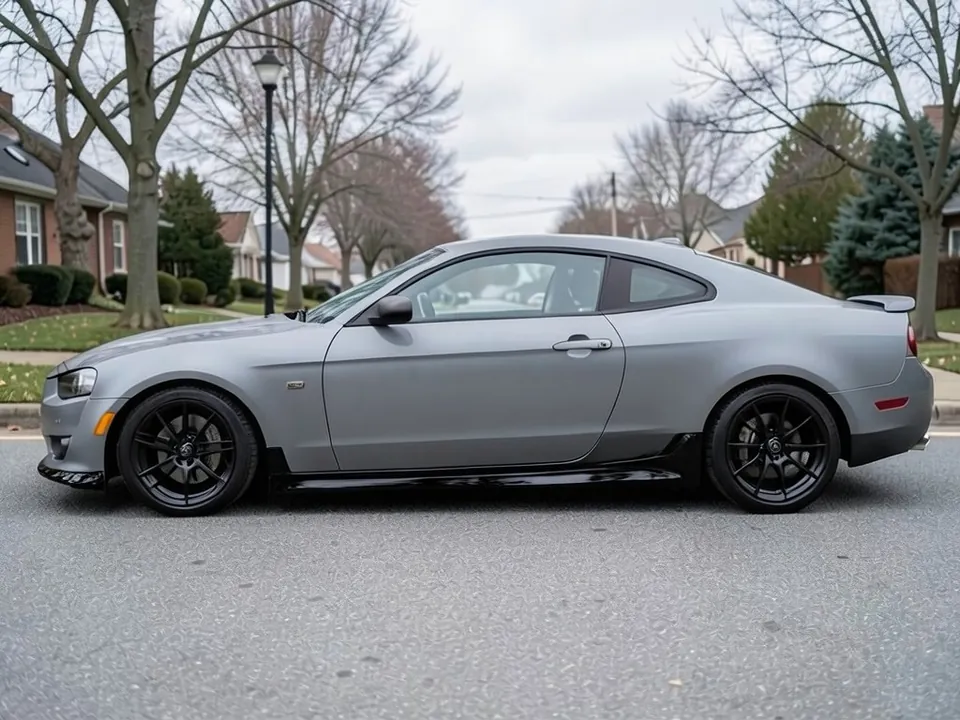 BeforeAfter
 BeforeAfter
All before and after images are AI-drawn samples from our own image model, not photos of real customer vehicles. The vehicles are plain generic models. Under each pair we list which parts of the request worked, which did not, and any change we never asked for.
See side skirts on your own car first
Side skirts change the profile of a car more than people expect. They close the gap under the doors, make the body look lower and add a dark or colored line along the bottom. WheelAI redraws a photo of your own car with the skirts you describe, so you can compare black skirts, body-color skirts or a thicker panel before you buy or fit anything.
The example vehicles below are AI-drawn generic vehicles, not photos of real customer vehicles, and no vehicle maker or parts maker is affiliated with this page.
How to preview side skirts
There is no special skirts mode. The Modifications tool edits any vehicle photo, and its Custom Vision mode takes your own wording.
- 1
Take a flat side photo
Stand square to the car with both wheels and the full length of the doors in the frame.
- 2
Open the Modifications tool
Upload your photo and switch to Custom Vision.
- 3
Describe the skirt and what stays
Say the color, finish and where it runs: along the bottom of the doors between the wheels. List what must not change: paint, wheels, windows and background.
- 4
Compare and refine
Check how thick the skirt looks and rerun with more detail if it is too thin.
Side skirt looks you can describe
Gloss black
A shiny black strip along the door bottoms. It makes the body look lower and sharpens a light car, like our white sedan example.
Matte or satin black
The same shape with less shine, which tends to look more subtle and hides small marks.
Body color
Painted to match the car, so the skirts blend in and extend the body line.
Thick rocker panel
A tall, chunky panel for trucks and SUVs, closer to a running-board look, like our pickup example.
What a picture cannot tell you
A render shows whether you like the look. Before you buy a set, ask about the following.
- Whether the skirts are made for your exact model and year, so the length and mounting points fit.
- How low they sit, and whether your driveway or local roads will scrape them.
- The material, how it is attached and how it holds up in cold, heat and small impacts.
- The paint match, if you want them painted to your body color code.
Three Modification Goals to paste
We used these requests for the examples. Copy one into Modification Goals, swap the color, finish and background words for your own, and delete anything that does not apply.
- add black side skirts: low glossy black panels along the bottom edge of the doors between the front and rear wheels, standing slightly out from the body and ending just above the ground; change ONLY the lower door edge. Keep the paint, wheels, windows, background and camera angle exactly the same. No logos, no readable text.
- add gloss black side skirts: low glossy black panels along the bottom edge of the doors between the front and rear wheels, standing slightly out from the body and ending just above the ground; change ONLY the lower door edge. Keep the paint, wheels, windows, background and camera angle exactly the same. No logos, no readable text.
- add thick black side skirts: a clearly visible black plastic panel about eight inches tall along the entire bottom of the cab doors, between the front and rear wheels, sticking out a little from the body; change ONLY the bottom of the doors. Keep the white paint, black wheels, windows, gravel and camera angle exactly the same. No logos, no readable text.
What the AI does well and where it slips
Skirts are a good edit for the model when the photo is flat and side-on: it adds a black panel along the doors and leaves the paint and wheels alone. The weak spots are thickness and spread. Our first pickup request asked for low black rocker panels and came back as only a thin dark line, so we asked again for a thick, visible panel. On the cars it also added a black front lip and darkened parts of the lower bumper. Ask for a thickness, say what must not change and check the corners of the car.
Frequently asked questions
Is there a free side skirts visualizer that uses my own photo?
Yes. Sign in with email or Google, upload a side photo of your car or truck, and describe the skirts in the Modification Goals box. Most new accounts get 5 free credits that last 30 days, and a standard render uses 1 credit. Free renders carry a WheelAI watermark. It edits your own picture rather than a catalog photo.
What photo works best for side skirts?
A flat side-on photo taken from a few steps back, with both wheels and the full length of the doors in the frame. A photo from an angle makes the skirt hard to place along the door.
What are side skirts for?
Mostly looks. They fill the gap between the front and rear wheels and visually lower the body. On some cars a skirt is also part of an aero kit that guides air along the sides, but a render cannot tell you whether a given skirt does anything for performance.
Can I try a skirt in a color other than black?
Yes. Name the color, such as gloss black, matte black, carbon-look or painted to match the body. All three of our examples were asked for in black, so check any other color on your own photo.
Do side skirts work on a truck?
They can, but trucks usually sit higher, so a skirt can look like a running board or a rocker panel. Our pickup example needed a second, more specific request to show a visible panel. See the example below for what came back.
Will the skirts scrape on driveways or speed bumps?
A skirt that sits low can. The preview cannot measure ground clearance, so ask the seller how low the skirt sits and check your own driveway and the roads you drive.
What if the AI changes something I did not ask for?
It can. The image model redraws the whole photo, and a side-skirt request tends to spread to nearby low parts of the body. In our examples it also drew a black front lip or darker lower bumper edges that we did not ask for, and the captions say where. Compare the result with your original and rerun if something moved.
Ready to see skirts on your car?
Compare a slim skirt and a thick one on the same photo, then ask the seller whether the set fits your exact model and how low it sits.
Preview side skirts on my carAlso try: Front Splitter Visualizer · Car Spoiler Visualizer · Wheel Color Visualizer · Rim Visualizer · Window Tint Visualizer · Widebody Kit Visualizer