Starlight Headliner Visualizer: Preview a Star Roof in Your Car
Upload a photo of your own car's roof lining, describe the starlight headliner you are considering, and see dense, sparse or colored stars in your cabin before you buy a kit.
Preview stars in my carSign in with email or Google to render. Most new accounts get 5 free credits (valid 30 days); a standard render uses 1 credit. Free renders carry a WheelAI watermark.
Before and after examples
Each pair is one interior photo and the same photo after one Modification Goals request, sent through the same image model, step count and request wording that Custom Vision uses. Each after-image is a single run. The full request text sits under each pair.
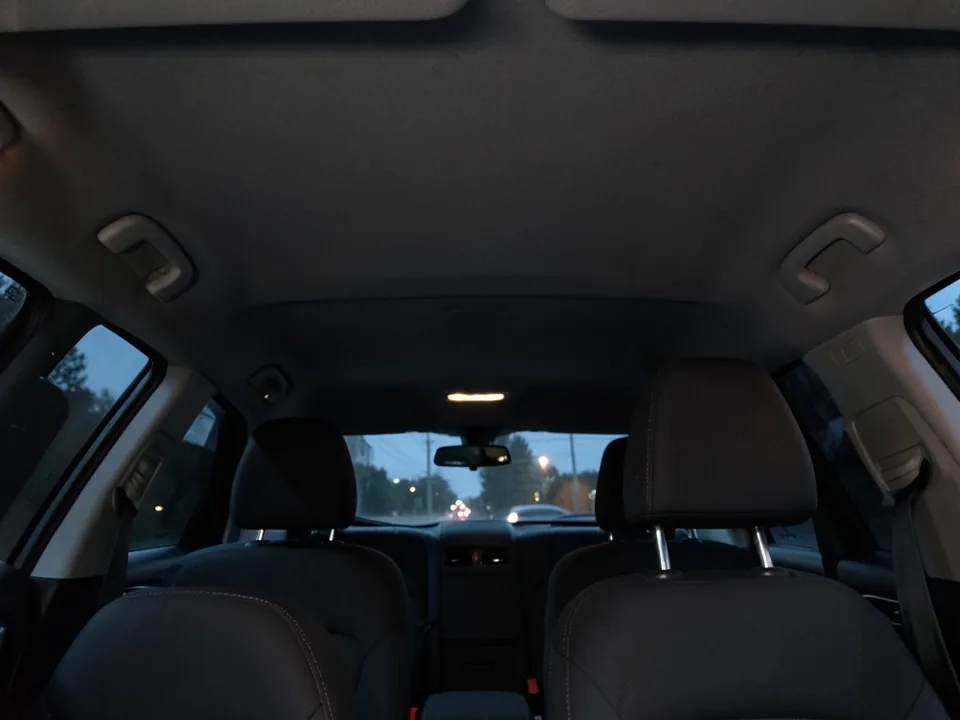
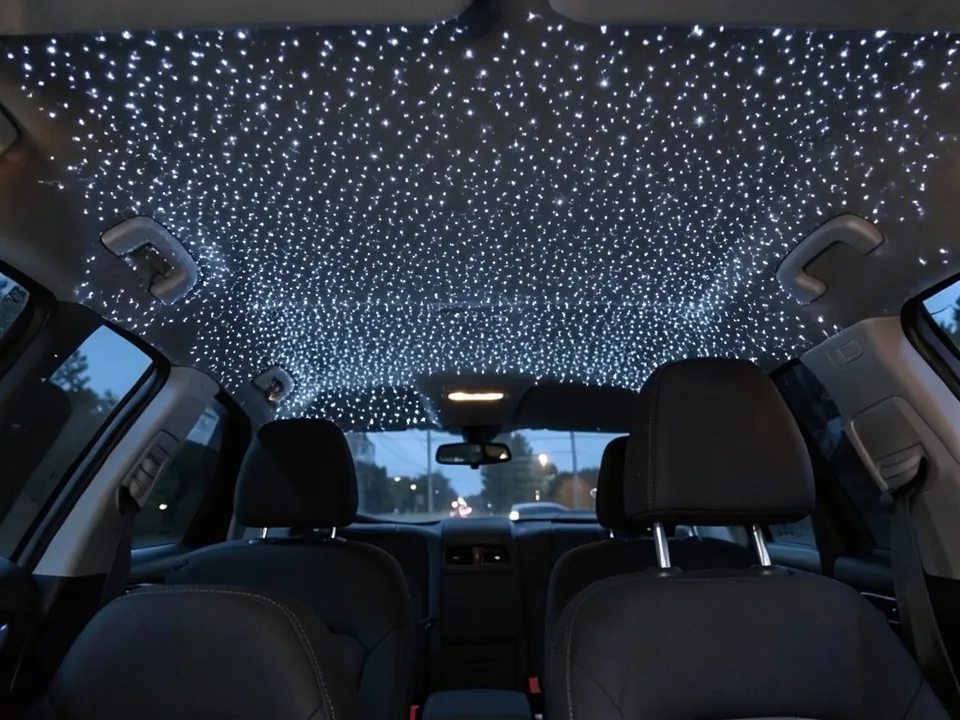
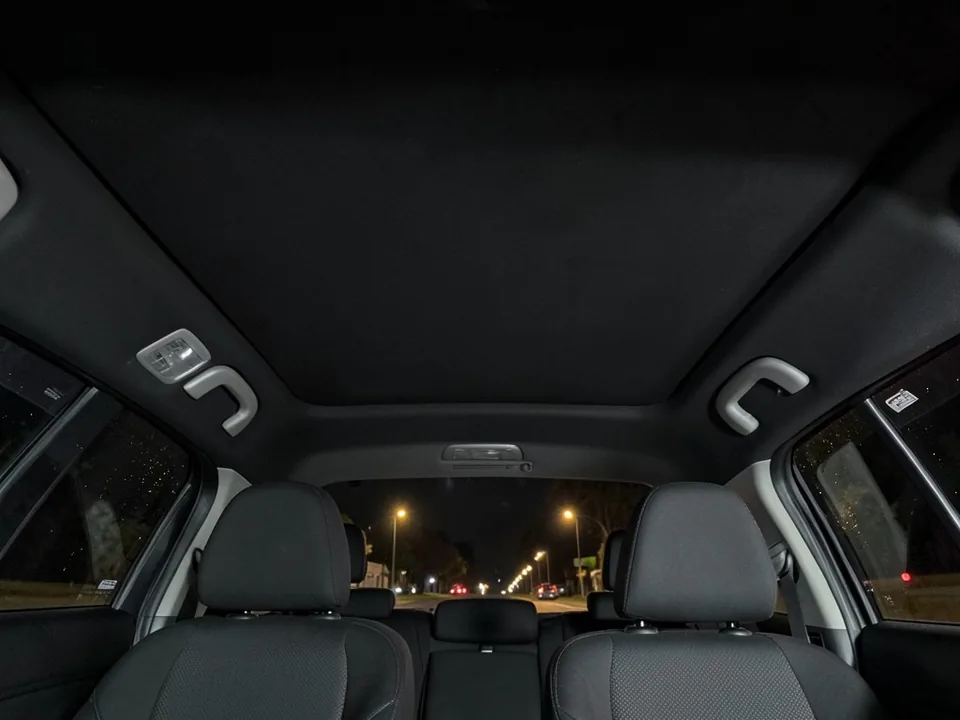
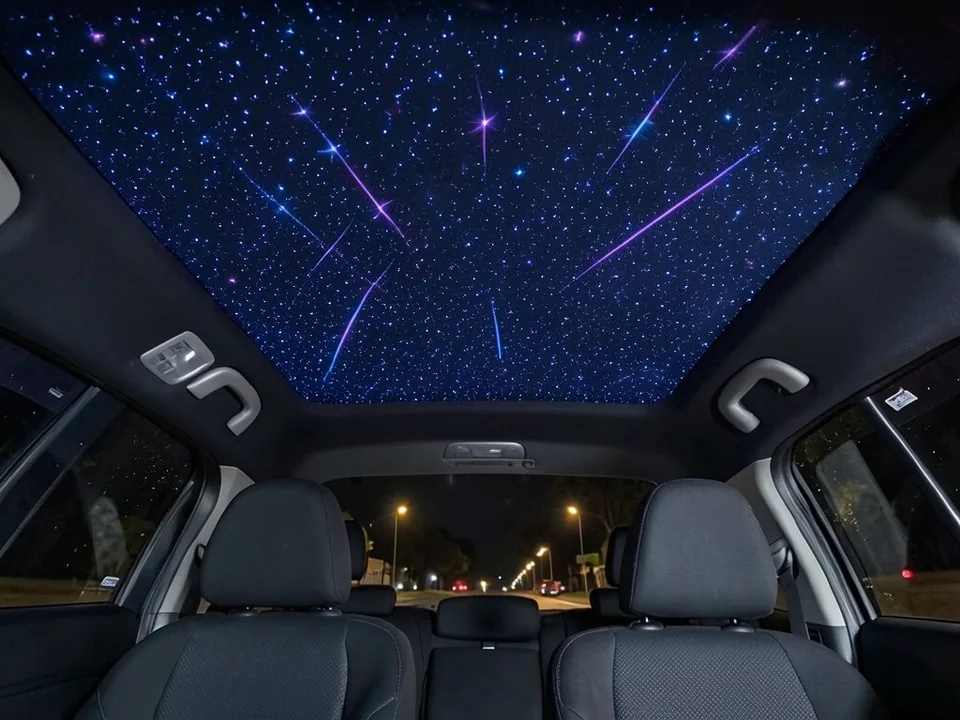
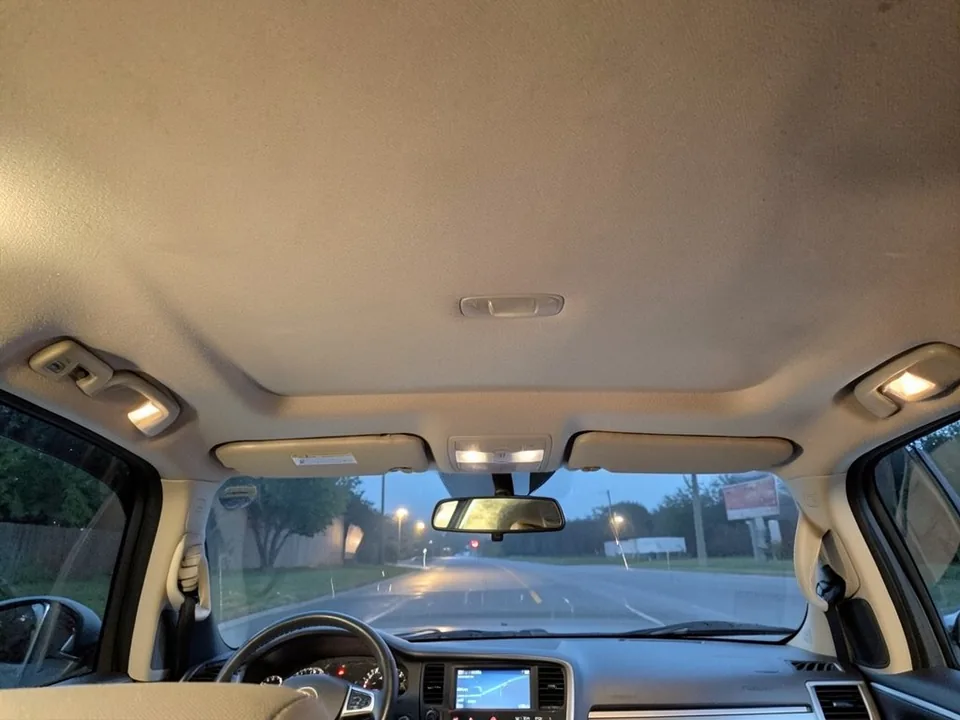
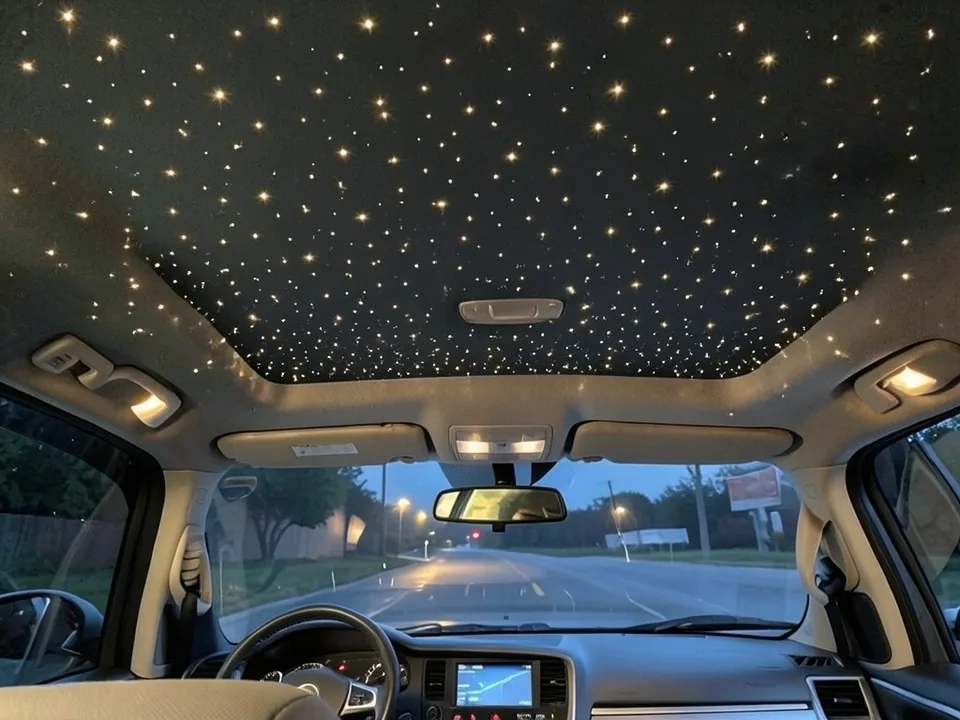
All before and after images are AI-drawn samples from our own image model, not photos of real customer cars. The interiors are plain generic cabins with no logos. Under each pair we list which parts of the request worked, which did not, and any change we never asked for.
See a star roof in your own car first
A starlight headliner changes the whole feel of a cabin at night, and kit photos are taken in someone else's car. WheelAI redraws a photo of your own roof lining with the stars you describe, so you can compare dense and sparse, white and colored, before you buy a kit or book an installer.
The example interiors below are AI-drawn generic interiors, not photos of real customer cars, and no car maker or kit maker is affiliated with this page.
How to preview a starlight headliner
There is no special headliner mode. The Modifications tool edits any vehicle photo, including interiors, and its Custom Vision mode takes your own wording.
- 1
Photograph the roof lining
From the back or passenger seat, point the camera up so the whole lining is in the frame, in a dim cabin.
- 2
Open the Modifications tool
Upload your photo and switch to Custom Vision.
- 3
Describe the stars and what stays
Say how many stars, what color and any effects, and list what must not change: seats, windows, pillars, dashboard and the lining color if you want to keep it.
- 4
Compare and refine
Look at the render next to your photo. If there are too many stars, ask for fewer and say sparse.
Looks we compared
Dense white stars
In a dark SUV cabin it filled the whole roof, front and rear, with bright white points. It reads as a fully lit kit with many hundreds of strands.
Blue and purple with shooting stars
In a sedan with a black lining it drew colored stars and several shooting star streaks, more than we asked for, with a galaxy-picture look.
Sparse warm white
In a pickup cab it drew warm white stars, more of them than we asked for, and turned the beige lining black.
What a picture cannot tell you
A render shows whether you like the look. Before you buy a kit or book an install, ask about the following.
- How many strands suit your roof size, and whether the kit has one light source or several.
- Whether the headliner has to come out, and whether it has a sunroof, airbags or lights in the way.
- Which colors, twinkle and shooting star effects the kit really offers, and how it is controlled.
- Whether the installer will match or replace the lining material if you want a darker color.
Three Modification Goals to paste
We used these requests for the examples. Copy one into Modification Goals, swap the color and cabin words for your own, and delete anything that does not apply.
- Add a starlight headliner: hundreds of small white fiber optic star points spread across the whole roof lining; change ONLY the roof lining. Keep the seats, windows, pillars, dashboard and the camera angle exactly the same
- Add a starlight headliner with small blue and purple star points across the roof lining and three thin shooting star streaks; change ONLY the roof lining. Keep the seats, windows, pillars and the camera angle exactly the same
- Add a sparse starlight headliner: about fifty small warm white star points scattered across the roof lining; change ONLY the roof lining. Keep the seats, windshield, pillars, dashboard and the camera angle exactly the same
What the AI does well and where it slips
It puts the stars on the roof lining and leaves the seats, windows and dashboard alone. The weak spots are the count, which comes out higher than asked, special effects, which it overdoes, and a light lining, which it may turn black. If a render misses, rerun with fewer, plainer words.
Frequently asked questions
Is there a free starlight headliner visualizer that uses my own car photo?
Yes. Sign in with email or Google, upload a photo of your car's roof lining, and describe the stars in the Modification Goals box. Most new accounts get 5 free credits that last 30 days, and a standard render uses 1 credit. Free renders carry a WheelAI watermark. It edits your own picture rather than a showroom interior.
What is a starlight headliner?
It is a roof lining with many tiny points of light set into it, so the ceiling looks like a night sky. It started as a factory option on luxury cars. Aftermarket kits copy the look with a small light box and hundreds of fiber optic strands pushed through the headliner, and many kits add colors, a twinkle effect or shooting stars.
How many stars should I ask for?
Kits are sold by strand count, often in the hundreds. Try a sparse and a dense version of the same photo and compare. Be aware that the AI does not count: in our sparse example we asked for about fifty stars and got well over a hundred, so treat any number in your request as a rough hint.
Can I preview colored stars or shooting stars?
Yes, describe them in plain words, such as blue and purple stars or a few shooting star streaks. Our example asked for three shooting stars and got about eight, and the result looked more like a printed galaxy than single fiber points. Rerun if it overdoes the effect.
Will my headliner color stay the same?
Not always. On our beige pickup headliner the AI turned the whole lining black behind the stars, which we did not ask for. Most real starlight installs use a dark lining, so that may be what you want, but if you plan to keep a light lining, say so plainly and check the result.
What photo works best?
Sit in the back seat or the passenger seat and point the camera up at the roof, with the whole lining in the frame. Take it at dusk or with the doors closed, so the cabin is dim and the stars show up. A wide phone lens helps.
Does the render show how the kit is installed or what it costs?
No. It shows a look only. It cannot show whether your headliner has to come out, how the light box is wired, or how long the job takes. Ask an installer for a quote on your own car, and ask how many strands they recommend for your roof.
Does it work in any car, SUV or truck?
It edits the photo you upload and never asks for a make or model, so it should work in cars, SUVs, vans and truck cabs. Our examples are AI-drawn generic interiors, so we have not tested a specific model. A clear view of the roof lining matters more than the model.
Ready to see stars in your car?
Compare a sparse and a dense version on one photo, then ask an installer how many strands suit your roof.
Preview stars in my carAlso try: Underglow Visualizer · Window Tint Visualizer · Headlight Tint Visualizer · Smoked Tail Light Visualizer · Roof Wrap Visualizer