Underglow Visualizer: See Underglow Lights on Your Own Car
Upload a night photo of your own car, truck or motorcycle, name the underglow color you are considering, and see how the glow looks under your vehicle before you buy a kit.
Preview underglow on my carSign in with email or Google to render. Most new accounts get 5 free credits (valid 30 days); a standard render uses 1 credit. Free renders carry a WheelAI watermark.
Before and after examples
Each pair is one vehicle photo and the same photo after one Modification Goals request, sent through the same image model, step count and request wording that Custom Vision uses. Each after-image is a single run. Before photos were cleaned with the same model to remove brand-style badges. The full request text sits under each pair.
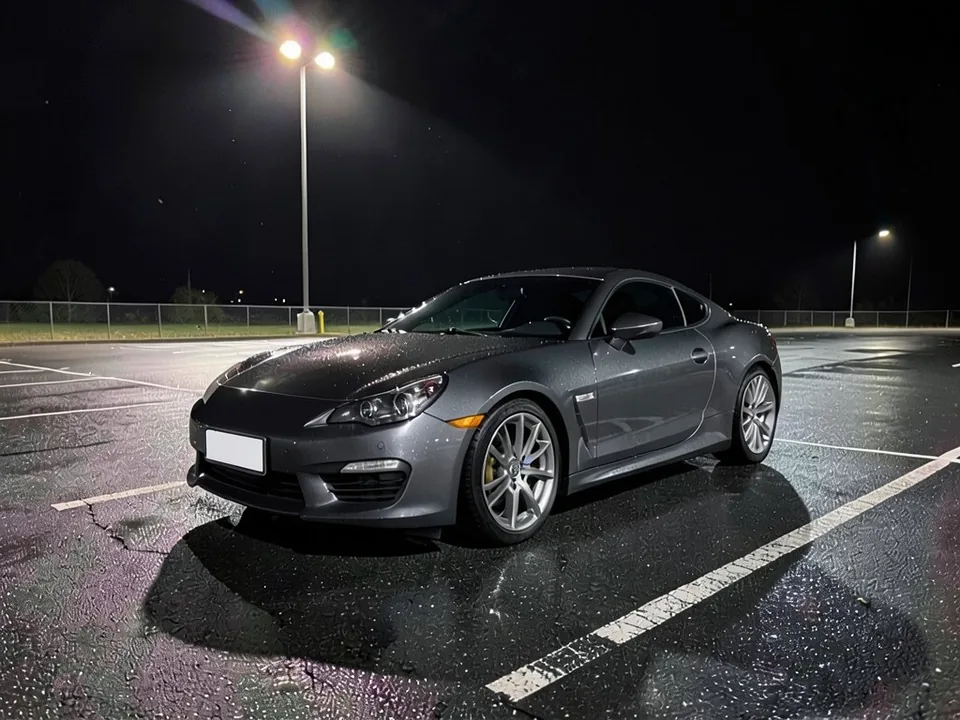
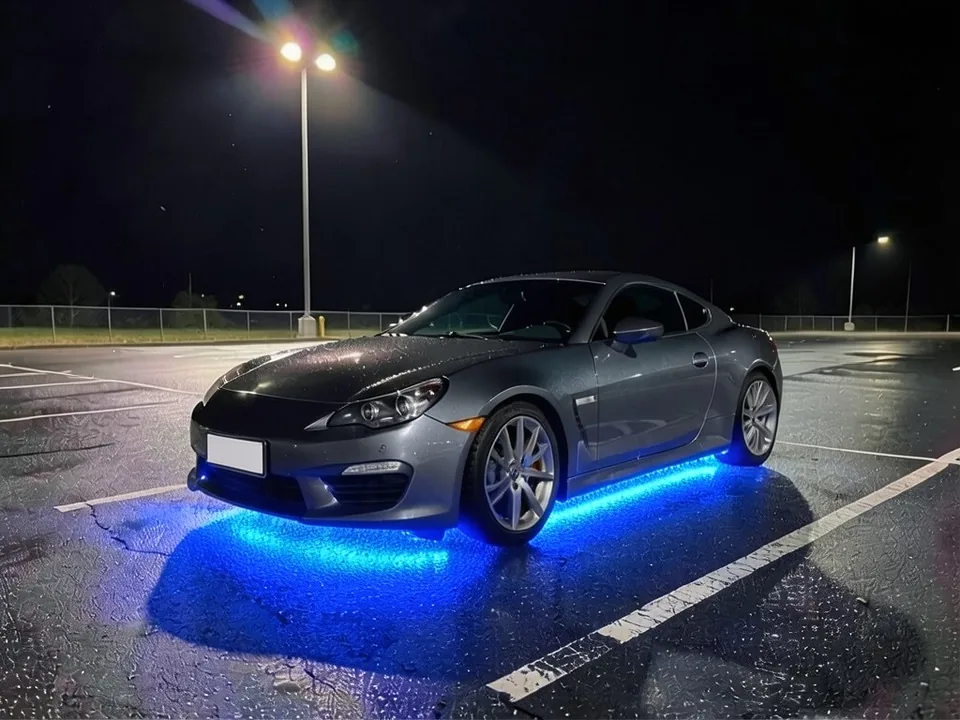
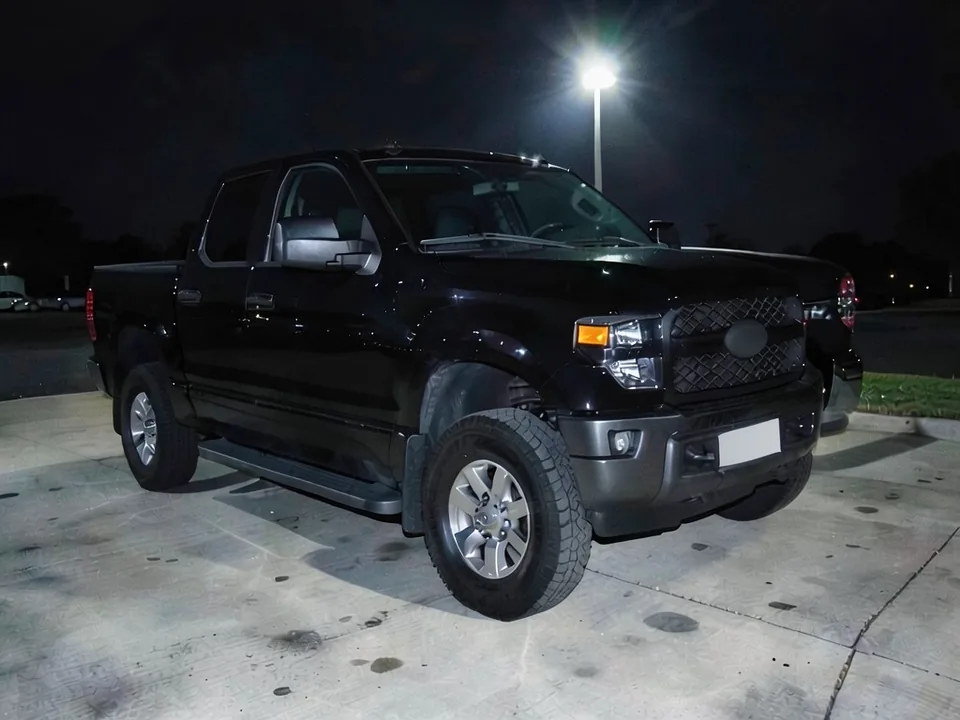
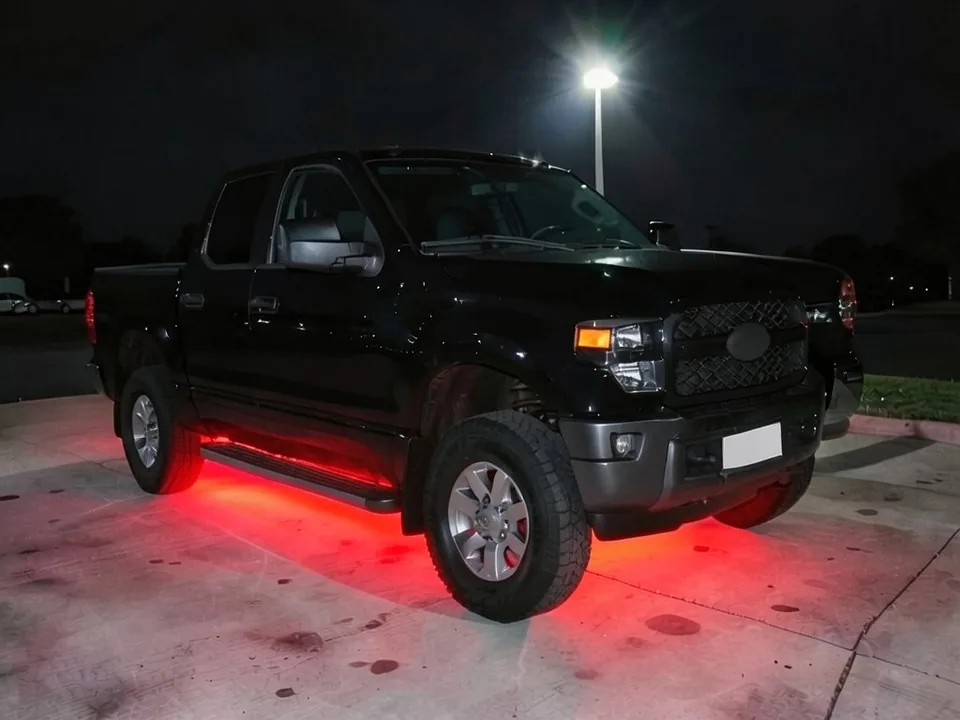
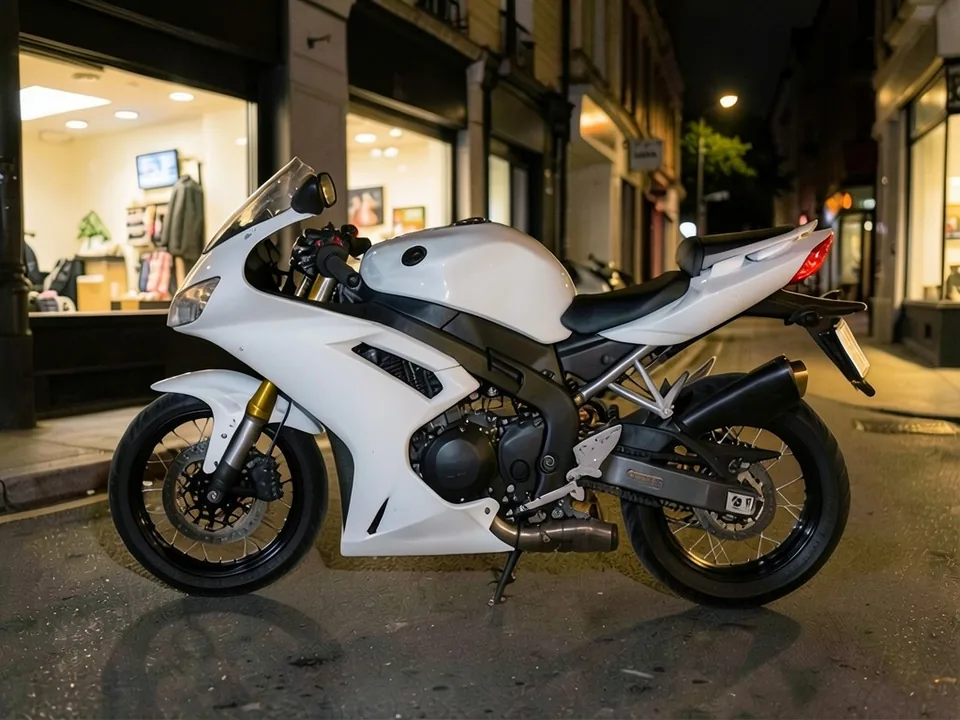
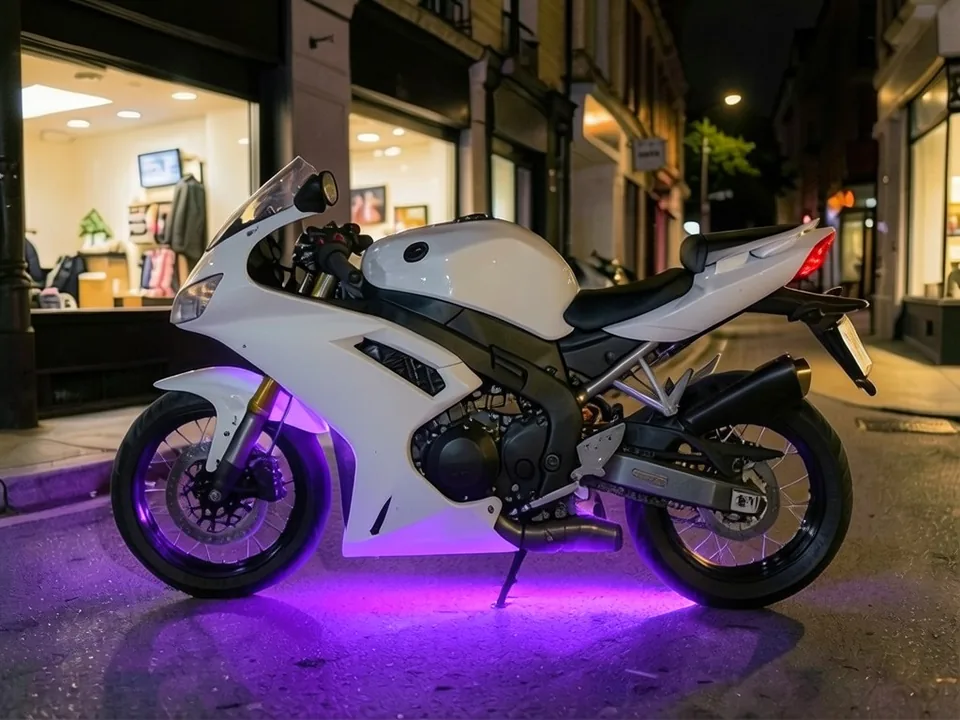
All before and after images are AI-drawn samples from our own image model, not photos of real customer vehicles. The vehicles are plain generic models with blank plates and no logos. Under each pair we list which parts of the request worked, which did not, and any change we never asked for.
See underglow on your own car first
Underglow changes how a car looks at night, and the color you like on a kit box can look very different under your paint. WheelAI redraws a night photo of your own car with the glow you describe, so you can compare colors before you buy a kit.
The example vehicles below are AI-drawn generic vehicles, not photos of real customer cars, and no car maker or kit maker is affiliated with this page.
How to preview underglow
There is no special lighting mode. The Modifications tool edits any vehicle photo, and its Custom Vision mode takes your own wording.
- 1
Take a night photo
Park on a dark, smooth surface at night or dusk and stand a few steps back from a corner, with the ground around the car in the frame.
- 2
Open the Modifications tool
Upload your photo and switch to Custom Vision.
- 3
Describe the color and what stays
Say the color and that it should glow on the ground under the car, and list what must not change: paint, wheels, windows and background.
- 4
Compare and refine
Look at the glow next to your original photo. Rerun with another color on the same photo to compare.
Looks we compared
Blue on a gray coupe
A bright blue strip along the bottom of the car and a wide blue pool on the wet asphalt. It reads clearly against dark gray paint.
Red on a black pickup
A red glow along the side and under the front, strong on the concrete. On black paint the light carries the whole look.
Purple on a white motorcycle
A purple pool under the bike, with the light catching the wheels and the white bodywork.
What a picture cannot tell you
A render shows whether you like the color. Before you buy a kit, ask about the following.
- Which colors and modes are allowed where you drive, and whether the lights may be on while moving.
- The strip length and mounting points for your vehicle, and how much ground clearance it has.
- Whether the kit is waterproof and how it is switched off, for example with a kill switch.
- How it is wired, and whether an installer should fit it.
Three Modification Goals to paste
We used these requests for the examples. Copy one into Modification Goals, swap the color and background words for your own, and delete anything that does not apply.
- Add blue LED underglow lights under the car that cast a bright blue glow on the ground beneath it; change ONLY the lighting under the car. Keep the paint, wheels, windows, parking lot and the camera angle exactly the same
- Add red LED underglow lights under the truck that cast a red glow on the ground beneath it; change ONLY the lighting under the truck. Keep the paint, wheels, windows, lot and the camera angle exactly the same
- Add purple LED underglow lights under the motorcycle that cast a purple glow on the street beneath it; change ONLY the lighting under the motorcycle. Keep the paint, wheels, street and the camera angle exactly the same
What the AI does well and where it slips
Underglow is one of the edits the model handles best: the glow lands under the vehicle in the color you name, and the body and background stay put. The weak spots are brightness, which tends to be strong, and light spilling onto the wheels. Night photos work far better than daylight ones.
Frequently asked questions
Is there a free underglow visualizer that uses my own car photo?
Yes. Sign in with email or Google, upload a night photo of your car, and describe the underglow color in the Modification Goals box. Most new accounts get 5 free credits that last 30 days, and a standard render uses 1 credit. Free renders carry a WheelAI watermark. It edits your own picture rather than a game car or a kit photo.
Is underglow legal?
We cannot tell you. Rules on underglow vary by state and country, and often limit which colors you can show, whether the lights can flash, and whether they can be on while you drive. Red and blue are commonly restricted because emergency vehicles use them. Check the rules where you drive before you buy a kit. This page only shows you how a color looks.
Which colors can I try?
Any color you can name, such as blue, red, purple, green, white or pink. Our examples show blue on a coupe, red on a pickup and purple on a motorcycle. Many kits are RGB and change color from a phone app, so try two or three colors on the same photo to pick a favorite.
Can it show music modes, chasing effects or animation?
No. The render is a single still image, so it shows one steady color. Kits often offer scene modes, music sync and color chases, and a still picture cannot show any of those.
What photo works best?
A night or dusk photo, standing a few steps back from a front or side corner, with the ground around the car visible. A dark, smooth surface such as asphalt or concrete shows the glow best. In daylight the glow barely shows, in real life and in a render.
Does it work on trucks, SUVs and motorcycles?
It edits the vehicle in your photo and never asks for a make or model, so it should work on cars, trucks, SUVs and motorcycles. Our examples are AI-drawn generic vehicles, so we have not tested a specific make. Kits are sold for cars, trucks and bikes; ask the seller about the length and fit for yours.
What if the AI changes something I did not ask for?
It can. The image model redraws the whole photo. In our examples the paint, windows and background stayed the same, but the colored light also spilled onto the wheels, which real underglow can do too, but may not on your car. Compare the result with your original and rerun if something changed.
Does the render show which kit to buy or how it is wired?
No. It shows a look only. It cannot show strip length, brightness, how the kit is mounted, or how it is wired and switched. Ask the seller or an installer about your own vehicle.
Ready to see underglow on your car?
Compare two or three colors on one night photo, then check the rules where you drive before you buy a kit.
Preview underglow on my carAlso try: Starlight Headliner Visualizer · Headlight Tint Visualizer · Smoked Tail Light Visualizer · Wheel Color Visualizer · Motorcycle Wrap Visualizer