AI Car Design Generator: From Your Sketch to a Realistic Render
Upload a car sketch, drawing or photo, describe the paint, wheels, lights and setting, and the AI renders it as a realistic concept car that keeps your shape.
Sign in with email or Google to render. Most new accounts get 5 free credits (valid 30 days); a standard render uses 1 credit. Free renders carry a WheelAI watermark.
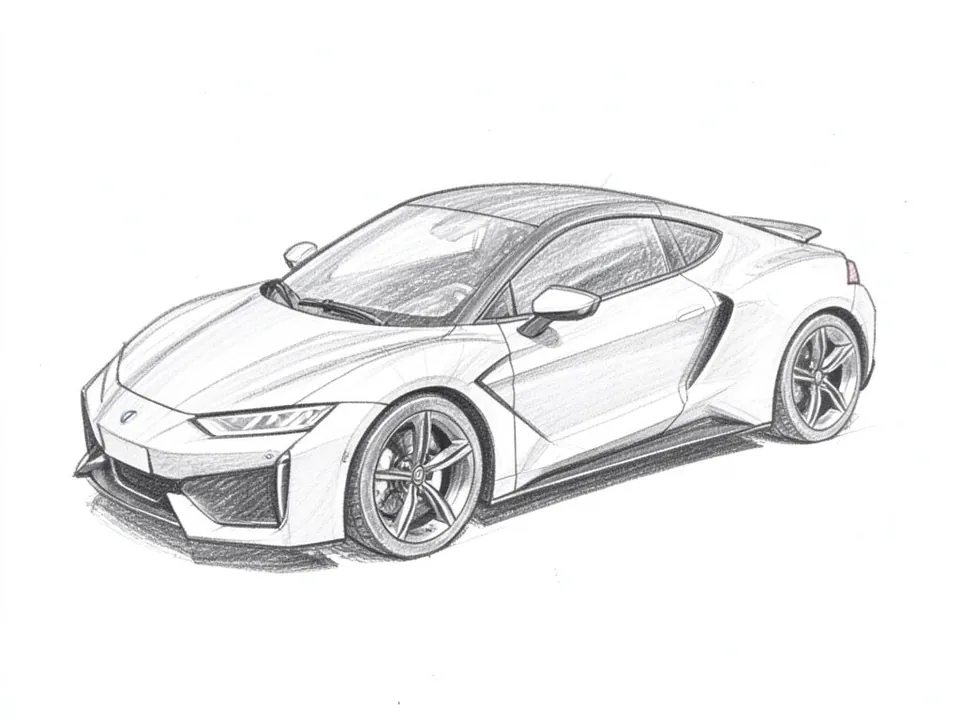
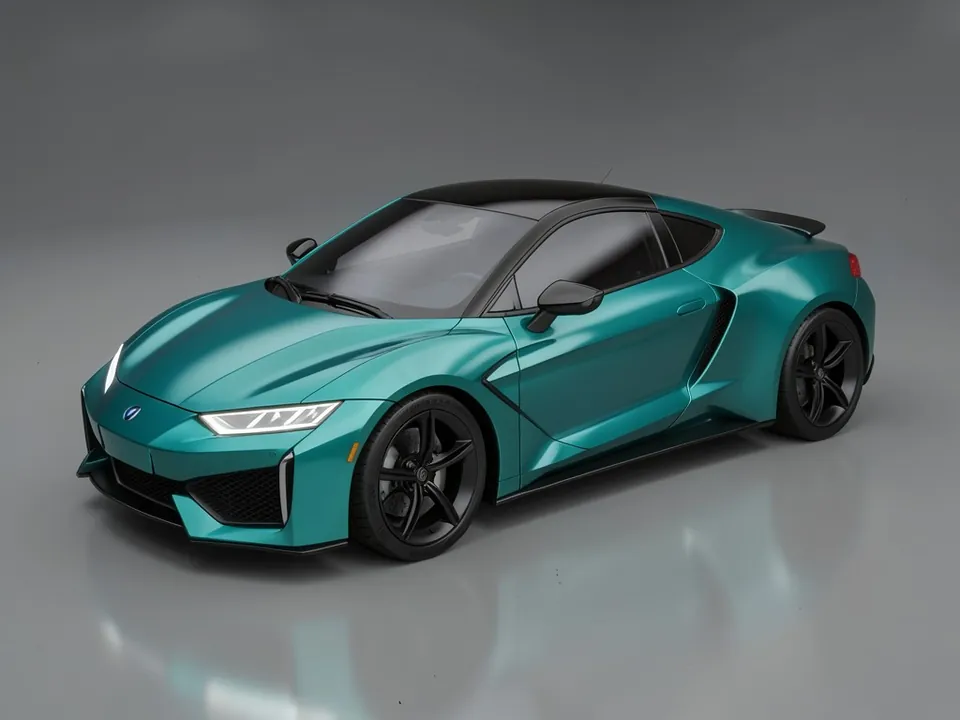 BeforeAfter
Before and after examples
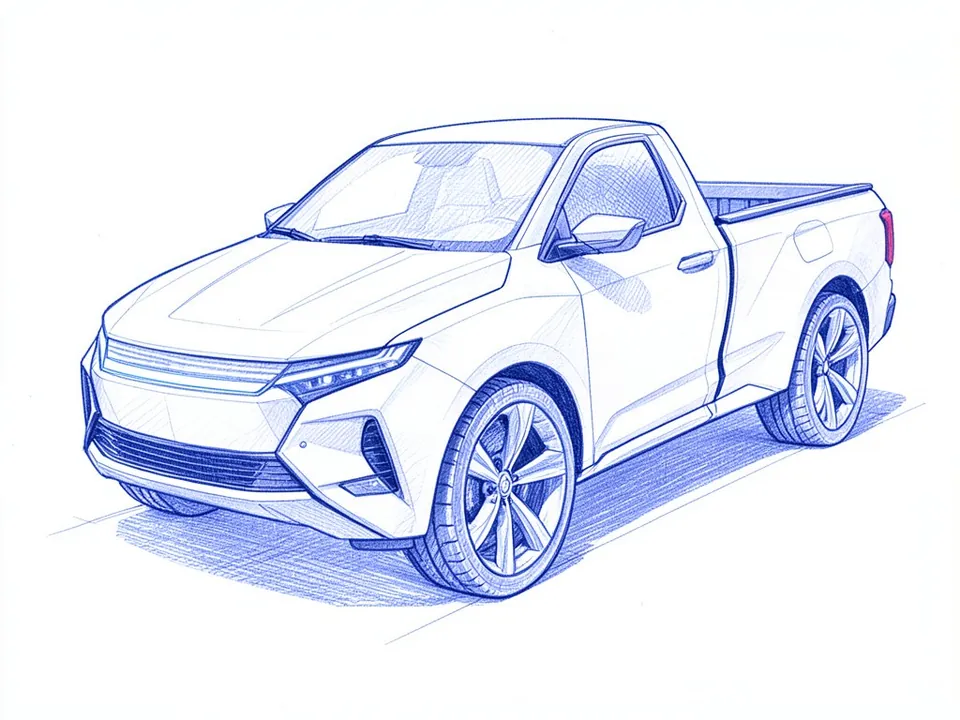
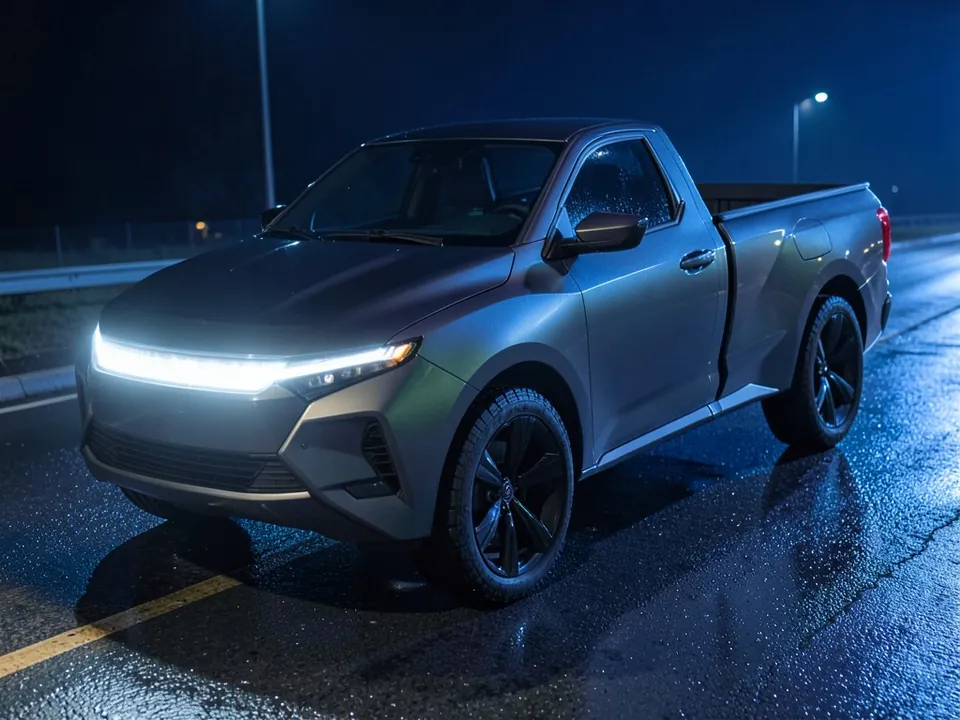
Each pair shows a design sketch and the same image after one Modification Goals request. Pairs one and two are the first run. For pair three, the first run drew a badge-like emblem on the front, so we reworded the request to ask for a smooth front with no emblem and ran it again; we show the second run. The exact request is printed under each pair.
BeforeAfter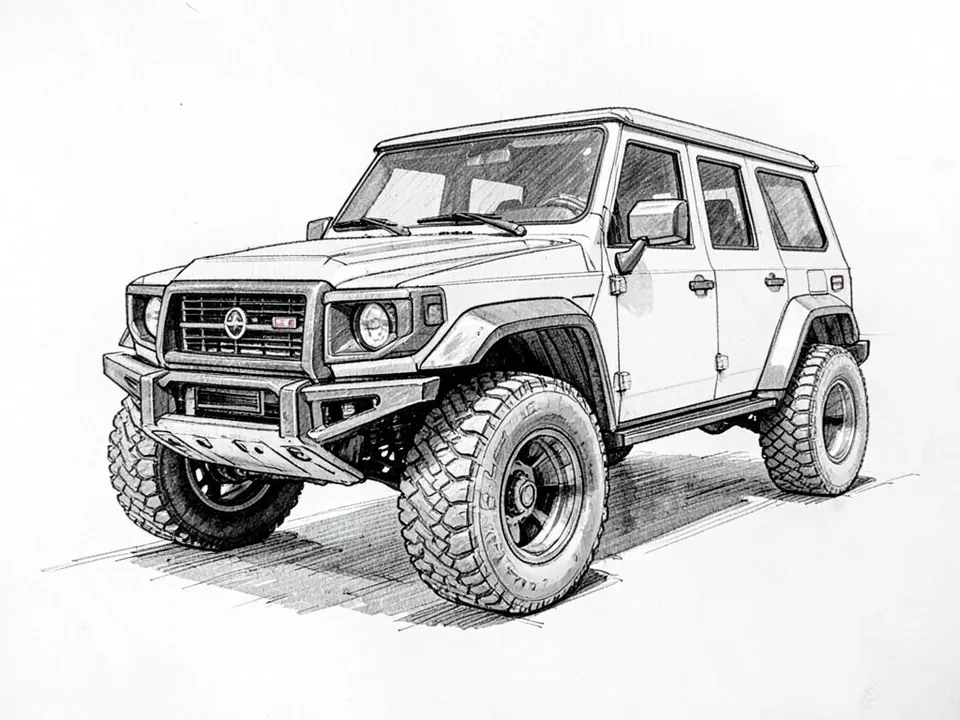
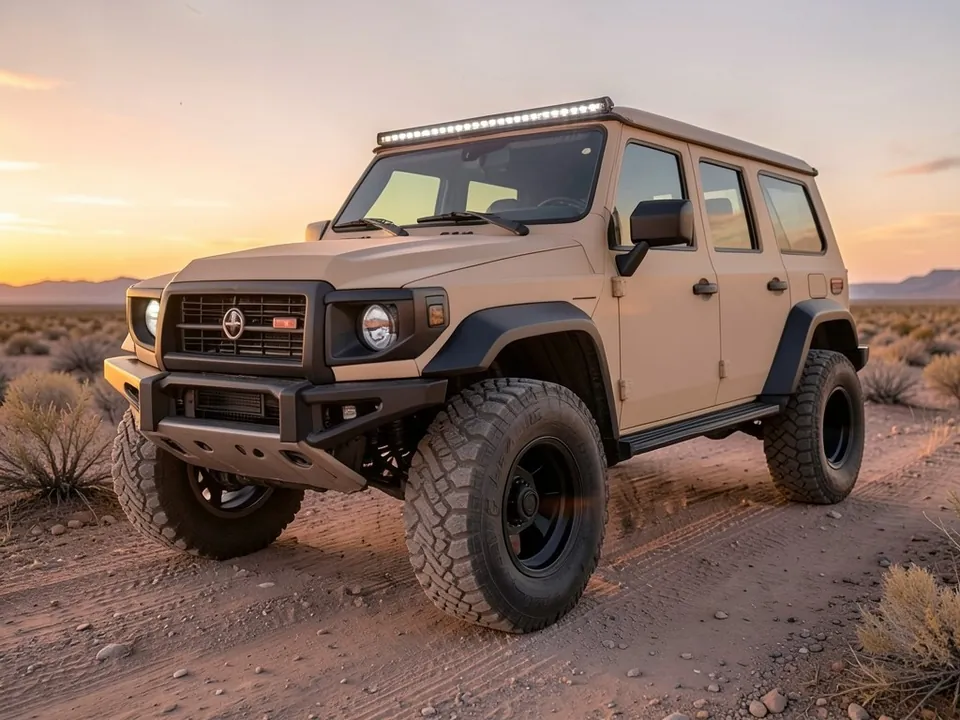 BeforeAfter
 BeforeAfter
All example images on this page are AI-generated samples made with our own image model, not photos of real customer cars. They were made with 4 processing steps, which is more than the live tool uses (2), so a render in the tool may come out rougher. The sketches were drawn by the same AI model for these tests, not by a human designer, and the concept vehicles are not real production models.
What this car design generator does
It turns an image you upload into a realistic render. Start from a hand sketch, a digital drawing, a 3D block-out or a photo of a real car, and describe the finish you want: paint, wheels, lights and the setting. The AI keeps your shape and fills in materials, light and reflections.
It does not invent a car from text alone. You always start from an image, which is what lets the render keep your proportions instead of drawing a random car. WheelAI is not affiliated with any car maker.
How to turn a car sketch into a render
- 1
Scan or photograph your sketch
Use a clear, evenly lit picture of the whole vehicle on the page. Pencil, pen, marker and digital sketches all work; strong outlines help the AI keep your shape. A photo of a real car works too.
- 2
Open the Modifications tool and pick Custom Vision
Upload the image in the Modifications tool and switch to the Custom Vision mode, which takes a free-text request.
- 3
Ask for a render and keep the shape
In the Modification Goals box, ask for a photorealistic render of the same vehicle, then name the paint, wheels, lights and setting. Add a line asking it to keep the exact body shape, proportions and camera angle.
- 4
Render, compare and adjust
Compare the render with your sketch. If a line or proportion drifted, run it again and name that part, or try a different paint and setting on the same sketch.
What people use it for
Design students and hobby sketchers
See a pencil or marker sketch as a finished concept in minutes, then try two or three paint and wheel ideas on the same drawing.
Custom build planning
Upload a photo of a real car and ask for a concept version, such as a new front light bar or a two-tone paint, to share the idea with a shop.
Mood boards and presentations
Put the same concept in a studio, a city at night or a desert at sunset to show how it reads in different settings.
Tips for a better render
Where it slips
Small details can change: in our tests the AI simplified a front panel and drew road tires where we asked for off-road tires. The render is a quick concept image, not a design file. It does not make CAD models, blueprints or exact measurements.
Three Modification Goals you can paste
These are the exact texts behind the examples above. Paste one into the Modification Goals box and change the paint, wheels, lights and setting to your own design.
- Turn this pencil sketch into a photorealistic studio render of the same concept car: glossy metallic teal paint, black glass roof, thin LED light bars front and rear, large black aero wheels, on a gray studio floor with soft reflections. Keep the exact body shape, proportions and camera angle of the sketch. No logos, no text.
- Turn this sketch into a photorealistic render of the same concept SUV: matte sand beige paint, black fender flares, chunky all-terrain tires on black wheels, LED light bar on the roof, parked on a desert trail at sunset. Keep the exact body shape, proportions and camera angle of the sketch. No logos, no text.
- Turn this sketch into a photorealistic render of the same concept pickup truck: satin graphite gray paint, glowing white LED light bar across the front, black wheels with off-road tires, parked on a wet empty road at night with soft blue reflections. Keep the exact body shape, proportions and camera angle of the sketch. No logos, no badges, no emblem, no text, no signs.
Frequently asked questions
Can I turn my car sketch into a realistic image?
Yes. Upload a clear picture of the sketch to the Modifications tool, switch to Custom Vision and ask for a photorealistic render of the same vehicle with the paint, wheels, lights and setting you want, keeping the exact body shape.
Can it design a car from a text prompt alone?
No. This tool always starts from an image you upload, such as a sketch, a drawing or a photo. That is how it keeps your shape instead of drawing a random car.
Does it work with a photo of a real car?
Yes. Upload the photo and describe the concept changes, such as a full-width light bar, covered wheels or a new paint. Ask it to keep the camera angle and background if you want only the car to change.
What kind of sketch works best?
A clear side or three-quarter view with strong outlines and the whole vehicle on the page. Pencil, pen, marker and digital sketches all worked in our tests.
Will the render keep my exact design?
It keeps the overall shape and proportions well, but small details can drift, such as a panel shape or the tire type. Name the parts that matter most and run it again if one changes.
Is the AI car design generator free?
You need to sign in with your email or a Google account. Most new accounts get 5 free credits that last 30 days, and a standard render uses 1 credit, so you can try up to 5 renders before deciding whether to buy more. Free renders carry a WheelAI watermark; an active paid plan removes it.
Ready to see your car design rendered?
Upload your sketch, try two paints and two settings, and keep the render that best shows your idea.
Render my car designAlso try: AI Car Modifier · JDM Car Customizer · Car Wrap Visualizer · Race Car Livery · Car Visualizers