JDM Car Customizer: Try a JDM Build on a Photo of Your Car
Upload a photo of your car, describe the JDM build you have in mind, from bronze wheels and a front lip to a wing and a stripe decal, and see it on your own car before you order parts.
Sign in with email or Google to render. Most new accounts get 5 free credits (valid 30 days); a standard render uses 1 credit. Free renders carry a WheelAI watermark.
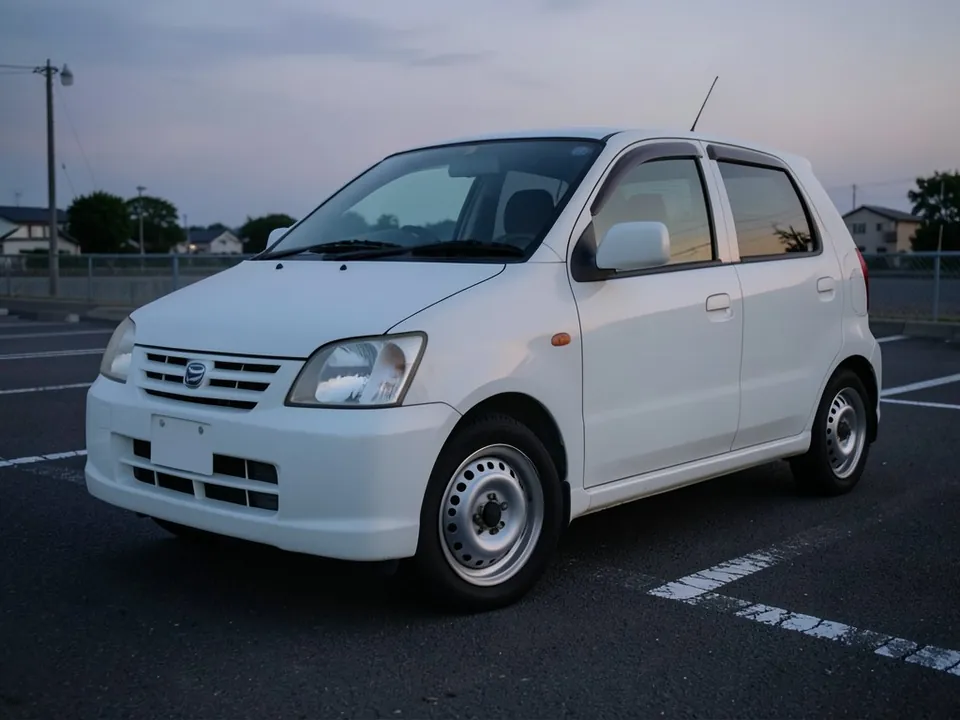
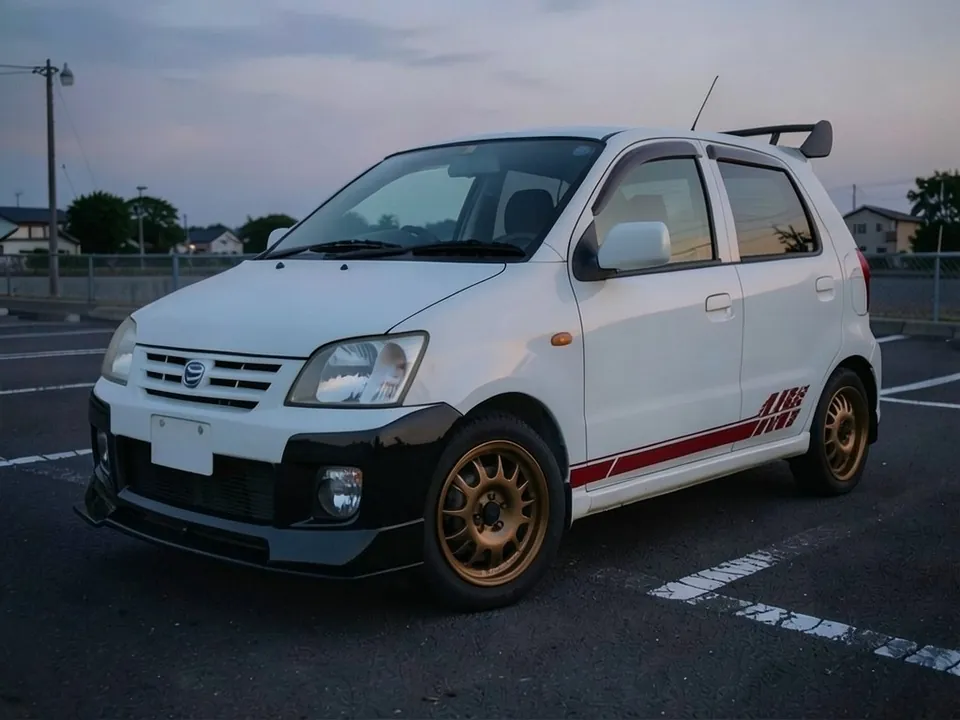 BeforeAfter
Before and after examples
Each pair shows a car photo and the same photo after one Modification Goals request. Pairs one and three are the first run. For pair two, the first run added only a wing, so we reworded the request to name each part and ran it again; we show the second run. The exact request is printed under each pair.
BeforeAfter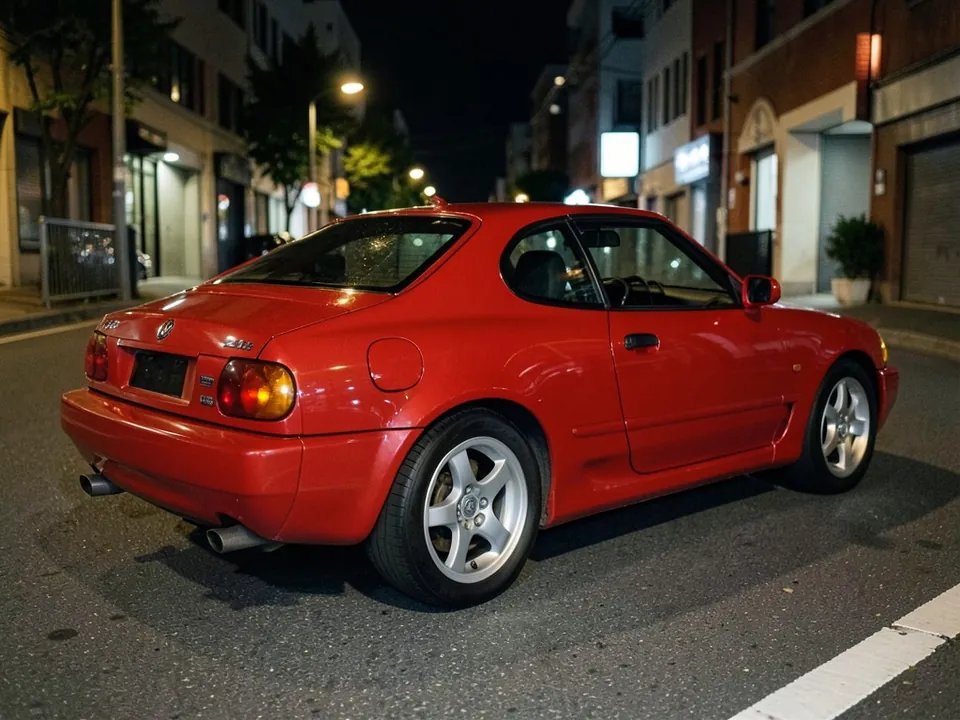
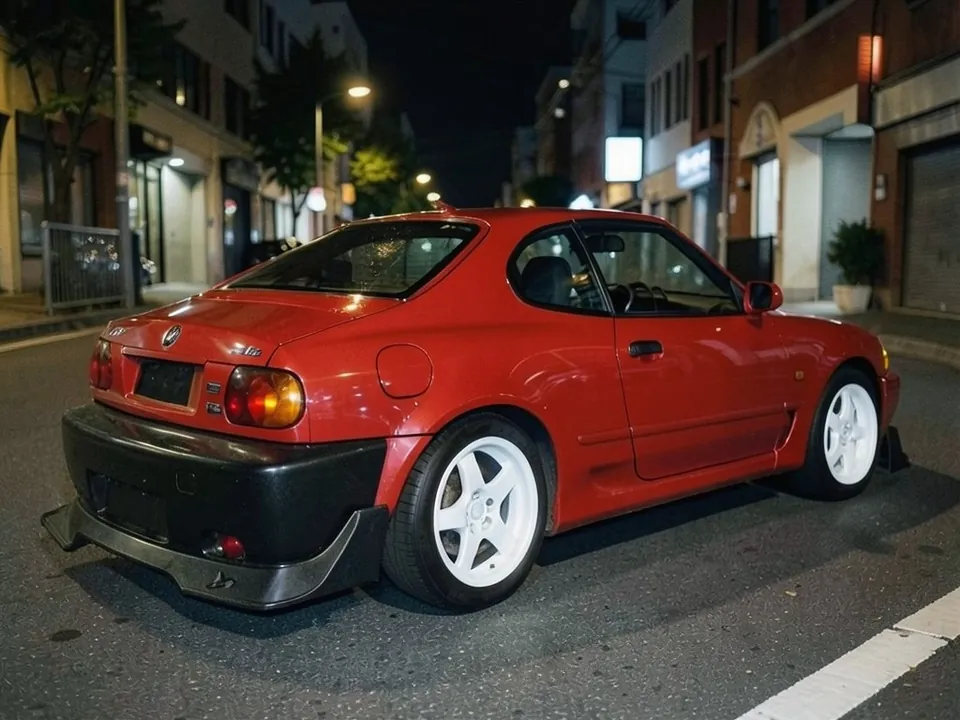 BeforeAfter
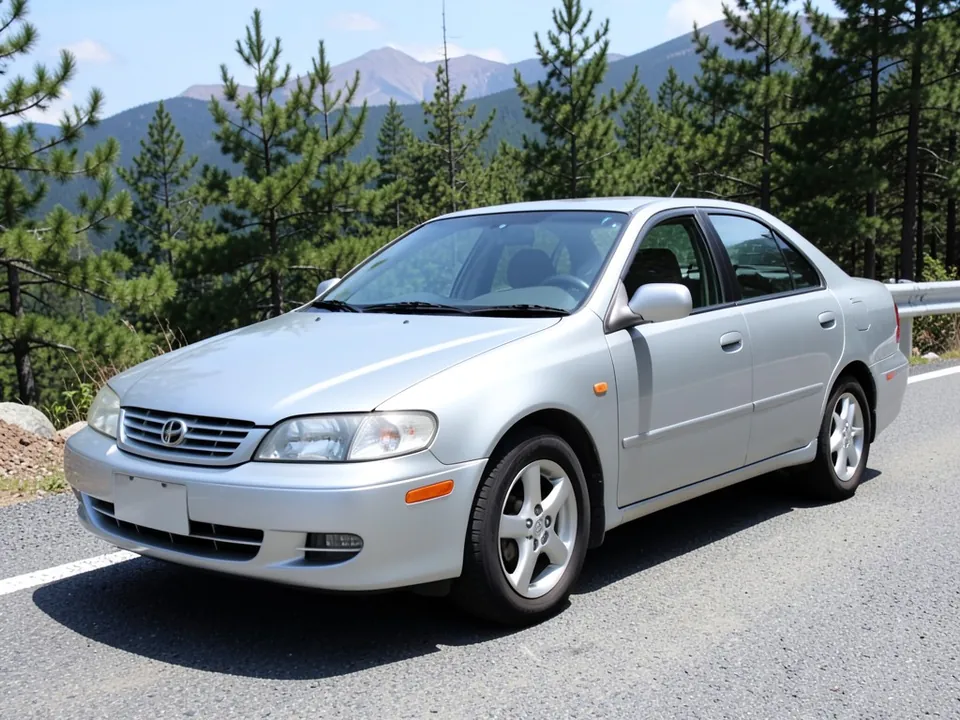
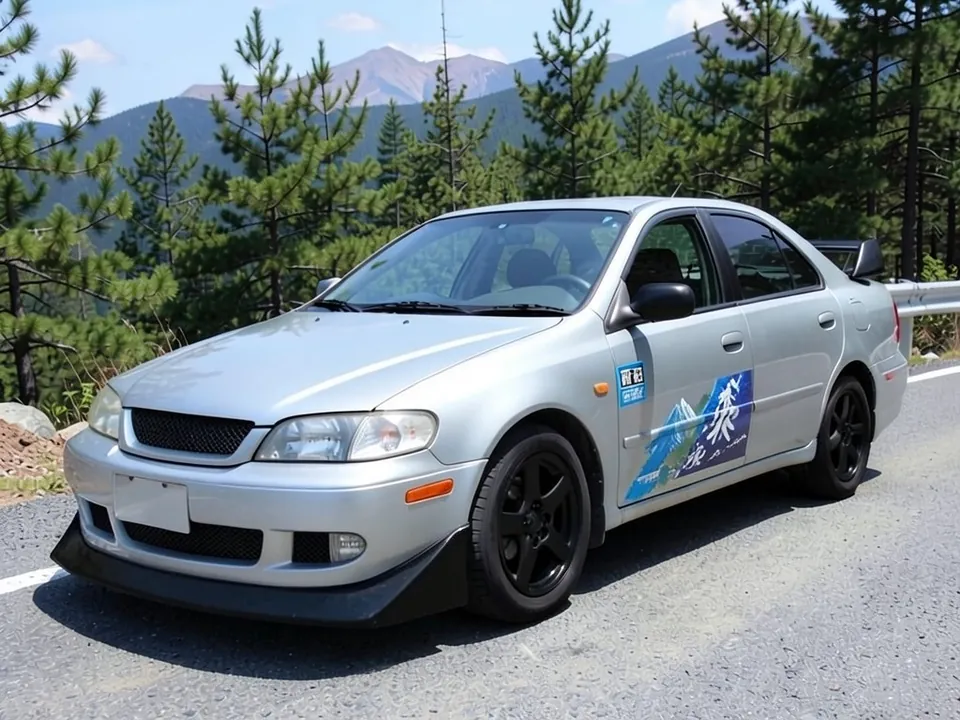 BeforeAfter
All example images on this page are AI-generated samples made with our own image model, not photos of real customer cars. They were made with 4 processing steps, which is more than the live tool uses (2), so a render in the tool may come out rougher. The cars are unbadged, generic models with no plate text, not a specific brand or model.
Your own car, not a catalog picture
Parts shops show a wheel or a lip kit on a demo car. WheelAI edits the photo you upload, so the whole JDM build is drawn on your own car with your paint color and body shape, which is what decides whether bronze wheels or a big wing really suit it.
It works with any car, not only Japanese models; JDM here means the style. WheelAI is not affiliated with any car maker or parts brand.
How to preview a JDM build on your car
- 1
Take a three-quarter photo of your car
Shoot the whole car in daylight from a front or rear corner, so one side, the bumper and both wheels on that side are in the frame.
- 2
Open the Modifications tool and pick Custom Vision
Upload your photo in the Modifications tool and switch to the Custom Vision mode. There is no separate JDM button; you type the build in plain words.
- 3
Describe the parts and what must stay
In the Modification Goals box, name the wheels, aero parts and decals you want, then list the paint color, body shape and background so the AI leaves them alone.
- 4
Render, compare and adjust
Generate the image and compare it with your photo. If a part was missed, run it again with clearer words or ask for that part on its own.
JDM parts to try in your request
Wheels and stance
Wheels change the look the most. Bronze, white and gunmetal multi-spoke or mesh wheels, deep dish lips and low profile tires are common JDM picks. Ask for a lower ride height if you want a stance look.
Front lip, side skirts and diffuser
A front lip and side skirts make the car look lower and wider. A rear diffuser finishes the aero look. Ask for black or carbon fiber parts so they stand out from the paint.
Spoiler or wing
A small roof spoiler suits hatchbacks, a ducktail or trunk spoiler suits sedans, and a tall wing suits a track build. In our tests the AI drew small spoilers easily but left out a tall wing, so describe its height and shape clearly.
Decals, stripes and livery
Side stripes and door decals are cheap ways to add a JDM look. Ask for no readable text; the AI tends to draw small unreadable marks inside decals.
Tips for a good JDM preview
A look preview, not a fitment check
The render shows whether you like a JDM build on your car. It does not check wheel size, offset or bolt pattern, whether a lip clears your driveway, or whether a part is made for your model. Check fitment with a parts shop, and check local rules on ride height, tint and wings before you buy.
Three Modification Goals you can paste
These are the exact texts behind the examples above. Paste one into the Modification Goals box, swap the paint and background words for what is in your photo, and change the parts to the build you want.
- Turn this car into a JDM street build: fit bronze six-spoke 17 inch wheels with low profile tires, add a black front lip splitter, black side skirts, a small rear roof spoiler and a red and white side stripe decal. Keep the white paint, car body shape, parking lot, dusk light and camera angle exactly the same. No logos, no readable text.
- Replace the wheels with bright white multi-spoke deep dish 18 inch racing wheels with low profile tires, add a black front lip spoiler under the front bumper, black side skirts and a tall black rear wing. Keep the red paint, car body shape, city street, night lights and camera angle exactly the same. No logos, no readable text.
- Turn this car into a JDM drift build: fit matte black mesh style 18 inch wheels, add a black front lip, black side skirts, a black trunk spoiler, black window tint and a small blue and white Japanese style livery decal along the doors. Keep the silver paint, car body shape, mountain road, pine trees and camera angle exactly the same. No logos, no readable text.
Frequently asked questions
How can I see a JDM build on my own car?
Take a clear three-quarter photo of your car, upload it to the Modifications tool, switch to Custom Vision and describe the wheels, aero parts and decals you want, plus what must stay the same. The render draws the build on your own car.
Does it only work on Japanese cars?
No. The tool edits whatever car is in the photo. JDM is a style, so you can try JDM wheels, a lip and a wing on any car.
Which JDM parts change the look the most?
Wheels first, then a front lip and side skirts, then a spoiler or wing. Try the wheels alone first, then add aero parts in a second render to see how much each part adds.
Can it lower my car for a stance look?
You can ask for a lower ride height with less gap above the tires. The AI draws a look, not a measured drop, so judge the style and check real ride height and fitment with a shop.
Why did the AI skip a part I asked for?
Long requests sometimes lose a part, and parts outside the photo angle cannot be drawn. In our tests a tall rear wing was left out once. Run that part on its own, or use a photo angle that shows it.
Is the JDM car customizer free?
You need to sign in with your email or a Google account. Most new accounts get 5 free credits that last 30 days, and a standard render uses 1 credit, so you can try up to 5 JDM builds before deciding whether to buy more. Free renders carry a WheelAI watermark; an active paid plan removes it.
Ready to plan your JDM build?
Try two wheel colors and one aero kit on your own photo, then take the build you like to a parts shop to check fitment.
Customize my car JDM styleAlso try: AI Car Modifier · Front Splitter Visualizer · Car Spoiler Visualizer · Bronze Rims on Cars · Race Car Livery · Rim Visualizer