Wheel Spacers Visualizer: See Your Stance Before and After Spacers
Upload a straight rear or front photo of your own truck, SUV or car, describe how far out you want the wheels, flush with the fenders or with a little poke, and see the stance before you buy spacers.
Preview wheel spacers on my vehicleSign in with email or Google to render. Most new accounts get 5 free credits (valid 30 days); a standard render uses 1 credit. Free renders carry a WheelAI watermark.
Before and after examples
Each pair is one vehicle photo and the same photo after one Modification Goals request, sent through the same image model, step count and request wording that Custom Vision uses. Each after-image is a single run. Before photos were cleaned with the same model to remove brand-style badges. The full request text sits under each pair.
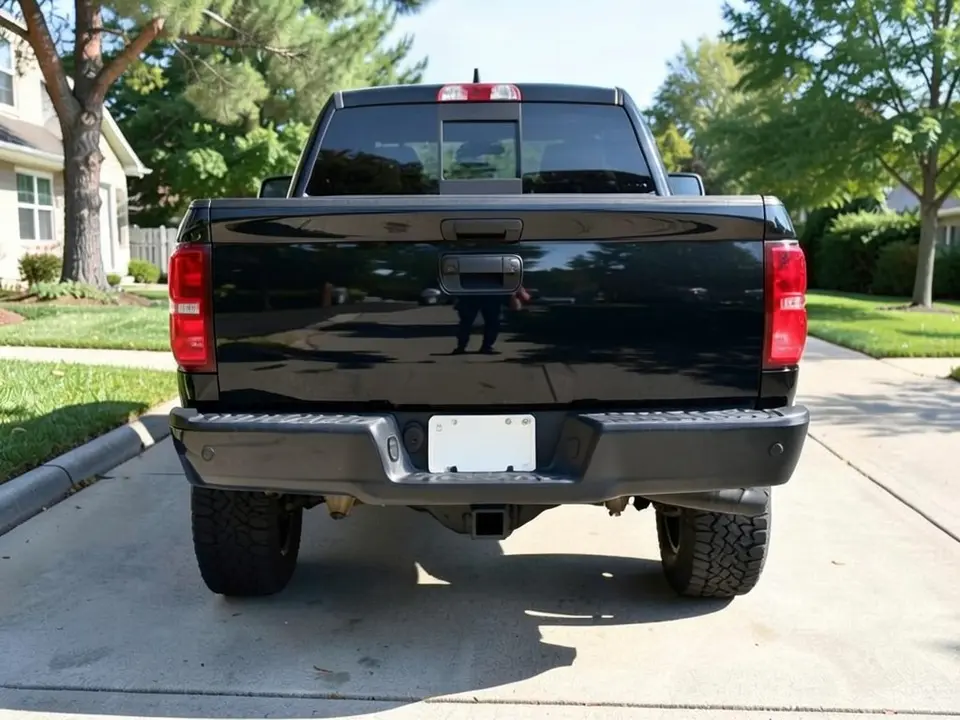
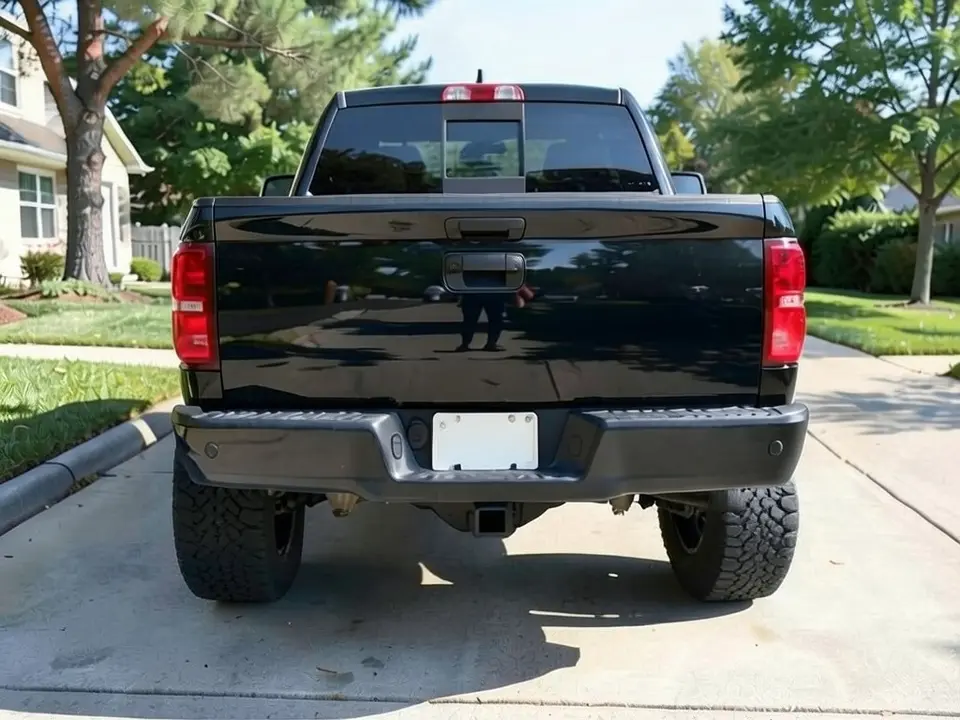
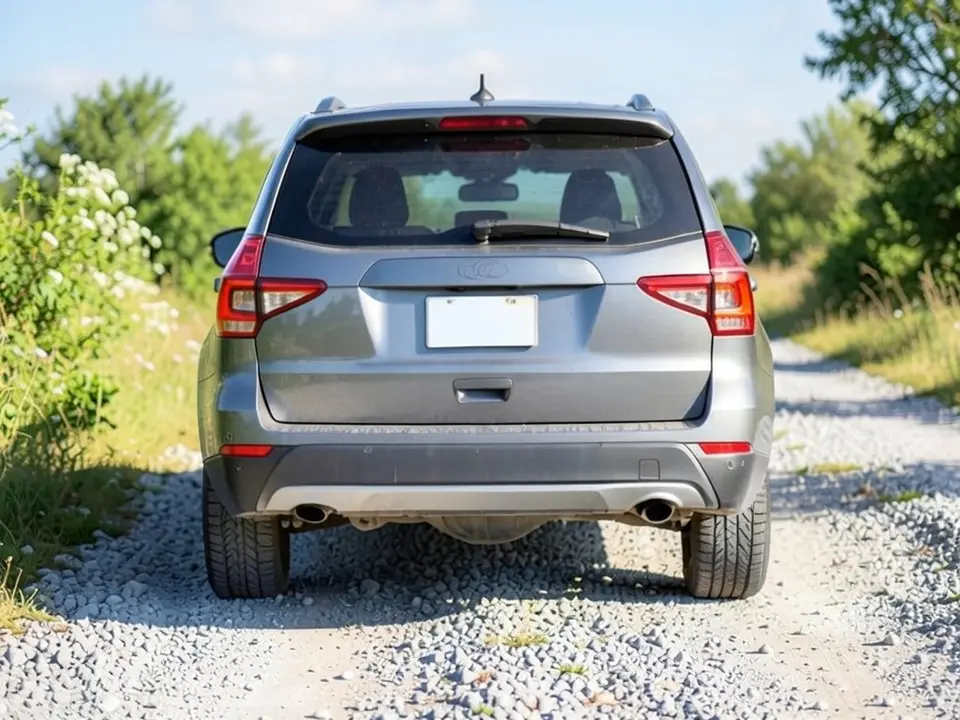
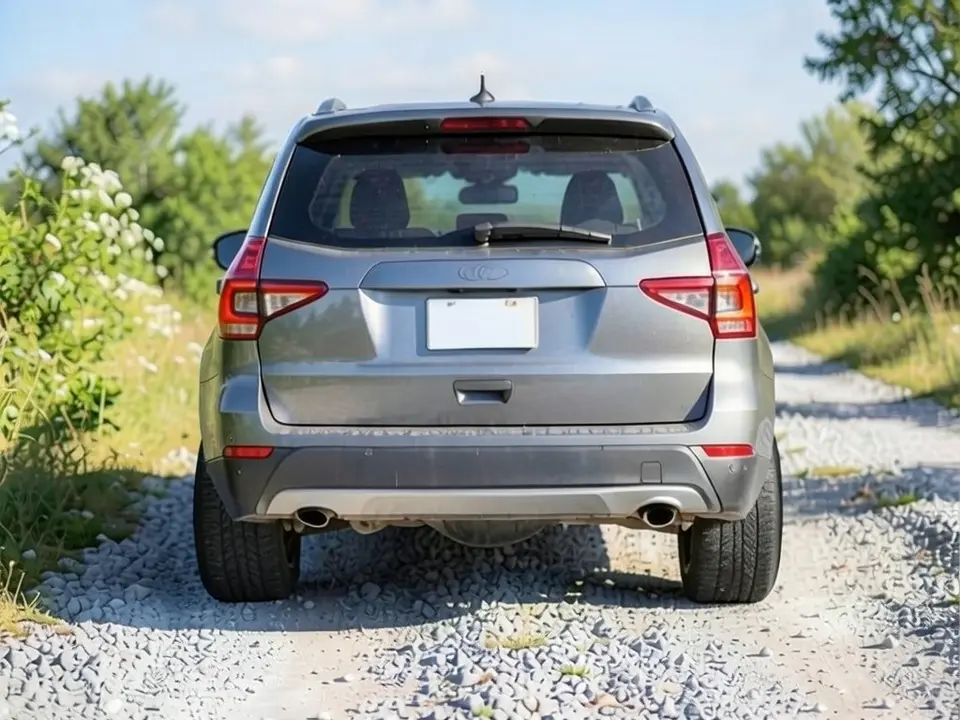
All before and after images are AI-drawn samples from our own image model, not photos of real customer vehicles. The vehicles are plain generic models with blank plates. Under each pair we list which parts of the request worked, which did not, and any change we never asked for.
See the stance on your own vehicle first
Spacers are about a look: wheels that sit flush with the fenders instead of tucked inside. How much is enough is hard to picture. WheelAI redraws a photo of your own vehicle with the wheels pushed out the way you describe, so you can compare flush and poke before you buy.
The example vehicles below are AI-drawn generic vehicles, not photos of real customer vehicles, and no vehicle maker or parts maker is affiliated with this page.
How to preview wheel spacers
There is no special mode for this part. The Modifications tool edits any vehicle photo, and its Custom Vision mode takes your own wording.
- 1
Take a straight rear or front photo
Stand a few steps behind or in front, centered, with both wheels on that axle and the fender edges in the frame.
- 2
Open the Modifications tool
Upload your photo and switch to Custom Vision.
- 3
Describe the stance and what stays
Say which wheels move and where they should end up, flush or with slight poke, and list what must not change: wheel design, tires, paint, ride height and background.
- 4
Compare and refine
Look at the tire edge against the fender in your original and the render, and check that the tires did not change.
Spacer terms you will see
Slip-on
A thin plate that slides over the existing studs. Usually small sizes.
Bolt-on
A thicker adapter that bolts to the hub and has its own studs for the wheel.
Hub-centric
Centered on the hub, so the wheel sits true. Guides we read recommend these.
Flush or poke
Flush means the tire lines up with the fender edge; poke means it sticks out past it.
What a picture cannot tell you
A render shows whether you like the stance. Before you buy spacers, ask about the following.
- The size that gives that stance on your wheels and offset.
- Whether the tires will rub the fenders or suspension when turning or under load.
- Hub-centric fit for your hub, the right studs and the torque spec.
- The extra load on wheel bearings and suspension parts.
- The rules on tire poke where you drive.
Two Modification Goals to paste
We used these requests for the examples. Copy one into Modification Goals, swap the wheels, stance and background words for your own, and delete anything that does not apply.
- Push both rear wheels and tires straight outward so the outer tire sidewalls sit flush with the outer edge of the fenders, as if 2-inch wheel spacers were fitted; change ONLY the wheel position. Keep the wheel design, tires, paint, tailgate, ride height, driveway and the camera angle exactly the same
- Push both rear wheels and tires straight outward so the tires stick out slightly past the fender edges, as if 1.5-inch wheel spacers were fitted; change ONLY the wheel position. Keep the wheel design, tires, paint, ride height, gravel road and the camera angle exactly the same
What the AI does well and where it slips
Straight rear photos show the change best: the wheels move out and the body stays put. The weak spots are size and tires. The render does not show an exact measurement, the tires tend to come out a little wider, and corner photos showed no change at all in our tests.
Frequently asked questions
Is there a free wheel spacers visualizer that uses my own photo?
Yes. Sign in with email or Google, upload a photo of your vehicle, and describe the stance in the Modification Goals box. Most new accounts get 5 free credits that last 30 days, and a standard render uses 1 credit. Free renders carry a WheelAI watermark. It edits your own picture rather than a diagram.
Can it show an exact spacer size, like 1 inch or 25 mm?
No. You can name a size, but the render is a picture, not a measurement. Use it to judge flush versus poke, and use a wheel offset calculator or ask a shop for the real numbers.
What photo works best?
A straight-on rear or front photo from a few steps back, with both wheels on that axle in the frame. In our tests a white sedan seen from a front corner showed no visible change on two runs, so we left it out.
Are wheel spacers safe?
We cannot judge your vehicle. Guides we read recommend hub-centric spacers made for your hub, installed and torqued to spec, re-torqued after a short drive, and never stacked. Spacers also add load on wheel bearings and suspension parts. Ask an installer about your vehicle.
What is the difference between spacers and new wheels with a lower offset?
Both move the wheel outward. A spacer does it with your current wheels, while a wheel with a lower offset is built to sit further out. The render shows the same stance either way.
What if the AI changes something I did not ask for?
It can. The image model redraws the whole photo. In both examples here the tires also came out a little wider than in the original. Compare the result with your original and rerun if something changed.
Can my tires stick out past the fenders?
We cannot tell you. Rules on tire poke vary by state and country. Check where you drive, and look at our fender flares page if you want coverage for a wider stance.
Ready to see your stance with spacers?
Compare flush and slight poke on the same photo, then ask a shop which size gets you there safely.
Preview wheel spacers on my vehicleAlso try: Rim Visualizer · Fender Flares Visualizer · Lift Kit Visualizer · Wheel Color Visualizer · White Letter Tires Visualizer