Grille Visualizer: Preview a Black Grille on Your Car
Upload a front photo of your car or truck and preview a black honeycomb, mesh or blackout grille on it, then compare it with your stock chrome grille before you buy or paint anything.
Try a grille on my carSign in with email or Google to render. Most new accounts get 5 free credits (valid 30 days); a standard render uses 1 credit. Free renders carry a WheelAI watermark.
A black honeycomb grille on a gray sedan and a matte black mesh grille on a red pickup
Each pair shows an AI-generated vehicle with a stock chrome grille, then the same picture after asking for a new grille. They are generic vehicles, not a specific make or model.
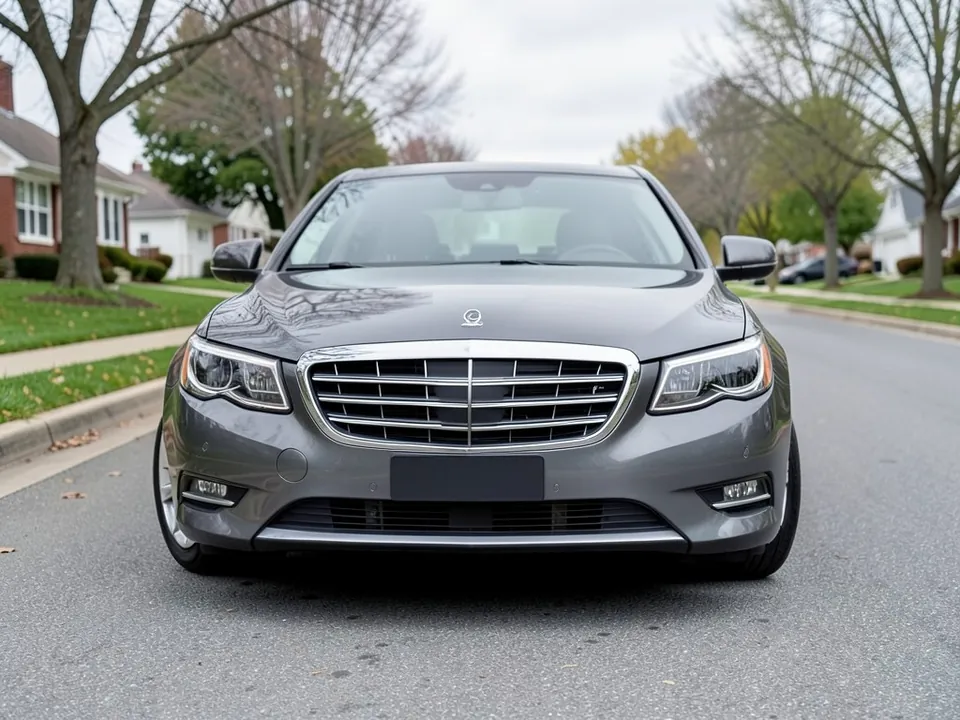
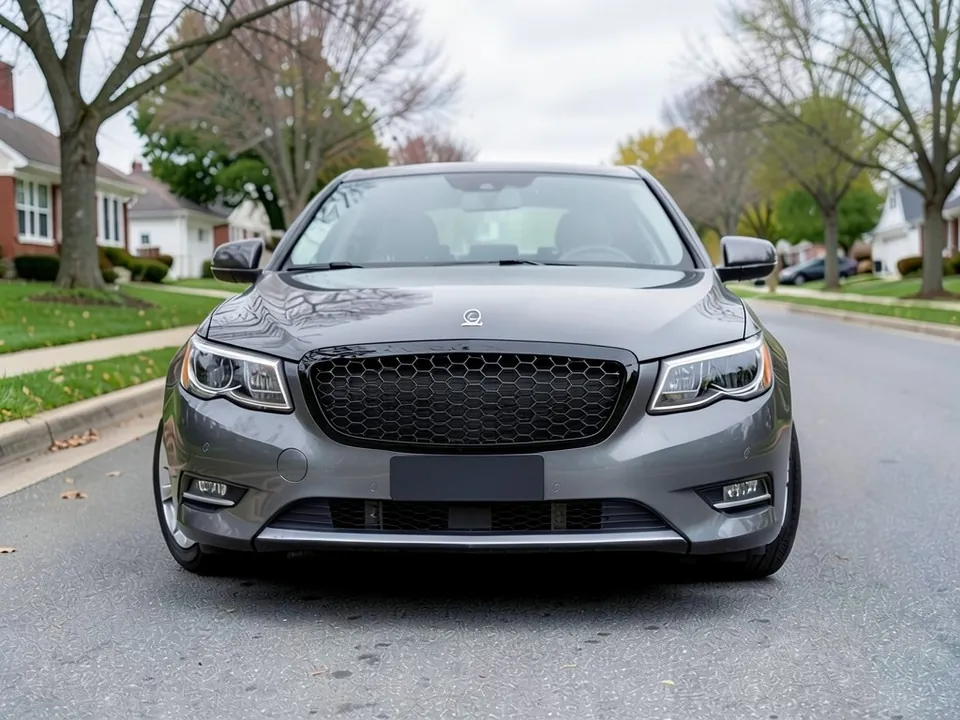
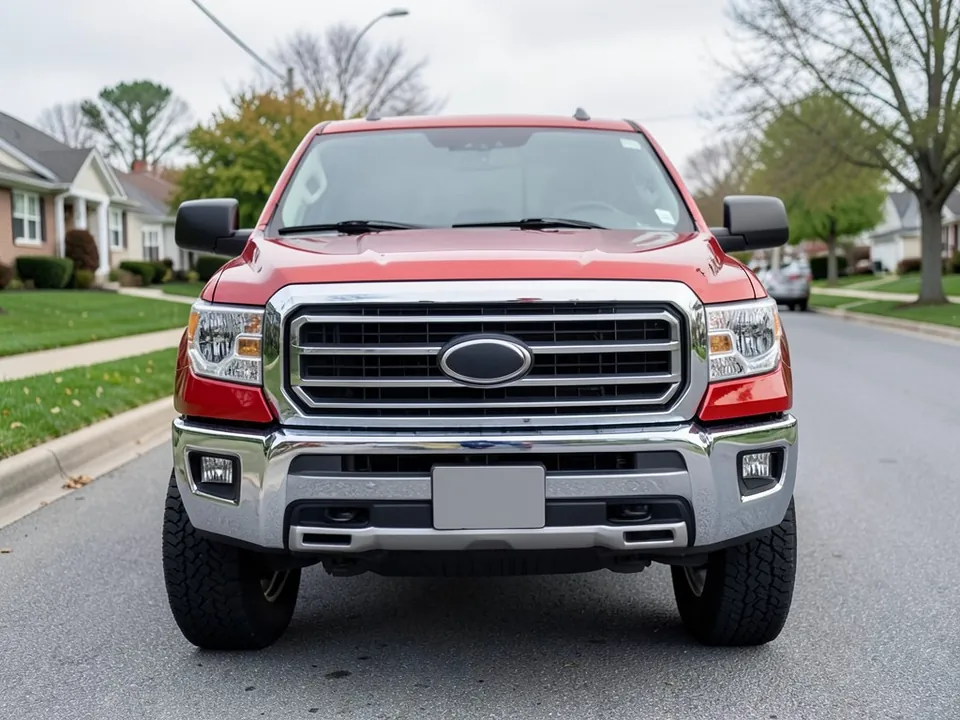
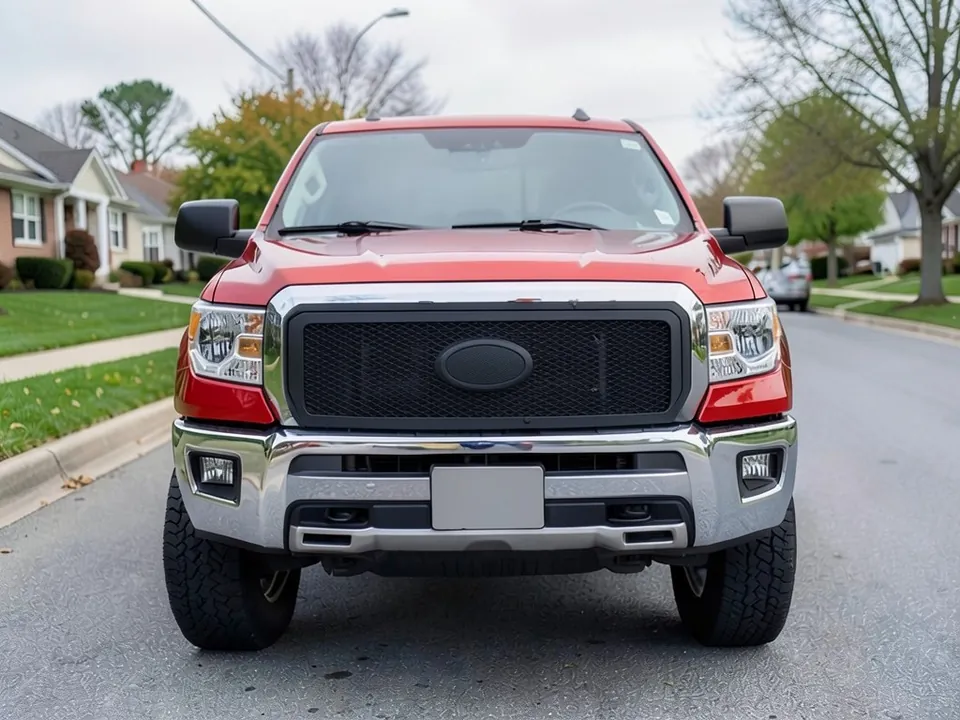
All example images on this page are AI-generated samples made with our own image model, not photos of real cars. Each was run once with seed 7 and the exact prompt shown. We did not compare every pixel, and results from the live tool may differ.
How to see a new grille on your car
- 1
Take a clear photo
Photograph the front of your car straight on in daylight, with the grille, headlights and bumper all visible.
- 2
Open the Modifications tool and upload it
Modifications is our existing tool for visual upgrades. Upload your photo and stay on the "Exterior Modifications" mode.
- 3
Describe the change
Choose "Custom Vision" and type what you want, for example "replace the grille with a gloss black honeycomb mesh grille, keep everything else the same". Name the grille style and finish, such as honeycomb, mesh or blackout, and whether you want the chrome around it kept.
- 4
Render and compare
Generate the image and compare it with your original photo. Then try a second style on the same photo to see the difference.
Grille styles and finishes
Black honeycomb
A hexagon mesh pattern that gives a sporty look. It is a common upgrade on sedans and coupes.
Mesh or diamond
A fine mesh that gives a rugged, modern look. Common on trucks and SUVs.
Blackout or chrome delete
The grille and trim go black while the body colour stays the same. Our chrome delete page shows the wider look.
Horizontal or vertical bars
Classic stock-like styles, often in chrome or black. They suit owners who want a subtle change.
Illuminated or LED grille
Grilles with LED lines or a light bar. They are a bold look, and rules on added lights vary.
What to check before you change a grille
- Fitment: grilles are made for exact years, models and trims.
- Sensors: a radar or camera behind the grille can be blocked by thick or metal parts.
- Cooling: a denser mesh lets in less air to the radiator.
- Badge: some grilles keep the brand badge, some leave a spot for it, and some drop it.
- Finish: gloss shows scratches and dust, and matte can be harder to clean.
- Warranty: ask your dealer whether a trim change affects your warranty.
Black grille with chrome trim, or all black
A black grille with the stock chrome around it gives a mixed look that keeps some brightness. A fully blacked-out front, with the bumper, trim and badge also dark, looks more uniform and aggressive. Previewing both versions on your own photo shows which you prefer before you spend money.
An honest note about AI renders
Renders are concepts. The AI may change the badge, move the headlight shape slightly or draw a mesh that is too coarse or too smooth. Use the preview to compare styles, then check real photos of the grille on a car like yours.
Frequently asked questions
Will the grille I see in the preview fit my car?
No. The visualizer only shows a look. A real grille must be made for your exact year, model and trim, and it may need clips, trim or sensor cut-outs. Check the maker's fit guide and ask a shop to confirm.
Can I just paint or wrap my chrome grille black?
Many owners do, using paint, vinyl wrap or a plasti-dip style coating. That is often cheaper than a new grille and can be undone with a wrap. A preview shows which look you prefer, but check the durability of the coating with a shop.
Does a mesh grille affect cooling?
It can. A grille controls how much air reaches the radiator and intercooler, and a denser mesh can let in less. Owners with heavy towing or track use often check this before they swap. Ask the grille maker for airflow details.
Will a new grille block my radar or camera?
It can. Many newer cars hide an adaptive cruise radar or a camera behind the emblem or grille. Aftermarket grilles and thick wraps can interfere with them. Ask the maker whether the grille is made for cars with those sensors.
What are the common grille styles?
Honeycomb, mesh, horizontal bar, vertical bar, billet and blackout grilles are common. Some add LED strips or a coloured trim line. Previewing two styles on the same photo is the quickest way to compare.
Can I preview a grille on a truck or SUV?
Yes. It works on pickups, SUVs and vans as long as the front is clearly visible. A straight, level, front photo gives the best result.
Is it free to try?
You need to sign in with your email or a Google account. Most new accounts get 5 free credits that last 30 days, and a standard render uses 1 credit. Free renders carry a WheelAI watermark; an active paid plan removes it.
Ready to see a new grille on your car?
Upload one front photo and compare black honeycomb, mesh and blackout looks before you shop.
Try a grille on my carAlso try: Chrome Delete Visualizer · Murdered Out Car · Grille Guard Visualizer · Hood Scoop Visualizer · Halo Headlights · Headlight Tint Visualizer · F-150 Visualizer